How to Make Money on Pinterest Without a Blog (Yes, Really)
You don’t need a blog to make money on Pinterest — you need somewhere for people to land and something to buy. Here’s how to earn with no website, and why you might still want one later.


The number one reason people tell me they “can’t” make money on Pinterest is that they don’t have a blog or a website — and honestly, that belief is costing them money. You do not need a blog to earn on Pinterest. You need two things: somewhere for people to land after they click your pin, and something for them to buy (or a commission you earn when they do). A blog is one nice way to provide the landing spot, but it is absolutely not the only one. Let me show you how to do this with nothing but a phone, a free tool or two, and some consistency.
Quick reality check first, because I never want to oversell this: Pinterest still doesn’t pay you directly — it sends traffic, and you monetize the traffic. That core model is the same whether or not you have a website, and I lay out all seven income streams in the main guide to making money on Pinterest. This post is just about the streams that need zero blog to get going. Good news: there are several, and one of them you can start this afternoon.

Option 1: Affiliate links straight to a landing page
Affiliate marketing is the classic no-blog starter, because the product owner already built the sales page — you just send interested people to it and earn a commission. You find a product you like in an affiliate program, get your unique link, create a helpful pin about it, and point the pin at the product (or, better, at a free “link-in-bio” style page listing a few related picks). No website of yours required. I cover the strategy in Pinterest affiliate marketing, and the rules you must follow in the affiliate disclosure guide — please read that second one, because linking without disclosing can get your account limited.
One important note: a few affiliate networks (and Pinterest’s own policies) prefer that you don’t cloak links or spam raw affiliate URLs across dozens of identical pins. The clean way is to create genuinely helpful pins, use a simple free landing page as the middle step when you can, and keep your disclosures visible. Do it that way and affiliate income is the single fastest no-blog path there is.
Option 2: Sell digital products with a free storefront
Selling your own digital products — printables, templates, presets, guides — is my favorite no-blog income stream, because platforms like Etsy, Gumroad, Payhip, and Stan give you a ready-made storefront and checkout for free (or nearly free). You make the product once, list it on one of those, and use Pinterest to drive buyers to the listing. Your “website” is just the product page they host for you. I break down the full funnel in how to sell digital products on Pinterest and the business side in Pinterest for digital products.
This is where no-blog earners graduate from “a little affiliate money” to “an actual little business.” Because you own the product, you keep the whole sale, and every pin you make is an ad for an asset that’s entirely yours. A single well-made printable, pinned steadily, can outearn months of scattered affiliate links.
Option 3: Build an email list with a free lead page
Even with no blog, you can — and should — collect emails. Free tiers from Mailchimp, MailerLite, Kit, and others include hosted landing pages and signup forms, so you can offer a freebie (a checklist, a template, a mini-guide), pin it, and grow a list without a website of your own. Then you sell to that list over time. I walk through this in growing your email list with Pinterest, and it’s the smartest thing a no-blog creator can do, because it turns rented Pinterest traffic into an audience you actually own.
Think of the free email landing page as your “website that isn’t a website.” It costs nothing, it works from your phone, and it quietly builds the one asset that survives any algorithm change. If you only add one thing to your no-blog setup, make it an email freebie.
Option 4: Physical products and print-on-demand
If you’d rather sell physical things, no-blog options abound: an Etsy shop for handmade or print-on-demand goods, a simple Shopify or Square store, or even print-on-demand services that ship for you. Pinterest is a phenomenal free traffic source for visual products, and every one of these platforms hands you a hosted product page to pin toward. You never touch a line of website code — you just make beautiful product pins and let Pinterest carry the shoppers over.
What a no-blog setup actually looks like
Let me make this concrete, because “just use free tools” is easy to say and harder to picture. Here’s the exact stack I’d hand a friend starting from zero today: a free email tool (MailerLite or Kit) hosting one signup page for a simple freebie; a Gumroad or Etsy listing for one small paid product; and a couple of affiliate links for products you genuinely use. That’s it. No domain, no hosting, no website builder — three free accounts and your Pinterest profile. Everything a blog would have given you (a place to land, a way to capture emails, something to sell) is covered by tools that cost nothing to start.
From there your whole “business” lives in your pins. Each pin points to one of those three destinations depending on what you’re promoting that week — the freebie to grow your list, the product to make sales, the affiliate pick when it fits. You can genuinely run this from your phone during a lunch break. The absence of a blog isn’t a handicap here; it’s a lighter, faster version of the same model, and plenty of people never bother upgrading because it simply keeps working.
The one thing all four have in common
Notice the pattern: in every no-blog method, you still send people somewhere — an affiliate product page, a Gumroad listing, an email freebie, an Etsy shop. That “somewhere” replaces the blog. The mistake beginners make is pinning to nothing, or pinning straight to a homepage where the visitor gets lost. Always pin to one clear, relevant destination where the next step is obvious. That single habit separates no-blog earners from no-blog dabblers.
The other shared ingredient is, predictably, consistency. None of these pay off from ten pins in a burst. They pay off from steady, keyword-smart pinning week after week — which, when you’re running everything from your phone between other things, is exactly where a simple scheduling habit saves you.
When you might want a blog later
So do you ever need a blog? Not to start — but you might want one once you’re earning, because a blog unlocks two things the no-blog path can’t: display-ad revenue (a whole income stream of its own) and real SEO ownership of your traffic. Once you’ve proven your niche works with no-blog methods, a blog becomes a natural upgrade rather than a scary prerequisite. If you get there, driving Pinterest traffic to a blog will be waiting for you.
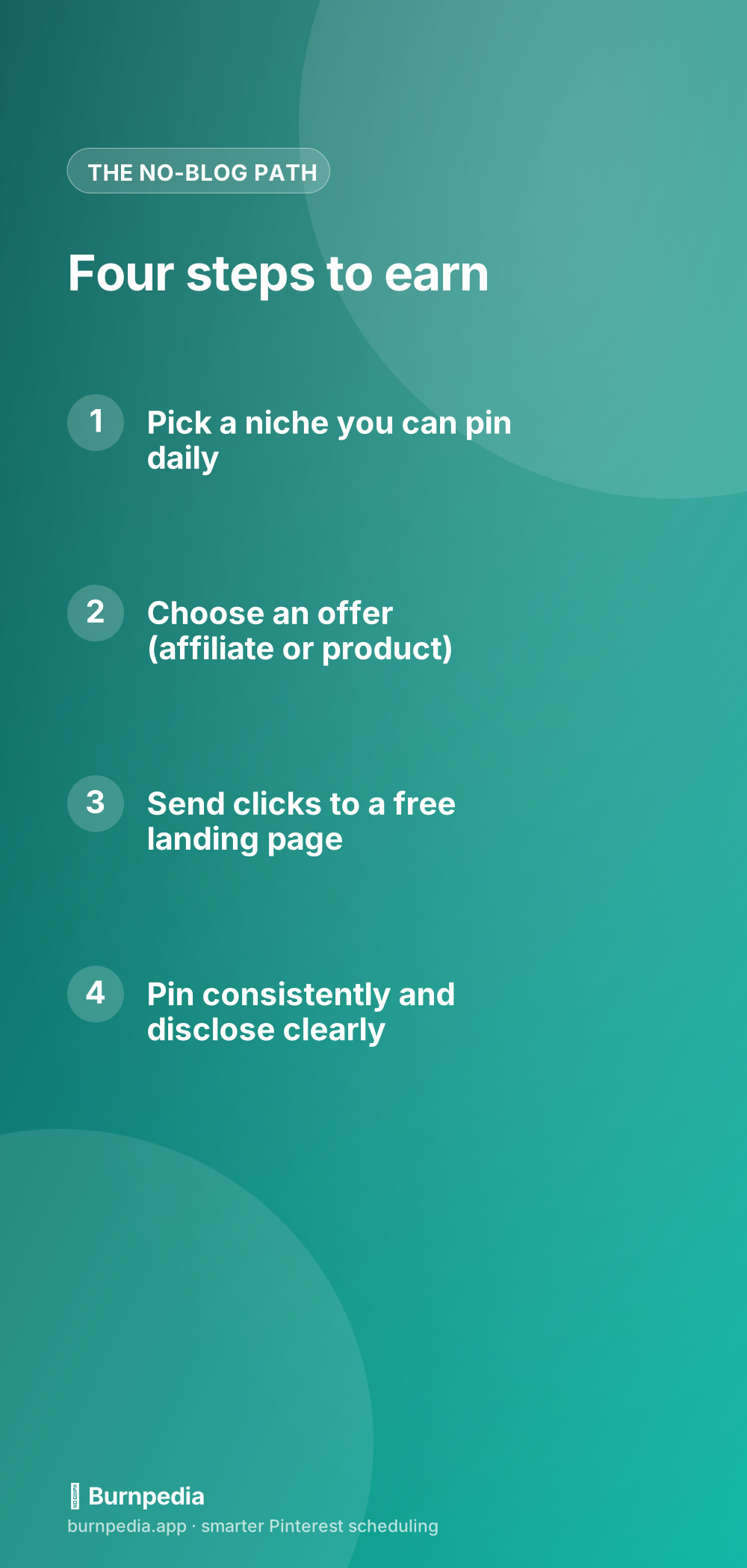
But please don’t let “I don’t have a blog” be the reason you never start. I’ve watched people spend six months “building a website” and earn nothing, while someone else started with an Etsy listing and a phone and made their first sale that same month. Pick an offer, pick a free landing spot, pin consistently, disclose honestly — and let Pinterest do what it does best. The blog can come later, if it ever needs to at all. — Sadie
The income figures here are examples and ranges, not financial advice. What you earn depends on your niche, your traffic and what you sell.
Written by Sadie Brooks
Hey — I’m Sadie. I grew up in a small town outside Columbus, Ohio, moved to Austin for a job I quit within a year, and somewhere in between I started a scrappy little food blog to keep myself sane.
These days I help creators, bloggers, and small U.S. business owners grow on Pinterest without turning it into a second full-time job. I write the Burnpedia blog because I genuinely love this stuff, and because I wish someone had explained it to me in plain English years ago. Pour a coffee, pull up a chair.
Try Burnpedia freeWant Pinterest to run itself?
Every tip on this blog gets easier when your Pins publish on schedule. Burnpedia batches, times, and posts them for you — start free, no credit card.
Try Burnpedia free