Pinterest for Digital Product Sellers (Printables, Templates & Downloads)
Digital products are the dream: make it once, sell it forever. And Pinterest is quietly one of the best places to sell them — if you know how to make a Pin sell something nobody can hold. Here’s the whole playbook.

Digital products are, honestly, the best business model I know. You make a thing once — a printable planner, a Canva template, a Lightroom preset pack, a Notion dashboard — and then you can sell that same file a thousand times without making anything new. No inventory, no shipping, no “sorry, we’re sold out.” And here’s the part people miss: Pinterest is one of the best places on the internet to sell digital products, because Pinterest users are literally there to plan, organize, and improve their lives — which is exactly what your printable or template helps them do.
But selling a digital product on Pinterest has one unique challenge that physical products don’t: your product is invisible. Nobody can pick up a PDF. You’re not selling a mug someone can imagine on their shelf; you’re selling a file, an outcome, a feeling of “finally organized.” That changes how you make your Pins, and once you understand it, everything clicks. So let’s walk through the whole playbook — the Pins, the keywords, and the funnel.
The golden rule: sell the transformation, not the file
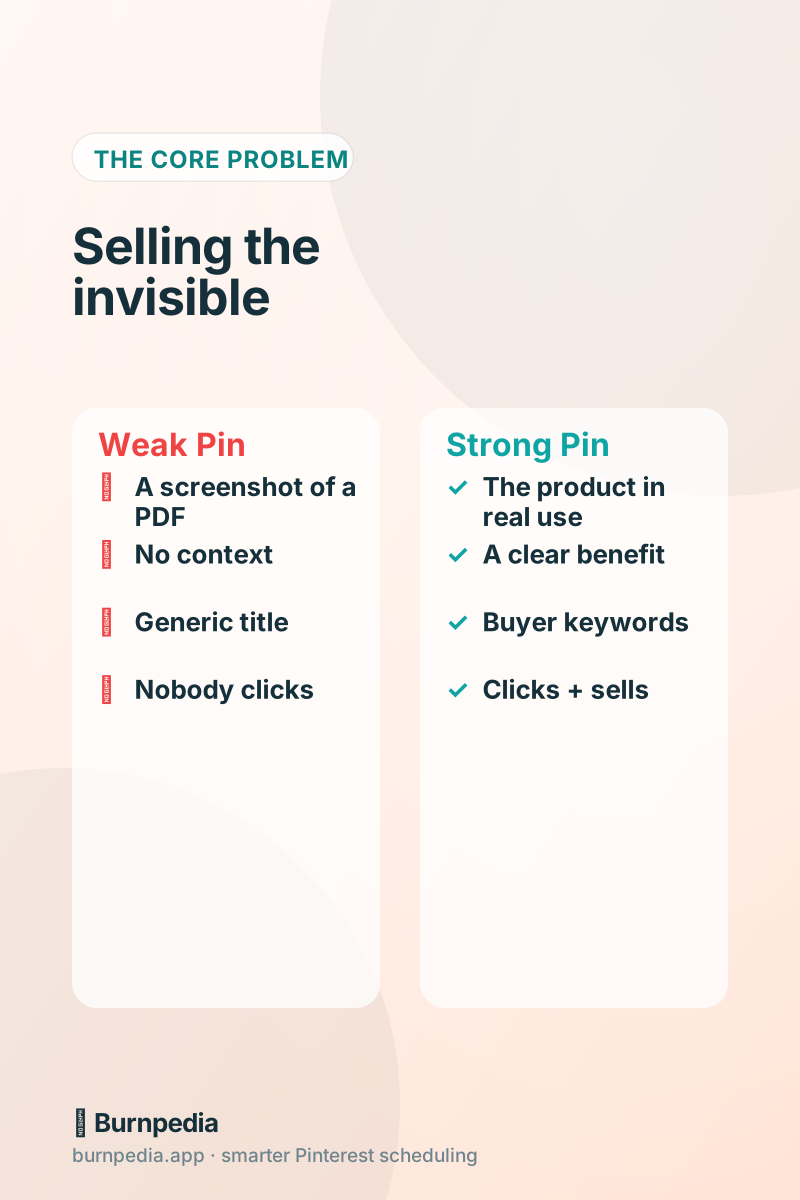
The single biggest mistake digital sellers make is pinning a flat screenshot of their PDF. A picture of a document is not compelling — it’s the least exciting version of your product. Instead, show the transformation your product creates. Selling a meal-planning printable? Show a calm, organized kitchen with the planner on the fridge. Selling a budgeting template? Show someone relaxed, coffee in hand, finances handled. You’re selling the after, not the file.
This is the same principle that makes any Pin work — you want to stop the scroll and promise a benefit. If you want the deeper breakdown of what makes a Pin clickable, I wrote a whole piece on pin design that gets clicks. For digital products specifically, lean hard on lifestyle context and mockups: show your template inside a laptop screen, your printable on a real desk, your preset applied to a gorgeous photo. Make the invisible feel tangible.
Keywords: think like a buyer, not a maker
Pinterest is a search engine, so your Pins live or die by keywords — but with digital products you have to think like a buyer, not a maker. You might call your product a “2026 Ultimate Life Admin Bundle,” but nobody searches that. They search “weekly cleaning schedule printable,” “wedding budget spreadsheet,” “Instagram story templates.” Your job is to name your product the way your buyer describes their problem.
Put those buyer-intent phrases in your Pin titles, descriptions, and board names. Words like “printable,” “template,” “planner,” “tracker,” and “download” are gold because they signal purchase intent. If you’re new to keyword research on Pinterest, start with my guide to Pinterest SEO keywords — the same approach applies, you’re just aiming it at people ready to buy a solution.
Link deep, and mind the buying journey
Every product Pin should link to that exact product’s sales page — not your shop homepage, not a generic landing page. When someone clicks your “wedding seating chart template” Pin, they should land on the wedding seating chart template, ready to buy. Every extra click between the Pin and the checkout is a chance to lose them, and digital-product buyers are often impulse buyers riding a wave of “yes, this solves my problem.” Don’t make them hunt.
That said, not every Pin has to sell directly. A smart mix includes some Pins that lead to a free lead magnet — a sample printable, a mini template — in exchange for an email. Because then you can nurture that buyer over time. Pinterest is fantastic at the top of the funnel; pairing it with an email list turns browsers into repeat customers. It’s the difference between a one-time sale and a relationship.
Where you sell matters (Etsy, your own store, or both)
Most digital sellers use Etsy, their own store (Shopify, Gumroad, Payhip), or both. Pinterest works beautifully with all of them — you’re just pointing your Pins at wherever your product lives. If you’re on Etsy, my Pinterest for Etsy sellers guide covers the specifics of linking to listings. If you run your own store, the same deep-linking and fresh-Pin principles apply, and you get more control over the buying experience and your customer relationship.
My honest take: start where your product already is, get Pinterest driving traffic, and then consider adding your own store later to keep more of the margin and own the customer. Don’t let “where should I sell” paralyze you — the Pins and the traffic strategy are the same regardless. Pick a home for your product and start pinning to it this week.
Volume and freshness: one product, many Pins
Pinterest rewards fresh images, so a single digital product shouldn’t become a single Pin — it should become many. Make several different Pins for each product: one showing it in use, one with a bold benefit headline, one styled as a mockup, one that lists what’s included. Each fresh design is another chance to get found in search, and each targets a slightly different mood or keyword. Ten Pins for one product isn’t excessive; it’s smart coverage.
This is where a scheduler earns its keep, because making and posting all those Pins by hand is exhausting. Batch-create your designs, then let a tool publish them at the best times and bring your winners back as drafts you OK. If you want the mechanics, batch-creating Pins walks through the assembly-line approach that makes high volume actually sustainable.
Track what sells, then make more of it
Because digital products are pure margin, the numbers game is beautiful: find the Pin styles and products that convert, and pour your energy there. Watch outbound clicks (traffic to your product) and, if you can, tie Pins to actual sales. You’ll quickly notice patterns — maybe mockup Pins outsell flat ones three to one, or a certain product quietly prints money. That’s your signal to make more Pins for the winners and more products like them.
This is the compounding loop that makes digital products on Pinterest so powerful. Every winning Pin can run for months, sending buyers to a product that costs you nothing to fulfill. You’re not trading time for money on each sale; you’re building a library of assets — products and the Pins that sell them — that keep working while you sleep.
Your digital-product game plan
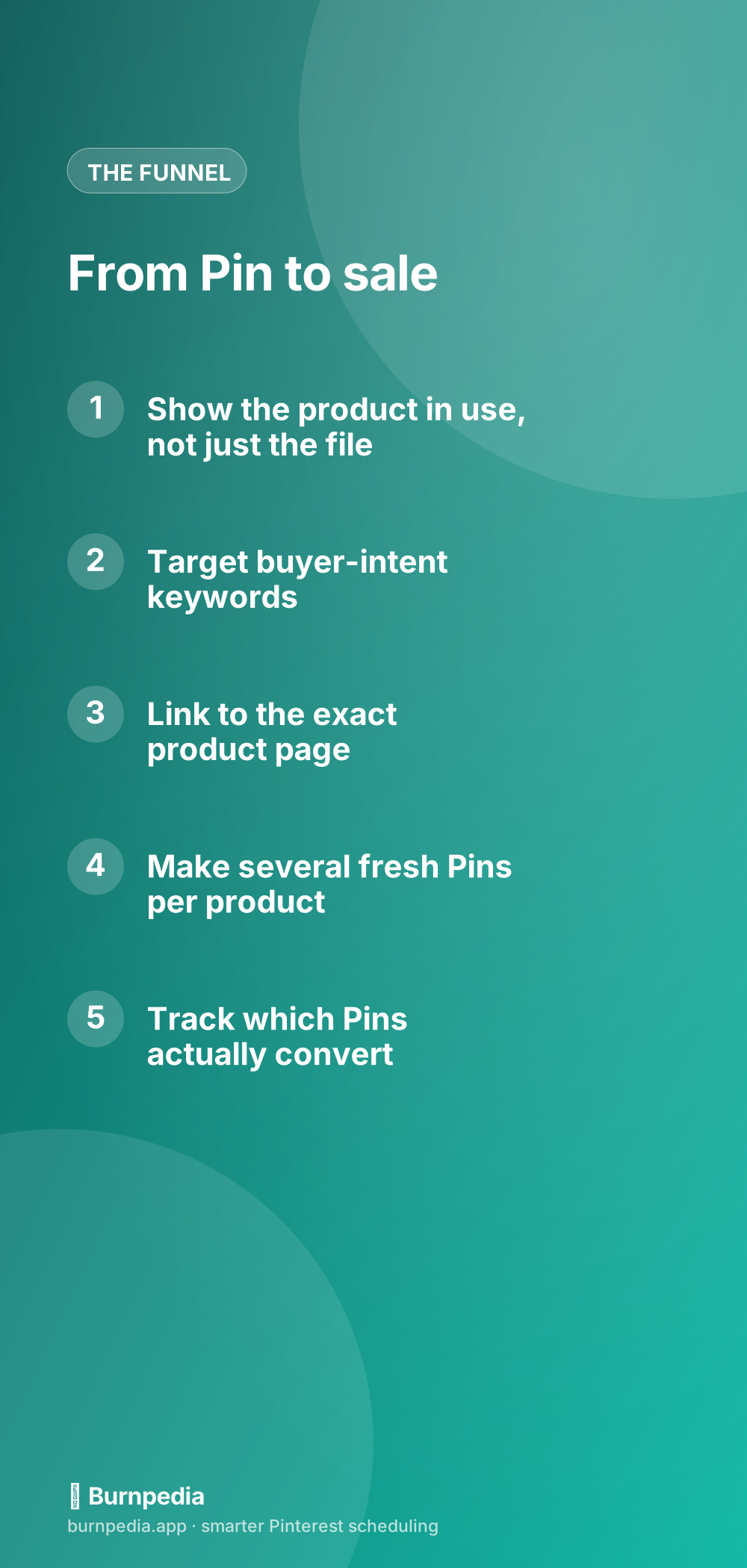
Let me boil it all down. One: sell the transformation with lifestyle context and mockups, never a flat file screenshot. Two: use buyer-intent keywords — the words people actually search. Three: link deep to the exact product, and use lead magnets to build an email list alongside sales. Four: make several fresh Pins per product and let a scheduler publish and re-share them. Five: track what converts and double down. Do those five things consistently and Pinterest becomes a quiet, compounding sales channel for your invisible products.
Selling something nobody can hold takes a slightly different touch — you sell the outcome, the relief, the “finally sorted.” But once you nail that, digital products on Pinterest are about as close to passive income as this business gets. Make your Pins sell the transformation, keep them fresh, point them at the buy button, and let your one little file go find its thousand buyers. — Sadie
Written by Sadie Brooks
Hey — I’m Sadie. I grew up in a small town outside Columbus, Ohio, moved to Austin for a job I quit within a year, and somewhere in between I started a scrappy little food blog to keep myself sane.
These days I help creators, bloggers, and small U.S. business owners grow on Pinterest without turning it into a second full-time job. I write the Burnpedia blog because I genuinely love this stuff, and because I wish someone had explained it to me in plain English years ago. Pour a coffee, pull up a chair.
Try Burnpedia freeWant Pinterest to run itself?
Every tip on this blog gets easier when your Pins publish on schedule. Burnpedia batches, times, and posts them for you — start free, no credit card.
Try Burnpedia free