How to Use Pinterest to Get More Etsy Sales (Free Traffic That Converts)
Etsy shoppers and Pinterest users are basically the same person: someone planning a purchase they haven’t made yet. Here’s how to put your shop in front of them for free.

If you sell on Etsy and you’re not using Pinterest yet, I want to gently grab you by the shoulders. Because these two platforms were basically made for each other, and I watch Etsy sellers leave free money on the table every single day by ignoring it.
Here’s the thing that clicked for me: an Etsy shopper and a Pinterest user are the same human. Both are people leaning back on the couch, planning something they want to buy — a gift, a wedding detail, a little treat for themselves. Pinterest is where they daydream about it, and Etsy is where they pull the trigger. Your job is just to build the bridge between the two.
Let me walk you through exactly how to do that, step by step, without spending a cent on ads.
Why Pinterest is Etsy’s best friend
Most social media is about entertainment — people are there to be distracted, not to shop. Pinterest is different. People show up already in “planning a purchase” mode. They’re actively looking for things to buy, make, or save for later.
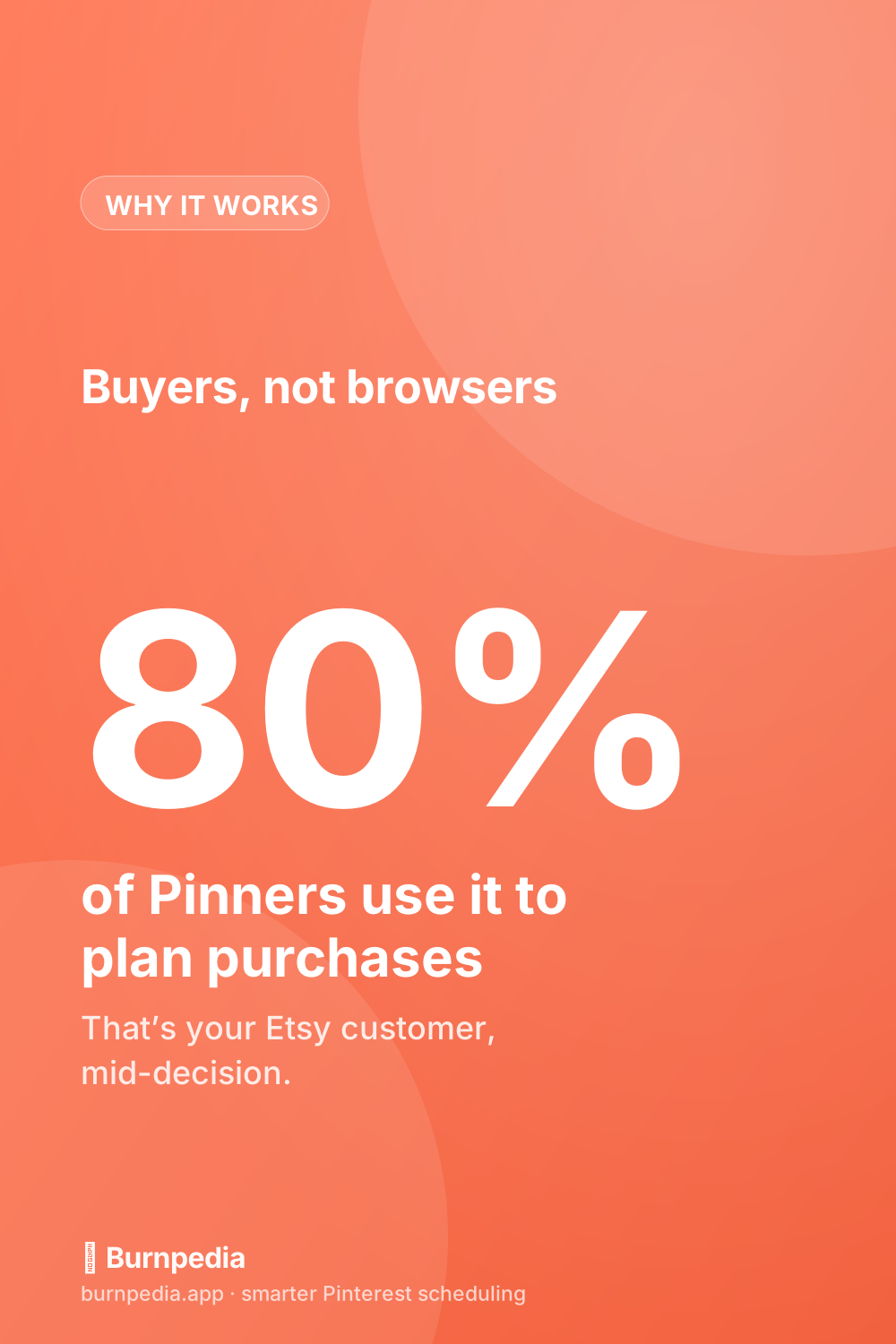
That’s gold for a handmade or vintage seller, because you’re not interrupting anyone — you’re showing up right when they’re shopping for exactly your kind of thing. It’s the same reason Pinterest works so well for shops in general, which I dig into over in Pinterest marketing for small businesses.
Step one: turn on Rich Pins (do this first)
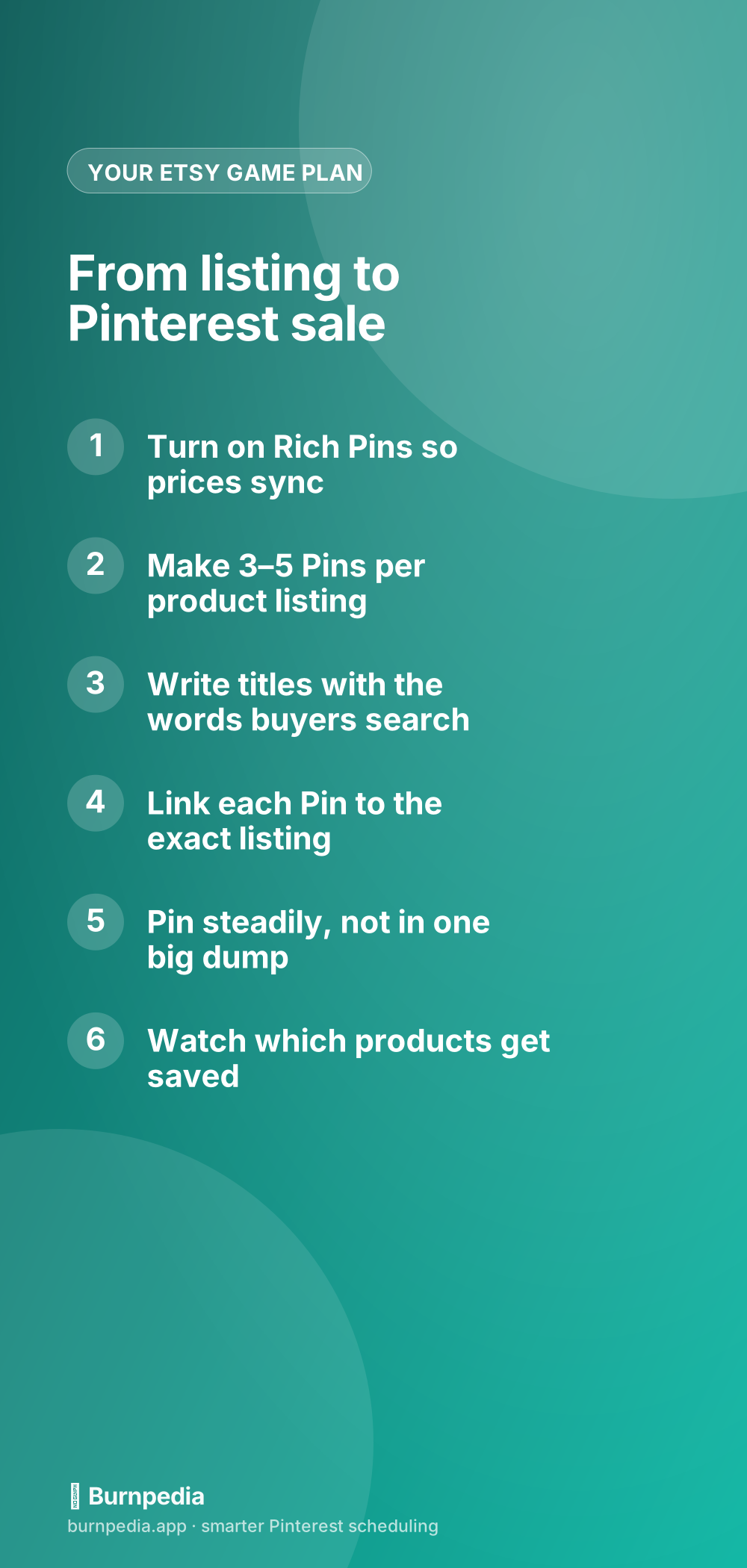
Before anything else, switch on Rich Pins. They pull your live Etsy price and title straight onto the Pin, which makes it look legit and keeps the info current. It takes about twenty minutes and I walk through it click-by-click here: Rich Pins explained. Do this once and forget it.
Step two: make several Pins per product
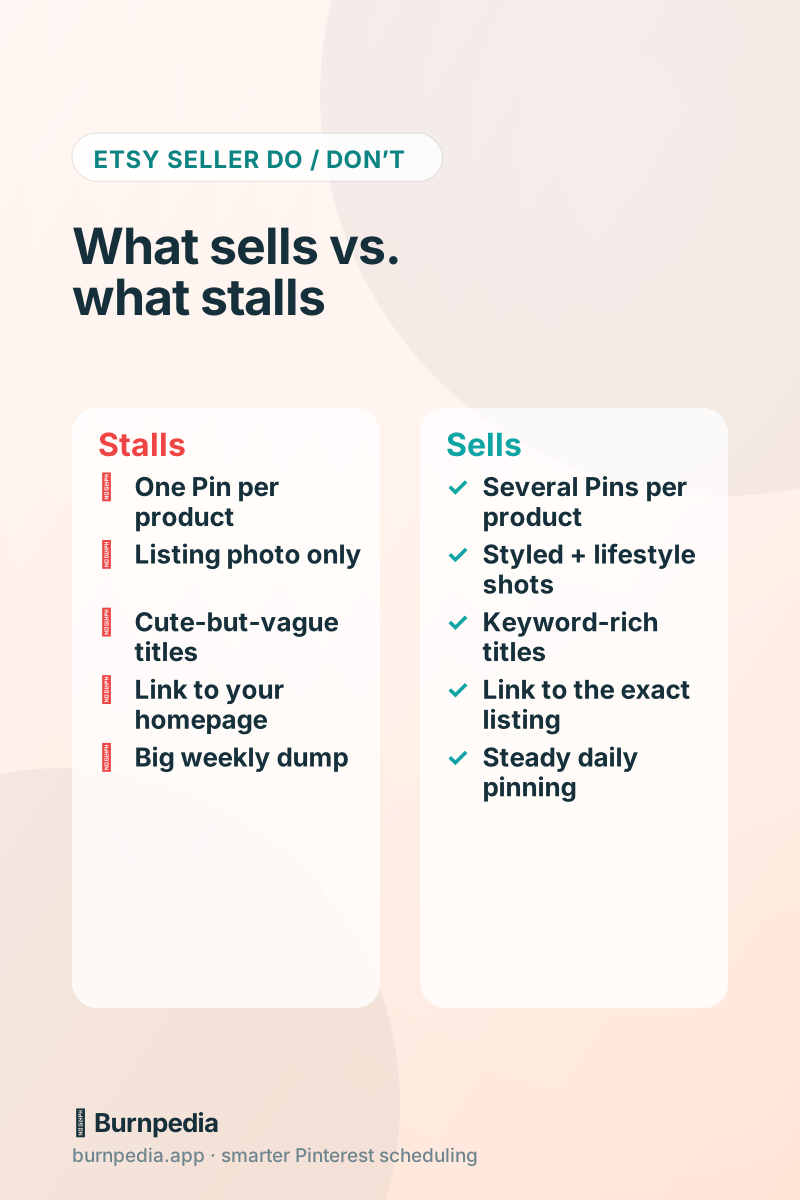
This is the mistake I see most: sellers make one Pin per listing and call it done. Don’t. Make three to five different Pins for each product. Different photo, different angle, different headline. Pinterest loves fresh images, and each one is another lottery ticket for that product to get discovered.
Mix it up: a clean product shot, a lifestyle photo of it being used, a “styled” flatlay, a before/after if that fits. Different Pins catch different people. One might say “Personalized Gift for New Moms,” another “Boho Nursery Decor Idea.” Same product, different doorways in.
Step three: write titles the way buyers search
Pinterest is a search engine, so the words on and around your Pin decide who sees it. Skip the cutesy shop-speak — write what a real buyer would type. “Hand-poured soy candle” beats “Little jar of joy.” Put those buyer-words in your Pin title, description, and board names. My full method is in the Pinterest SEO guide, and it’s the single highest-leverage thing you can do.
Got a big catalog and a tech-savvy streak? You can automate the whole “several Pins per listing” routine with Burnpedia’s API — it’s free on every plan — so your shop can create the Pins for you. I walk through exactly how (with copy-paste code) in the Burnpedia Pinterest API guide.
Step four: link to the exact listing (not your homepage)
When someone clicks a Pin of your ceramic mug, they should land on the ceramic mug listing — ready to add to cart. Not your shop’s front page where they have to hunt. Every extra click you make them do is a chance to lose them. Link deep, link specific.
Step five: pin steadily, and read the signals
Don’t dump forty Pins on a Sunday and vanish. A steady trickle — a handful a day — tells Pinterest you’re an active, alive shop, and it spreads your reach out over time. This is exactly where scheduling earns its keep; I explain the rhythm in how often you should pin.
Then pay attention. Which products rack up saves? Those are the ones your audience is quietly telling you they want. Lean into them — make more Pins, more variations, maybe more products in that lane. Your Pinterest saves are basically free market research.
The honest catch: consistency
None of this is hard. But it does ask for steadiness — a few fresh Pins going out every day, week after week, while you’re also making product, packing orders, and answering messages. That’s the part that quietly falls apart for busy sellers.
Which, yep, is the whole reason Burnpedia exists. Batch a week of product Pins in one sitting, let them auto-publish at good times, and get back to your craft. You can try it free. But tool or no tool, the play is the same: build the bridge from Pinterest daydream to Etsy checkout, and keep it steady. Your future customers are already on Pinterest, planning. Go meet them there. — Sadie
Written by Sadie Brooks
Hey — I’m Sadie. I grew up in a small town outside Columbus, Ohio, moved to Austin for a job I quit within a year, and somewhere in between I started a scrappy little food blog to keep myself sane.
These days I help creators, bloggers, and small U.S. business owners grow on Pinterest without turning it into a second full-time job. I write the Burnpedia blog because I genuinely love this stuff, and because I wish someone had explained it to me in plain English years ago. Pour a coffee, pull up a chair.
Try Burnpedia freeWant Pinterest to run itself?
Every tip on this blog gets easier when your Pins publish on schedule. Burnpedia batches, times, and posts them for you — start free, no credit card.
Try Burnpedia free