Pinterest Marketing for Shopify Stores: A Beginner’s Playbook
Shopify gives you the store; Pinterest can quietly fill it with buyers who are already in shopping mode. Here’s how to connect the two the right way.

So you’ve got a Shopify store. The products are up, the checkout works, everything looks great… and now you need people to actually show up. If you’re tired of feeling like you’re shouting into the void on Instagram, pull up a chair, because Pinterest might be the calmest, most durable traffic source you’re not using yet.
I love Pinterest for e-commerce specifically because of who’s there: people in planning-and-buying mode, not doom-scrolling mode. And unlike a paid ad that stops the second you stop paying, a good Pin can keep sending shoppers to your store for months. Let me give you the beginner playbook.
Step one: install the official Pinterest app
Shopify makes the hard part easy. Head to the Shopify app store, grab the official Pinterest app, and connect it to your account. In a few clicks it does three big things for you: verifies your website, sets up Rich Pins, and installs the Pinterest tag (which tracks what shoppers do so you can see what’s working later).
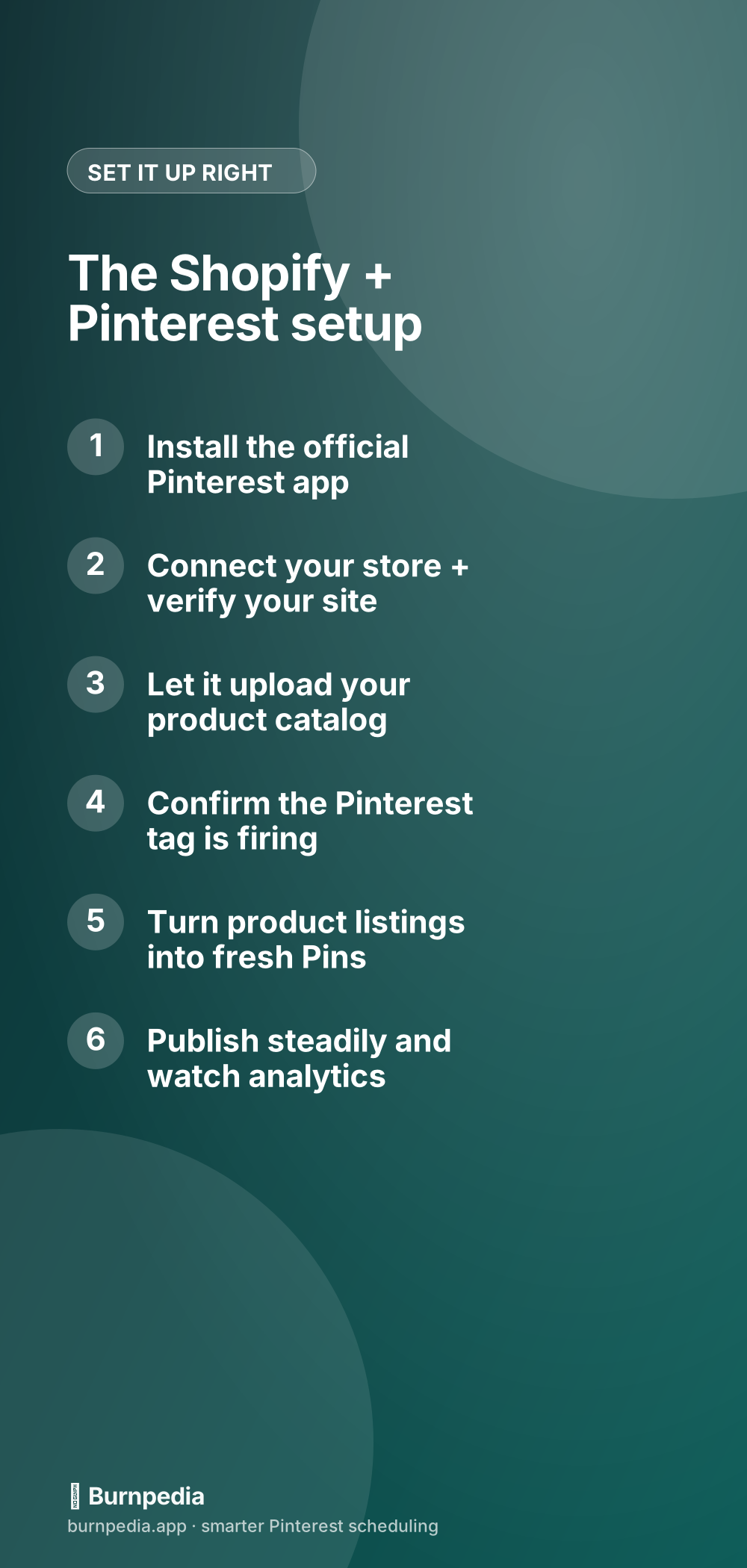
That app also uploads your whole product catalog to Pinterest automatically, turning every product into a shoppable Pin. That’s a great baseline — but don’t stop there, because auto-catalog Pins alone are a bit… flat. (More on that in a sec.) If you want the nuts and bolts of why Rich Pins matter, I broke it down here: Rich Pins explained.
If you’re technical (or have a developer on the team), you can take this further: Burnpedia’s API lets your store fire off a fresh, branded Pin every single time you add a product — no manual work, ever. Here’s the plain-English guide with real code: automating Pinterest with the Burnpedia API.
Step two: make real Pins, not just catalog Pins
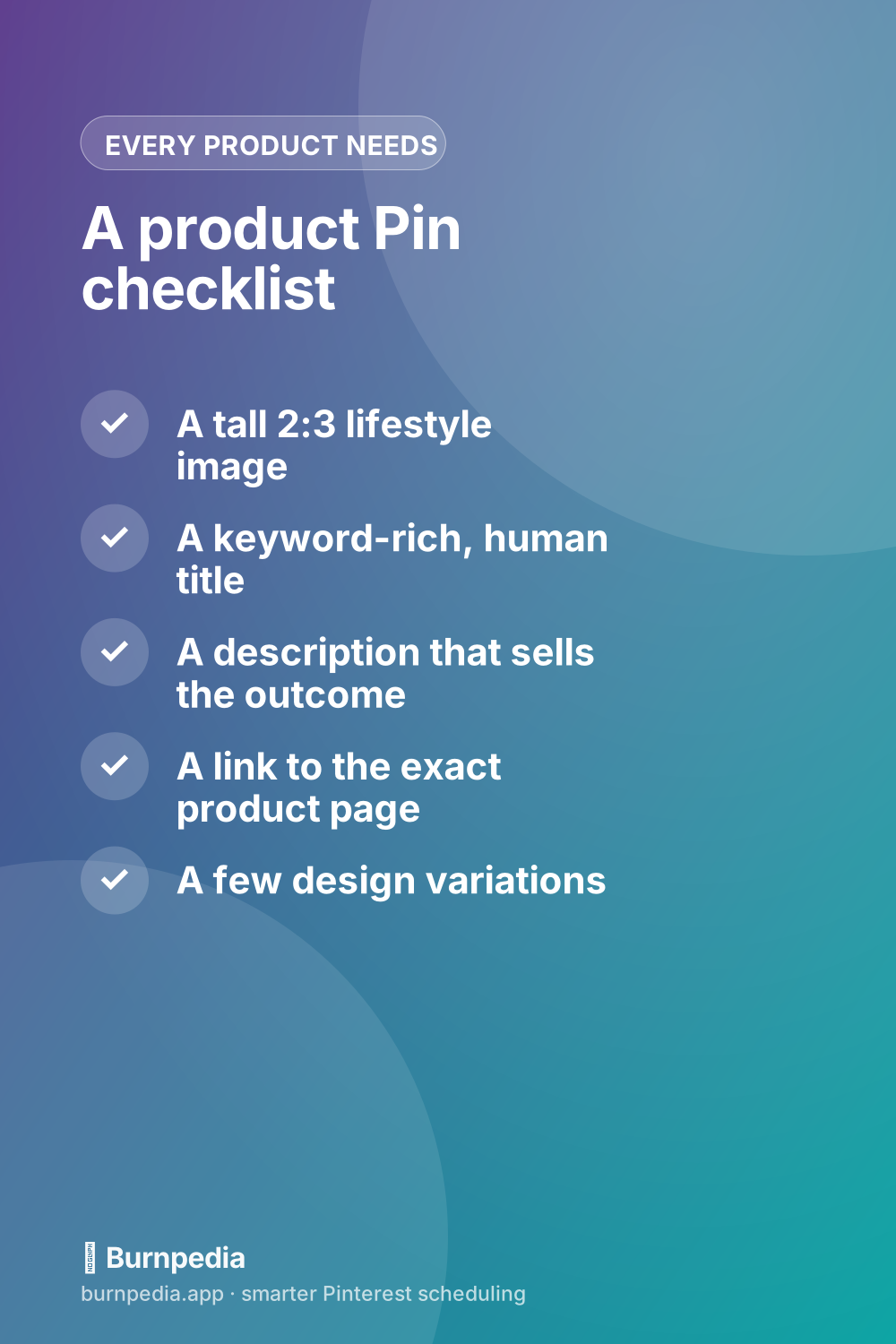
The auto-generated catalog Pins are usually just your plain product photo on a white background. Useful, but they don’t stop the scroll. The Pins that actually pull traffic are the ones you make on purpose: lifestyle shots, styled scenes, your product solving a problem in someone’s real life.
Show the candle lit on a cozy shelf, not floating on white. Show the tote bag on someone’s shoulder at a farmers market. And make several versions per product with different photos and headlines — Pinterest rewards fresh designs, and each one is another shot at getting found. My whole approach to that is in pin design that gets clicks.
Step three: write for the shopper, in their words
Pinterest runs on search, so the words matter as much as the picture. Use the actual phrases a buyer would type — “minimalist gold hoop earrings,” “eco-friendly kitchen swaps,” “boho living room decor.” Put them in your Pin titles, descriptions, and board names. This is the single biggest lever most stores ignore; here’s the full method: Pinterest SEO for keywords.
Step four: link deep and pin steadily
Every Pin should link to the specific product page, not your homepage. Make the path from “ooh” to “add to cart” as short as possible. And rather than uploading everything in one giant burst, spread your Pins out — a steady daily rhythm signals an active store and keeps your reach flowing.
That steady rhythm is genuinely the hard part when you’re also running fulfillment and customer service — which is exactly the problem I built Burnpedia to solve. Batch a week of product Pins once, and let them publish at good times on their own. You can start free.
Step five: let the analytics tell you where to push
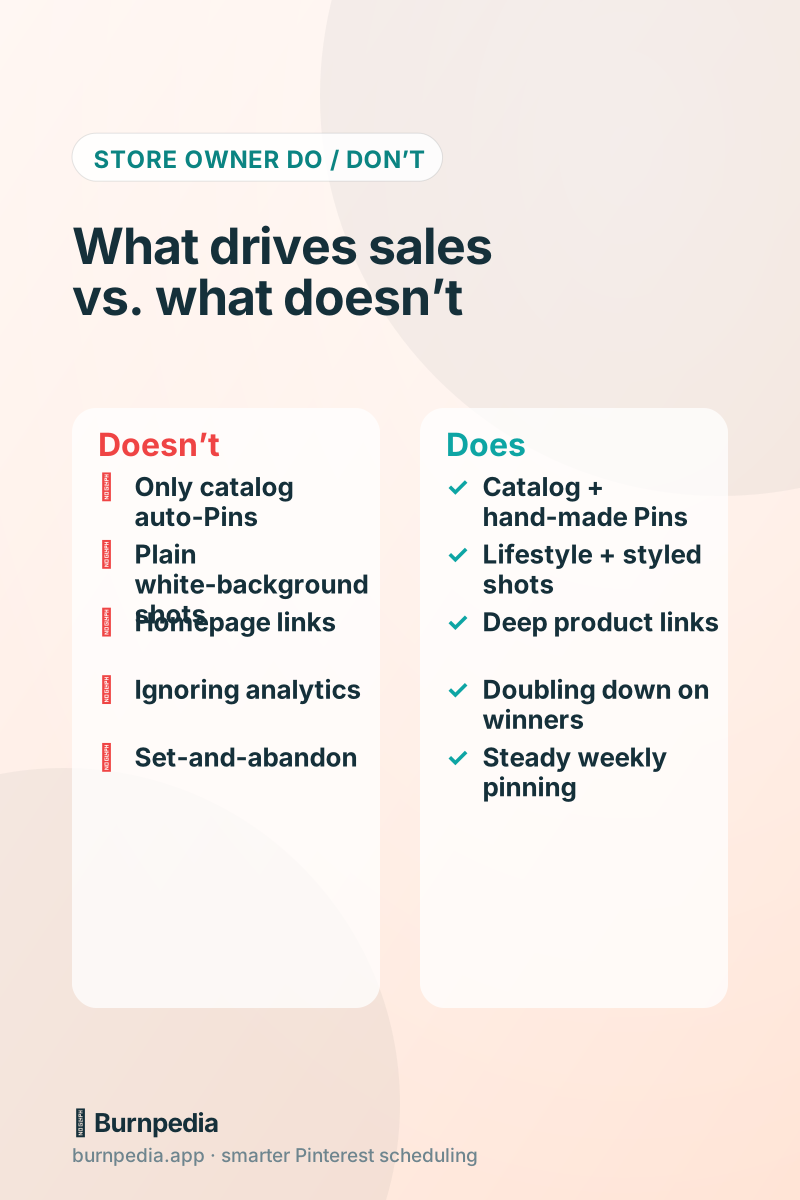
Because you installed the tag, you’ll be able to see not just impressions but which Pins drive clicks and, eventually, sales. Follow that signal. The products racking up saves and outbound clicks are the ones to make more Pins for. Don’t get hypnotized by impression counts — I explain which numbers actually matter in the metrics that actually matter.
The mindset shift that makes it click
Stop thinking of Pinterest as social media where you post and hope for likes. Think of it as a search engine you’re slowly stocking with little storefronts, each one pointing back to your shop. You’re not chasing a viral moment; you’re building a library of Pins that quietly work while you sleep.
Do the setup once, make real Pins on purpose, use buyer-language, and keep a steady rhythm. That’s the whole game. If you want the broader small-shop strategy to go with this, read Pinterest marketing for small businesses next. Now go turn Pinterest into your store’s quiet little sales engine. — Sadie
Written by Sadie Brooks
Hey — I’m Sadie. I grew up in a small town outside Columbus, Ohio, moved to Austin for a job I quit within a year, and somewhere in between I started a scrappy little food blog to keep myself sane.
These days I help creators, bloggers, and small U.S. business owners grow on Pinterest without turning it into a second full-time job. I write the Burnpedia blog because I genuinely love this stuff, and because I wish someone had explained it to me in plain English years ago. Pour a coffee, pull up a chair.
Try Burnpedia freeWant Pinterest to run itself?
Every tip on this blog gets easier when your Pins publish on schedule. Burnpedia batches, times, and posts them for you — start free, no credit card.
Try Burnpedia free