How to Batch-Create a Month of Pinterest Pins in One Sitting
Making pins one at a time is why most people quit Pinterest. Batching flips it: plan, design, and schedule a whole month in one focused sitting, then coast. Here’s the exact workflow.

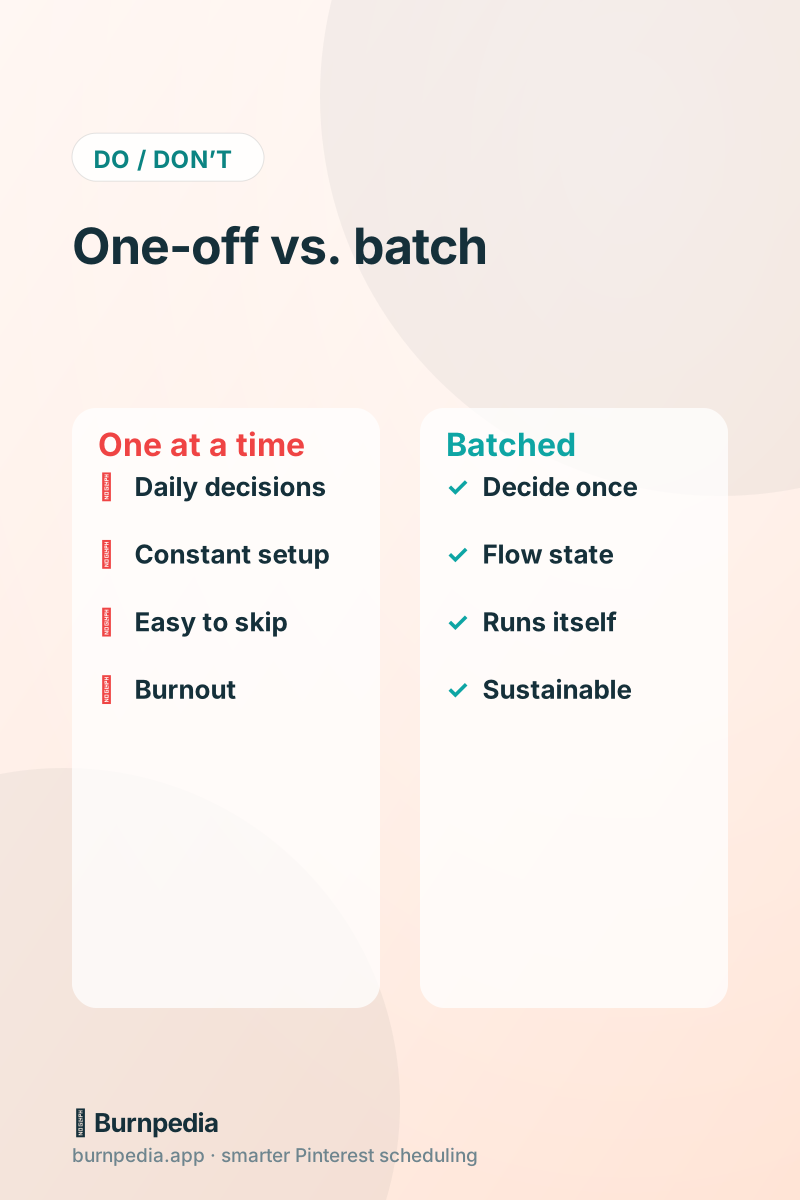
Let me tell you the real reason most people fail at Pinterest, and it isn’t the algorithm or bad luck. It’s that they make pins one at a time. Every single pin becomes its own little project — think of an idea, find a keyword, open the design tool, make an image, write a title, write a description, upload, schedule — and doing all of that from a cold start, daily, is exhausting. So they skip a day, then a week, then quietly give up. The fix isn’t more willpower. It’s batching: doing all of one kind of task at once, so you produce a month of pins in a single focused sitting and then coast on your schedule.
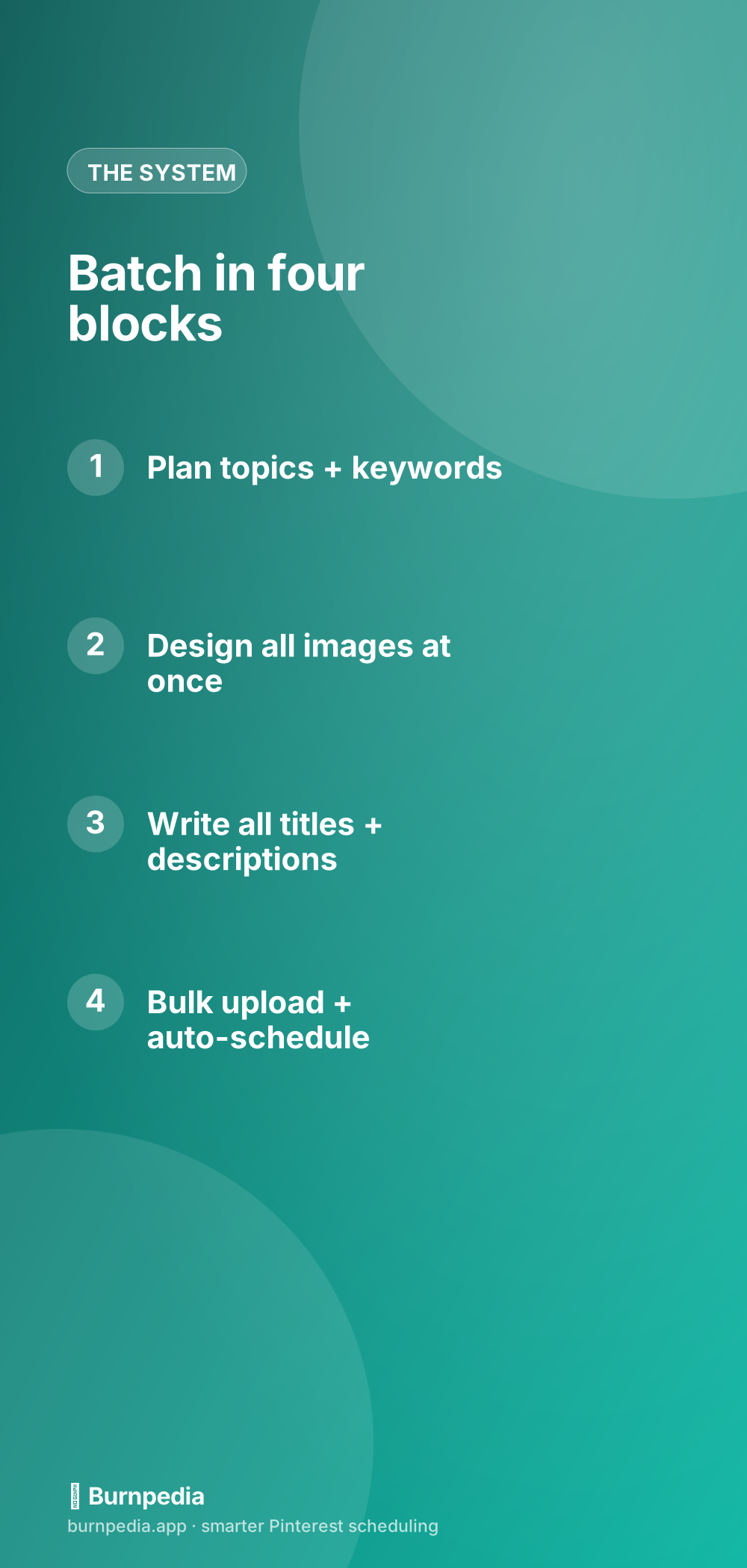
Batching works because the thing that actually drains you isn’t the work — it’s switching modes. Jumping between planning, designing, writing, and scheduling for every pin means constant mental gear-changes. Batch each type of task together and you drop into a flow state, move faster, and produce better, more consistent pins. Here’s the exact four-block workflow I use.
Block one: plan topics and keywords
Start with pure planning — no designing, no writing yet. Decide what this batch will cover: pull from your content pillars, your best blog posts or products, seasonal ideas, and rising trends. For each pin idea, jot the target keyword beside it. In twenty or thirty minutes you should have a simple list of, say, 20–30 pin ideas with keywords attached. This is the thinking part, and doing it all at once is far more efficient than deciding what to pin every single day. If you need keywords or trend ideas, the keyword guide and the Pinterest Trends walkthrough feed this block perfectly.
Block two: design all the images at once
Now put on your designer hat and stay in it. Open your template, and crank out all your pin images in one session — same tool, same fonts, same brand colors, just swapping the photo and headline for each. Because you’re not context-switching, you’ll design far faster than you would one-off, and your pins will look more cohesive. Templates are the secret here; reusable templates turn each pin into a two-minute swap. And remember you can make several fresh pins per idea — different images for the same destination — which multiplies your output without multiplying your content.
If design is your bottleneck, this is exactly where AI earns its keep. You can generate branded pin images and even draft the visuals in seconds, which turns the longest block into the shortest. I cover that in AI pin creation — for a big batch, it’s a game-changer.
Block three: write all titles and descriptions
Next, put on your copywriter hat and write all your titles and descriptions in one go, using the keywords from block one. Batching the writing keeps your voice consistent and lets you reuse structures — a good title formula and a couple of description templates make this fly. Front-load your keyword in each title and write a natural, keyword-rich description for each pin. Lean on the pin titles formula and the description examples so you’re filling in blanks, not staring at empty fields. AI can draft these in bulk too, then you polish — even faster.
Block four: bulk upload and schedule
The final block is where batching becomes magic. Instead of uploading and scheduling pins one by one, upload the whole batch at once and let a scheduler spread them across the coming weeks at good times, with healthy spacing. This is exactly what bulk scheduling is for — you hand over a stack of images with their titles, boards, and destination links, pick a cadence, and the tool lays out your calendar for you. In a few minutes you go from a pile of finished pins to a fully scheduled month. Then you close the laptop and let it run.
How much to batch (and how often)
A great starting rhythm is one batching session every two to four weeks that produces enough pins to cover that whole stretch at your chosen pace. If you’re aiming for, say, three fresh pins a day, a monthly session needs roughly ninety pins — which sounds like a lot until you realize batching makes it dramatically faster than ninety separate efforts, and fresh-pin variety means you’re not inventing ninety ideas from scratch. Start smaller if that’s intimidating: even a biweekly session covering two weeks builds the habit and delivers the consistency Pinterest rewards.
The point isn’t to hit some heroic number; it’s to decouple “doing Pinterest” from your daily life. Once a batch is scheduled, your account stays active and growing every day without you touching it — through busy weeks, sick days, and vacations. That reliability is precisely what one-off pinning can never give you, and it’s the difference between the people who quit and the people who quietly win.
Protect the batch on your calendar
One practical tip: treat your batching session like a real appointment. Block a couple of hours, gather your photos and ideas beforehand, silence distractions, and move through the four blocks in order without jumping around. The whole benefit comes from staying in one mode at a time, so resist the urge to “just quickly design this one and write its description.” Plan everything, then design everything, then write everything, then schedule everything. Honor the blocks and you’ll be amazed how much you produce — and how good it feels compared to the daily grind.
A batching checklist to keep handy
To make your batching sessions smooth and repeatable, it helps to have a little checklist you run every time. The whole benefit of batching comes from staying in one mode at a time and not scrambling for assets mid-session, so a bit of prep and a clear order make an enormous difference. Print this, pin it above your desk, or keep it in your notes — whatever means you actually follow it. After a couple of sessions it becomes second nature and your output-per-hour climbs noticeably.
- Before you start: gather your photos, product shots, and blog links in one folder.
- Block one — plan: list 20–30 pin ideas, each with a target keyword beside it.
- Block two — design: make every image in one sitting, same template and brand look.
- Block three — write: draft all titles (keyword-first) and descriptions together.
- Block four — schedule: bulk-upload the whole batch and let the tool space it out.
Notice that scheduling is the final block, not something you sprinkle throughout. Resist the temptation to design one pin, write its description, schedule it, and then start the next — that mode-switching is exactly the drain batching exists to eliminate. Do all the planning, then all the designing, then all the writing, then all the scheduling. Honor the order and a month of pins that used to feel impossible becomes a single satisfying session, after which your Pinterest simply runs itself while you get back to real life.
Making pins one at a time is why Pinterest feels like a chore and why most people quit. Batching flips it: plan your topics and keywords, design all your images, write all your titles and descriptions, then bulk-upload and schedule the lot. Do that in one focused sitting every few weeks and you get the one thing Pinterest rewards above all else — consistency — without the daily grind that burns everyone out. Work in blocks, then coast. — Sadie
Written by Sadie Brooks
Hey — I’m Sadie. I grew up in a small town outside Columbus, Ohio, moved to Austin for a job I quit within a year, and somewhere in between I started a scrappy little food blog to keep myself sane.
These days I help creators, bloggers, and small U.S. business owners grow on Pinterest without turning it into a second full-time job. I write the Burnpedia blog because I genuinely love this stuff, and because I wish someone had explained it to me in plain English years ago. Pour a coffee, pull up a chair.
Try Burnpedia freeWant Pinterest to run itself?
Every tip on this blog gets easier when your Pins publish on schedule. Burnpedia batches, times, and posts them for you — start free, no credit card.
Try Burnpedia free