Using AI to Create Pinterest Pins (Without Losing Your Brand)
AI is the fastest way to kill the two biggest Pinterest bottlenecks — designing images and writing copy. Used well, it makes you faster without making you generic. Here’s how.

Two tasks kill more Pinterest momentum than anything else: designing images and writing copy. They’re the exact steps where people stall, procrastinate, and eventually stop. Which is precisely why AI is such a gift to Pinterest creators — it obliterates both bottlenecks. AI can draft a keyworded title, write a natural description, and generate a branded pin image in seconds. Used well, it can make you ten times faster on the parts you dread while you stay firmly in charge of quality and brand. Used badly, it spits out generic sludge that all looks the same and fools no one. The difference is entirely in how you use it, so let’s get that right.
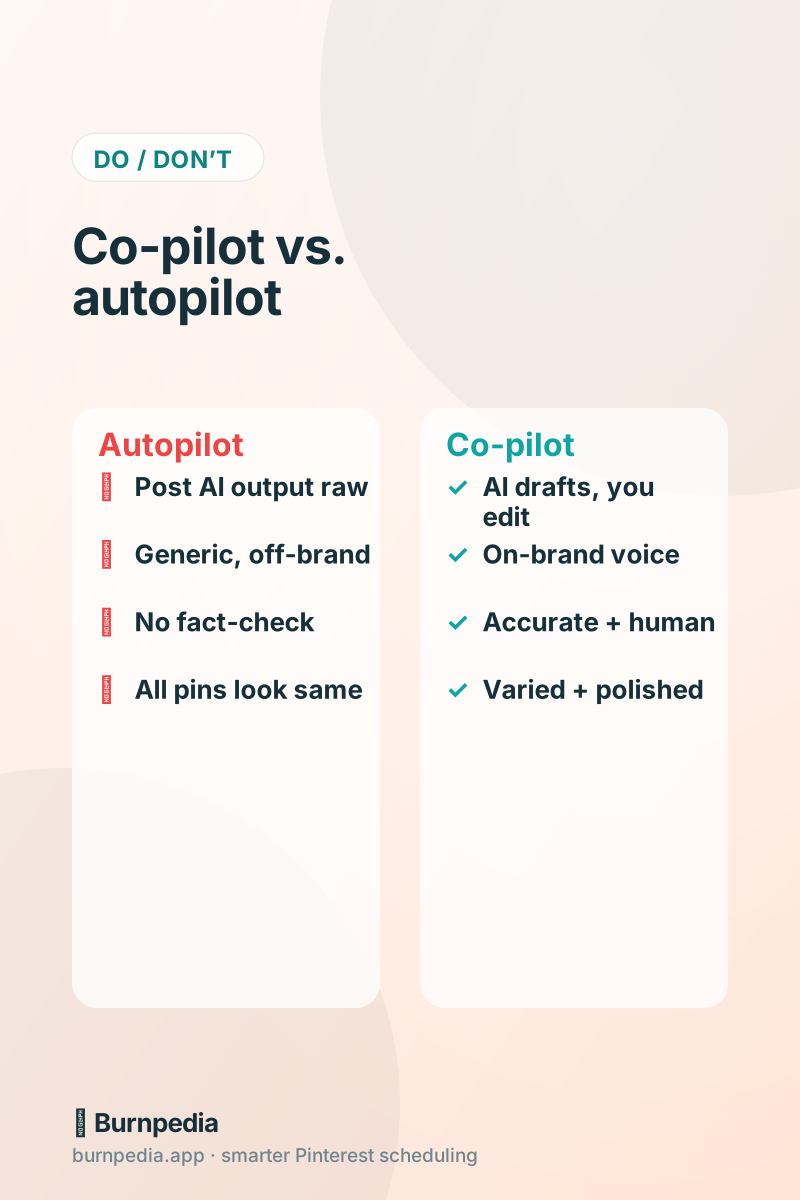
The golden rule is this: AI is a co-pilot, not autopilot. You’re still the creative director. AI does the fast first draft; you steer, edit, and approve. Hold that frame and AI becomes the best assistant you’ve ever had. Forget it, and you become one more account posting soulless, interchangeable pins. Here’s the practical workflow.
Let AI draft your titles and descriptions
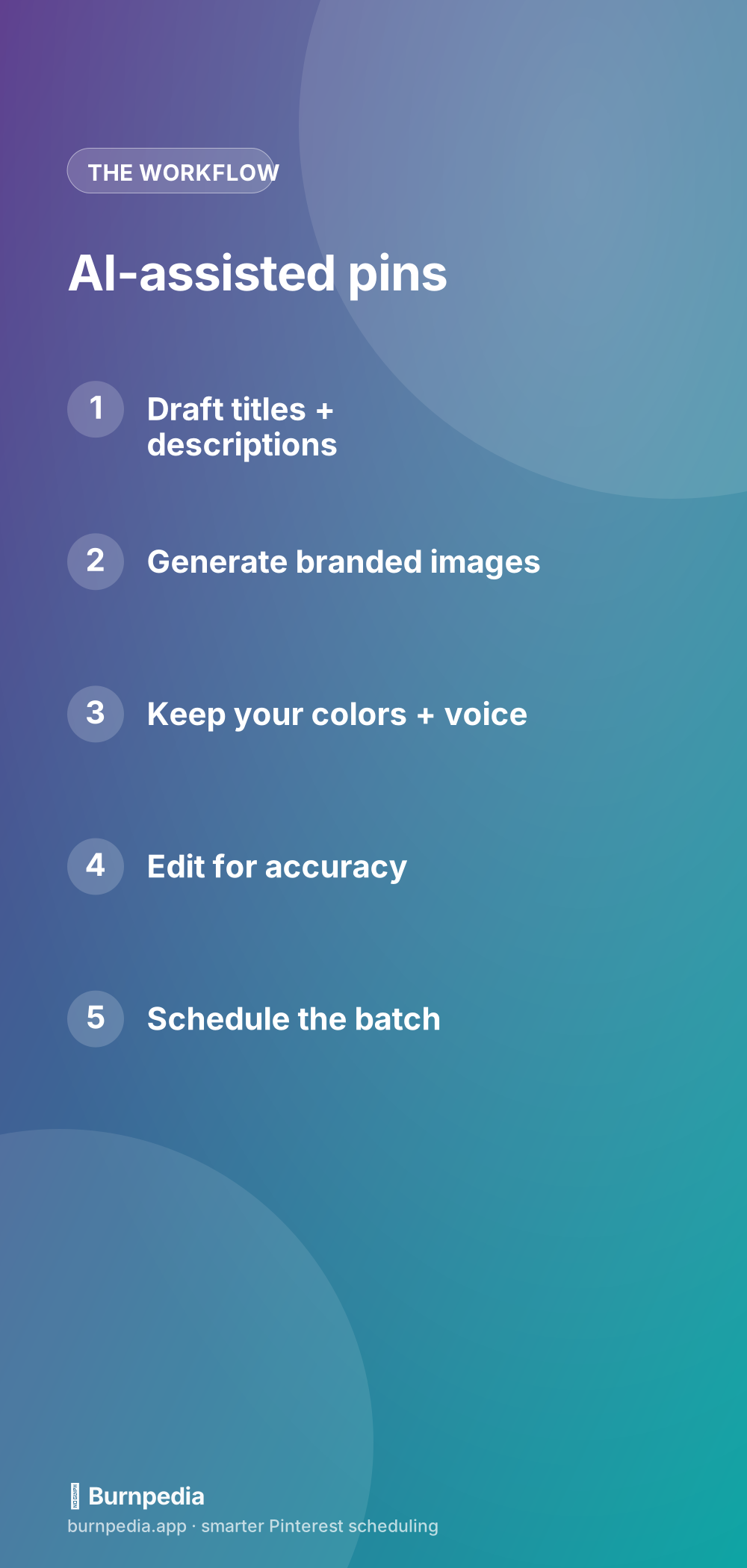
Writing copy for pins is repetitive by nature, which makes it perfect for AI. Give it your topic, your target keyword, and your destination, and ask for a front-loaded title plus a natural, keyword-rich description. In seconds you’ve got a solid draft to react to instead of a blank field to dread. Then you do the important part: edit it into your voice, check it’s accurate, and make sure the keyword and promise are clear. This is the same title formula and description approach as always — AI just gets you to the first draft ten times faster.
A tip that dramatically improves AI copy: feed it your keywords and a scrap of your own writing so it can match your tone. Generic in, generic out; specific and on-voice in, surprisingly good out. The best AI copy still needs a human pass, but starting from a strong draft turns a five-minute task into a thirty-second one, times every pin in your batch.
Generate branded images — then keep them yours
Image design is the bigger bottleneck for most people, and AI image tools have made this astonishingly fast. You can generate a fresh, on-brand pin image or a striking background in seconds — no design degree, no fussing in a complicated editor. The key to not looking generic is to bring your brand: your colors, your fonts, your logo, and a consistent template, so AI-generated visuals still feel unmistakably like you. AI supplies the raw creativity and speed; your brand supplies the identity. Combine them and you get pins that get clicks at a fraction of the effort.
One honest caution: only recreate images you have the rights to — your own photos, your own designs, or AI-generated originals. Don’t point an AI tool at someone else’s work (including other people’s pins) and ask for a copy. Beyond the ethics, it can violate platform terms and copyright. Use AI to create your own visuals, not to clone anyone else’s. Original and on-brand is the whole game.
Always edit for accuracy and humanity
The non-negotiable step is your review. AI is fast and confident, which means it’s also occasionally wrong or bland. So read every AI-drafted description for accuracy — it should never promise something your page doesn’t deliver — and give it a quick human pass so it sounds like a real person, not a template. This edit is what separates AI-assisted pins that perform from AI-dumped pins that flop. It takes seconds per pin and it’s the entire reason your account keeps a soul. Never publish raw AI output you haven’t actually read.
Where AI supercharges batching
AI and batching are a dream team. Remember the four-block batching workflow — plan, design, write, schedule? AI turbocharges the two middle blocks, the ones that used to take the longest. In a single session you can generate a stack of branded images and draft all their titles and descriptions, then spend your energy on the human edit and the strategy. What used to be a full day of pin-making becomes a couple of focused hours. That speed is what finally makes real consistency achievable for busy people, which is the whole point.
Use AI to beat the blank page, not to replace you
The deepest value of AI isn’t really the output — it’s momentum. The hardest moment in any creative task is the blank page, and AI eliminates it. Instead of agonizing over a first title, you get three to react to. Instead of staring at an empty canvas, you get an image to refine. Reacting and editing is psychologically ten times easier than creating from nothing, so you actually get started — and getting started, consistently, is what wins on Pinterest. AI removes the friction that stops most people cold.
Keep your ambition pointed at the right place, though. AI should free up your time and energy so you can be more strategic, more original, and more consistent — not so you can flood Pinterest with a hundred identical pins. The creators who win with AI use it to do more of their best thinking, not to outsource all thinking. Let it handle the grunt work; you handle the taste.
Prompts that get better AI pins
The quality of AI output depends almost entirely on the quality of your prompt, and most people prompt lazily and then blame the tool. A little specificity transforms the results. Instead of “write a Pinterest description,” try “write a warm, keyword-rich Pinterest description for a pin about 30-minute vegetarian dinners, front-loading the phrase ‘easy vegetarian dinners,’ aimed at busy parents, ending with a gentle nudge to click.” The more context you give — topic, keyword, audience, tone, goal — the closer the first draft lands to something you’d actually publish. Treat prompting as a skill worth two minutes of thought, not a magic wish.
- Name the exact keyword you want front-loaded, so the draft is search-ready.
- Describe your audience in a few words (“busy parents,” “new gardeners”) for a relevant tone.
- Give a scrap of your own writing so the AI matches your voice instead of sounding generic.
- Ask for 3 options, then pick and edit the best — reacting is faster than starting cold.
- For images, specify your palette, mood, and “vertical 2:3, no text” so it fits Pinterest.
One more habit that pays off: build a small library of your best prompts. When you find a prompt that reliably produces great titles or on-brand images, save it and reuse it. Over time you assemble a personal toolkit that makes each batch faster than the last. That’s the compounding side of working with AI — you’re not just producing pins today, you’re refining a repeatable system that keeps getting better while staying unmistakably yours.
AI is the fastest way to kill Pinterest’s two great bottlenecks — designing images and writing copy — but only if you treat it as a co-pilot. Let it draft your titles, descriptions, and branded visuals; keep your colors, voice, and standards; edit everything for accuracy and humanity; and use the time you save to be more consistent and more original. Do that, and AI makes you faster without ever making you generic. You stay the director; AI just runs the camera. — Sadie
Written by Sadie Brooks
Hey — I’m Sadie. I grew up in a small town outside Columbus, Ohio, moved to Austin for a job I quit within a year, and somewhere in between I started a scrappy little food blog to keep myself sane.
These days I help creators, bloggers, and small U.S. business owners grow on Pinterest without turning it into a second full-time job. I write the Burnpedia blog because I genuinely love this stuff, and because I wish someone had explained it to me in plain English years ago. Pour a coffee, pull up a chair.
Try Burnpedia freeWant Pinterest to run itself?
Every tip on this blog gets easier when your Pins publish on schedule. Burnpedia batches, times, and posts them for you — start free, no credit card.
Try Burnpedia free