Fresh Pins, Explained: What Pinterest Actually Rewards (and How to Make Them)
Everyone says Pinterest loves “fresh pins,” but almost nobody explains what that means. Good news: a fresh pin is easier to make than you think, and one piece of content can fuel dozens of them.

If you’ve spent any time reading Pinterest advice, you’ve been told — probably a hundred times — that Pinterest “loves fresh pins.” And then, almost always, the advice moves on without telling you what a fresh pin actually is. So you’re left nodding along, secretly unsure, and quietly worried you’re doing it wrong. Let’s fix that today, because once you truly understand fresh pins, a lot of Pinterest suddenly makes sense — and your workload gets lighter, not heavier.
Here’s the definition in one sentence: a fresh pin is a new image Pinterest hasn’t seen before. That’s it. It does not mean brand-new content, a brand-new blog post, or a brand-new product. It means a new picture. A pin pointing to a page you published two years ago is still “fresh” if the image itself is new. Sit with that for a second, because it changes everything about how much work Pinterest requires.
Why Pinterest favors fresh pins
Pinterest’s whole promise to users is a feed full of new ideas to discover. If it kept showing the same handful of images over and over, the platform would feel stale and people would leave. So its system is biased toward surfacing images it hasn’t distributed much yet — fresh ones — to keep the experience feeling new. When you give Pinterest fresh images, you’re handing it exactly what it wants to show, and it rewards you with reach. For the deeper mechanics, the guide to how the Pinterest algorithm works connects the dots.
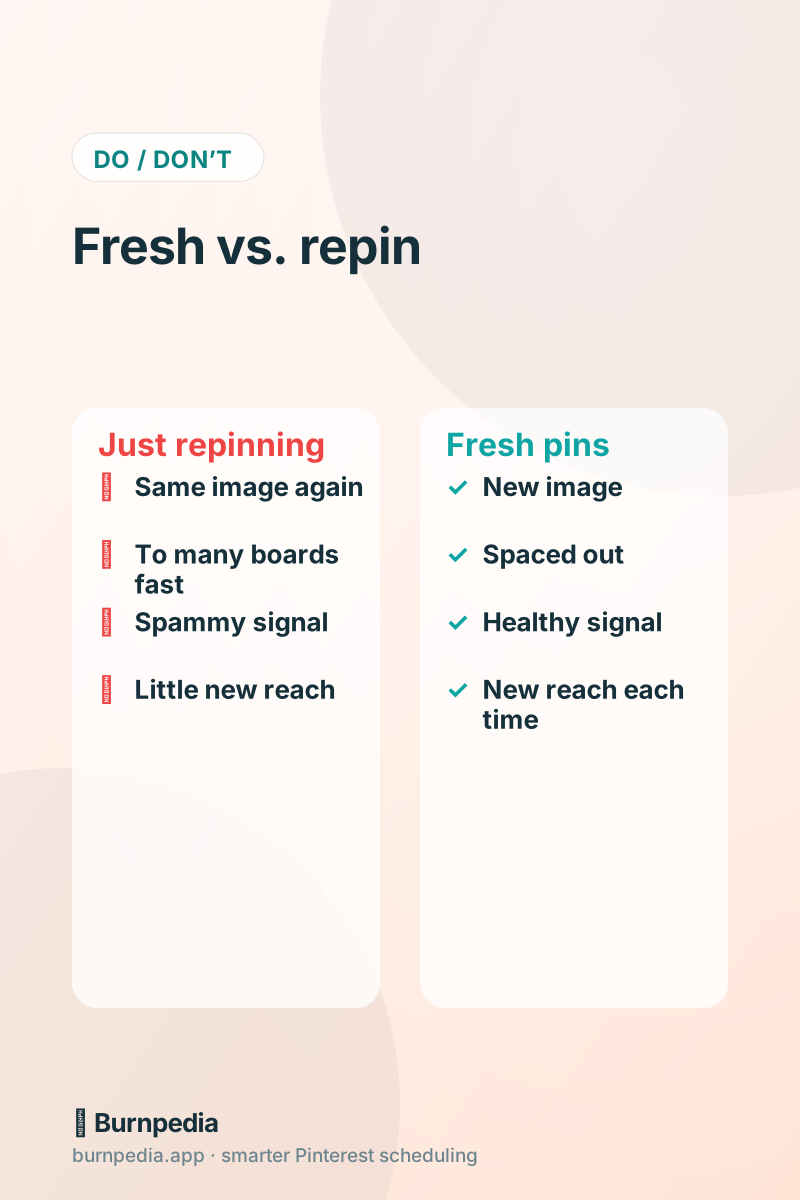
This is also why the old “pin the same image to twenty boards” trick fell out of favor. Blasting one identical image everywhere isn’t fresh — it’s repetitive, and it reads as spammy. Pinterest would rather see one new image than the same old one recycled aggressively. Freshness, not volume of repins, is the signal.
Fresh pin vs. repin: the crucial difference
Let’s make the distinction crisp, because it trips up almost everyone. A repin (or “save”) is taking an existing pin — the same image — and saving it again, maybe to another board. A fresh pin is creating a brand-new image, even if it links to the same page. Repinning still has a small place, but it does very little for your reach because Pinterest has already seen that image. Fresh pins are where new discovery happens. When advice says “post fresh pins consistently,” it means make new images regularly, not save old ones repeatedly.
How to turn one thing into many fresh pins
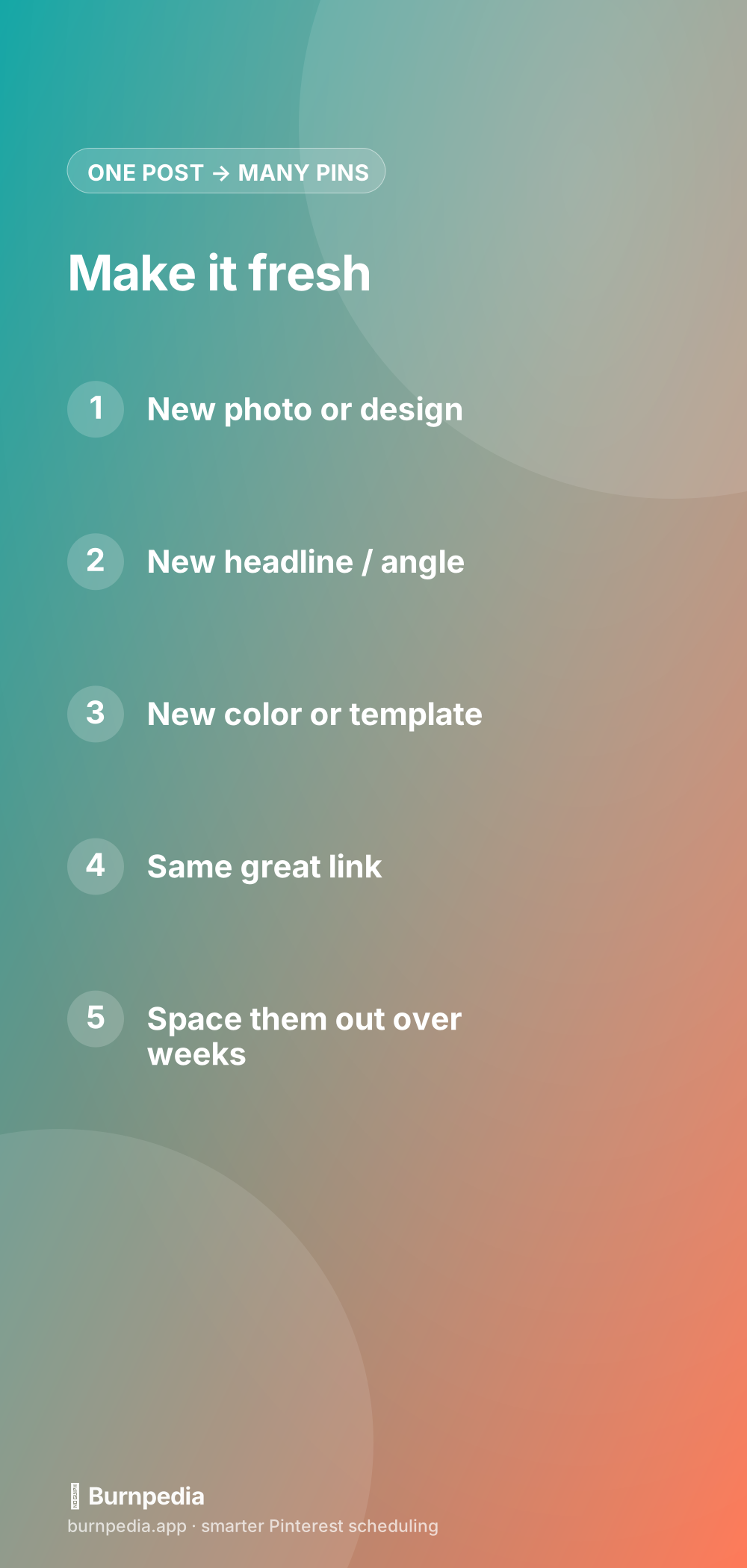
This is the liberating part. Because “fresh” just means a new image, a single blog post or product can become five, ten, even twenty fresh pins over time. Change the photo. Change the headline. Try a different template or color scheme. Highlight a different benefit or angle. Each of those is a genuinely fresh pin in Pinterest’s eyes, and each is a new chance to get discovered — all pointing to the same helpful page. You are not inventing new content; you’re giving your existing content new front doors.
So your content creation and your Pinterest output can happily decouple. You might publish one new blog post a week but produce ten fresh pins a week by mining your whole archive. This is the heart of repurposing content for Pinterest — your best older posts are a goldmine of fresh-pin fuel, and most people forget they exist.
Keep it genuinely fresh (not lazily fresh)
A small honesty check: fresh should mean meaningfully different, not a one-pixel tweak. Slapping a new border on the identical image and calling it fresh is the kind of thing that eventually gets noticed. Aim for real variety — a different photo, a clearly different layout, a new headline that leads with a different benefit. It doesn’t have to be a masterpiece, but it should look like a distinct pin a human designed on purpose. That’s the difference between fresh pins that keep earning reach and “fresh” pins that quietly stop working.
Space them out — don’t dump them
Making ten fresh pins for one post is great; publishing all ten in the same hour is not. Pinterest rewards a steady, natural drumbeat, so spread your fresh pins out over days and weeks. This looks healthier, it keeps your account active over a longer stretch, and it gives each pin room to breathe. The easy way to do this is to batch-create your fresh pins in one sitting, then let a scheduler drip them out at good times. That’s exactly what smart scheduling is for.
A realistic fresh-pin routine
Here’s a routine that keeps fresh pins flowing without eating your life. Once a week, pick two or three of your best pages — new or old — and make three fresh pins for each: different images, different headlines. That’s roughly six to nine fresh pins a week from very little content. Load them into your scheduler, spaced across the week at good times, and you’re done. Over a month that’s two to three dozen fresh pins, all pointing to pages you already have, all giving Pinterest exactly the new images it wants to show.
Do this for a season and the compounding is obvious. Instead of one lonely pin per post, every page you’ve ever made has a growing set of fresh front doors, each one a fresh chance at discovery. Your traffic stops depending on how much new content you can crank out and starts depending on how many fresh pins you keep in motion — a game that’s much easier to win.
How to get many fresh pins from one thing
The most freeing realization about fresh pins is how many you can honestly make from a single piece of content. You’re not limited by how much you create — you’re limited only by how many genuinely different images you’re willing to make for what you already have. And “different” has lots of easy levers: the photo, the headline, the layout, the color, the angle. Pull each lever and you’ve got another fresh pin. Here are the levers I reach for to spin one post or product into a whole batch.
- Swap the photo — a different shot of the same subject reads as a brand-new pin.
- Change the headline to lead with a different benefit or a different keyword.
- Try a new template, layout, or color scheme from your brand palette.
- Highlight a different angle — “budget,” “beginner,” “fast,” “step-by-step.”
- Feature a different detail, tip, or moment from the same content.
Pull two or three of those levers and a single blog post or product easily becomes five to ten fresh pins over time, each a new chance at discovery, all pointing to the same page. Just keep it genuinely varied rather than a one-pixel tweak, and space them out over days and weeks instead of dumping them at once. Do that, and Pinterest stops being a content treadmill that demands endless new material and becomes a smart repurposing engine that squeezes maximum reach from everything you’ve ever made.
So the next time someone tells you “Pinterest loves fresh pins,” you’ll know exactly what they mean and exactly what to do about it. Fresh means new images, not new content. One page can become many pins. Keep them genuinely varied, space them out, and let your whole archive fuel the machine. That single insight quietly turns Pinterest from an exhausting content treadmill into a smart little repurposing engine. — Sadie
Written by Sadie Brooks
Hey — I’m Sadie. I grew up in a small town outside Columbus, Ohio, moved to Austin for a job I quit within a year, and somewhere in between I started a scrappy little food blog to keep myself sane.
These days I help creators, bloggers, and small U.S. business owners grow on Pinterest without turning it into a second full-time job. I write the Burnpedia blog because I genuinely love this stuff, and because I wish someone had explained it to me in plain English years ago. Pour a coffee, pull up a chair.
Try Burnpedia freeWant Pinterest to run itself?
Every tip on this blog gets easier when your Pins publish on schedule. Burnpedia batches, times, and posts them for you — start free, no credit card.
Try Burnpedia free