How to Find Pinterest Keywords (5 Free Sources That Actually Work)
You don’t need a paid tool to find great Pinterest keywords — Pinterest is practically shouting them at you. Here are five free sources and a simple way to turn them into a keyword list you’ll actually use.

Keyword research sounds like the kind of thing that requires expensive software and a spreadsheet the size of a small country. On Pinterest, it doesn’t. Pinterest is a search engine, and like any search engine it’s constantly telling you what people are looking for — you just have to notice. I’ve found some of my best-performing keywords in about ninety seconds, using nothing but the search bar. Let me show you the five free sources I actually use, and how to turn them into a list you’ll reach for every time you make a pin.
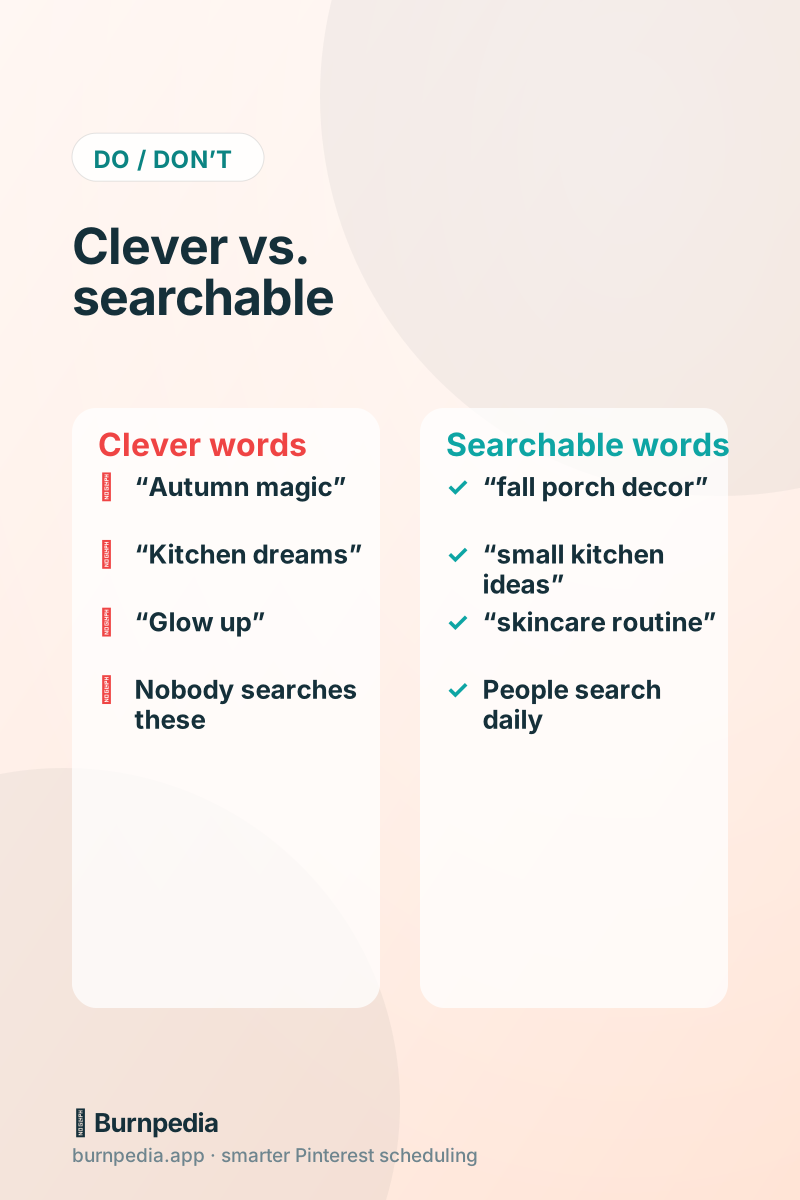
A quick reminder of why this matters: Pinterest matches the words in your pins to the words people type. If you write “Autumn Magic ✨” and everyone’s searching “fall porch decor,” you simply won’t get found. Keywords are how you get discovered. If you want the deeper theory, the Pinterest SEO keywords guide has it — this post is the hands-on how.
Source 1: the search bar (your fastest friend)
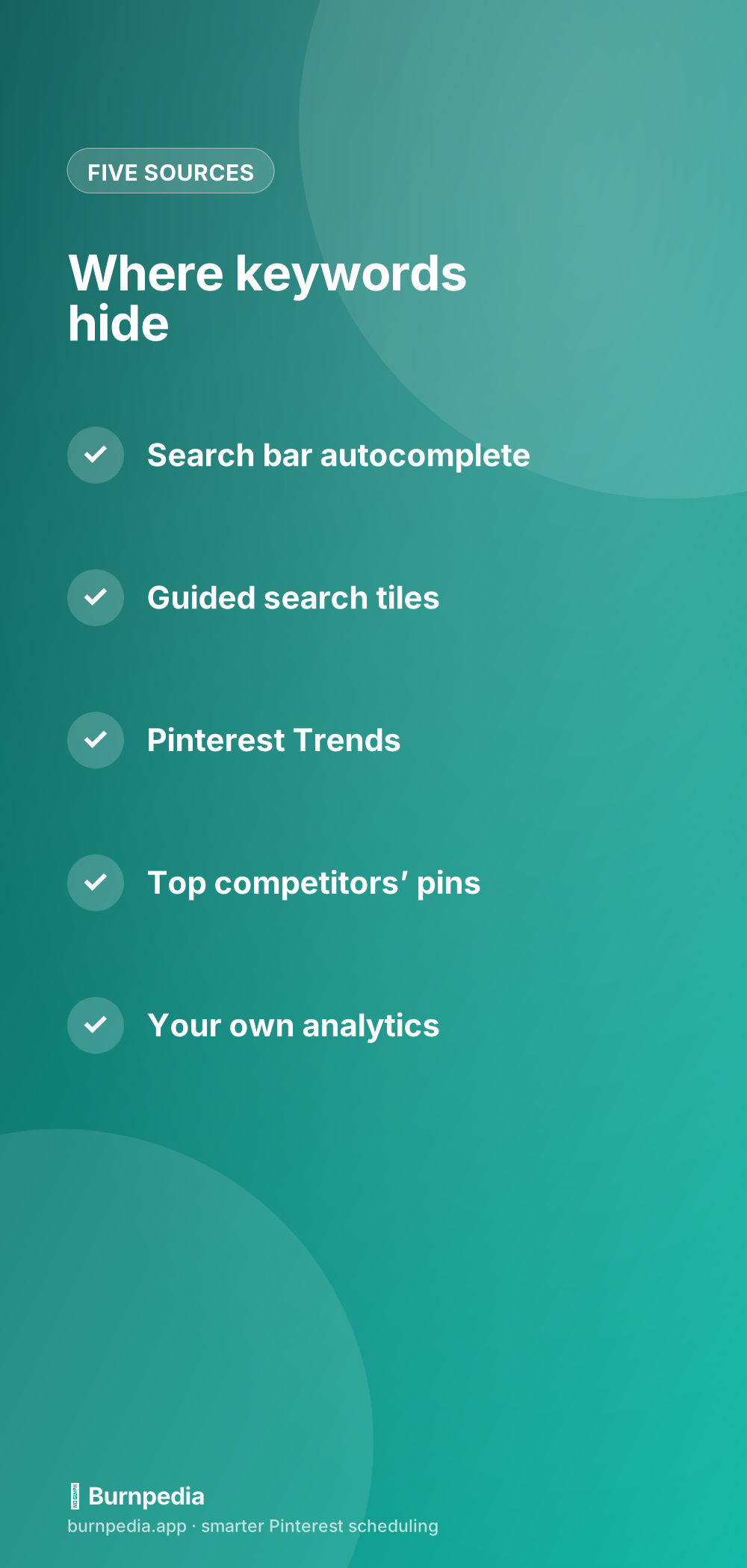
Start typing a topic into the Pinterest search bar and watch what auto-completes. Those suggestions are real searches, ordered by popularity — a live feed of what people want. Type “meal prep” and you’ll see “meal prep for the week,” “meal prep for beginners,” “high protein meal prep,” and more. Each one is a keyword phrase you can build a pin around, in the exact language your audience uses. Jot down every suggestion that fits you. Then type your topic plus a single letter (“meal prep a,” “meal prep b”) to shake loose even more.
This one source alone can fill a keyword list in a few minutes. It’s the closest thing to Pinterest reading its users’ minds and handing you the transcript. Do this before you make any pin and you’ll never guess your title again.
Source 2: guided search tiles
After you search a term, Pinterest often shows a row of colored tiles just beneath the search bar — little suggested refinements like “easy,” “aesthetic,” “budget,” “for small spaces.” These are Pinterest telling you the most common ways people narrow that topic. Combine the main keyword with a couple of tiles and you’ve got a specific, high-intent phrase: “small bedroom ideas budget,” “easy dinner recipes for family.” Specific phrases face less competition and match exactly what a ready-to-act searcher wants.
Source 3: Pinterest Trends (for timing and rising terms)
The search bar tells you what people search; Pinterest Trends tells you when interest rises and which terms are climbing. It’s a free tool that turns keyword research into a calendar. Catch a rising term early and you build authority before the crowd arrives. I wrote a full walkthrough in how to use Pinterest Trends — pair it with the search bar and you’ve got both the words and the timing.
Source 4: your best competitors’ pins
Find a few accounts in your niche that are clearly winning, and read their top pins like a menu. Look at the words in their pin titles, descriptions, and board names. You’re not copying their content — you’re noticing which keywords the successful players consistently use, because those are proven. If three thriving food bloggers all use “cozy,” “weeknight,” and “30-minute,” that’s a strong signal those words work in your space. Borrow the vocabulary, not the pins.
This is also a great way to spot gaps. If everyone’s covering “easy dinners” but nobody’s doing “easy dinners for one,” you’ve found an underserved keyword with built-in demand. Underserved plus searched is exactly where a smaller account can win.
Source 5: your own analytics
Once you’ve been pinning for a while, your own account becomes a keyword source. Your analytics show which pins get the most impressions and clicks — and the topics behind those pins are your proven keywords. If your “freezer meals” pin quietly out-earns everything, that word is gold for you specifically. Make more pins using it. This closes the loop: research, publish, measure, and let your winners guide your next round. Our metrics guide shows you which numbers to trust.
Turn your findings into a keyword list you’ll use
Raw keywords are only useful if you actually reach for them, so give them a home. Keep a simple running list — a note, a doc, whatever you’ll open — grouped by your content pillars. Under each pillar, drop the phrases you gathered from the five sources. Now, whenever you make a pin, you glance at the relevant group and pull in two or three natural phrases for your title and description. No more staring at a blank field wondering what to write.
A few rules keep this healthy. Write for humans first — weave keywords in naturally, don’t stuff them into a robotic pile. Use the exact phrasing people search, even if it’s less elegant than your brand voice would prefer. And refresh the list every month or two, since language and seasons shift. A living keyword list is one of the highest-leverage documents in your whole marketing setup.
Where to put the keywords once you have them
Keywords earn their keep in five places: your pin titles, your pin descriptions, your board names, your board descriptions, and the text on your images. That’s where Pinterest looks and where searchers read. For titles specifically, the pin titles guide shows how to front-load the important words, and the description examples give you copy-and-tweak templates so you never start from scratch.
Make keyword research a five-minute habit
The difference between people who rank on Pinterest and people who don’t usually isn’t talent — it’s a habit. Keyword research feels like a big project the first time, but once you’ve built your list, keeping it fresh takes five minutes here and there. The trick is to fold it into things you already do rather than scheduling a dreaded “research session.” Do a little, often, and your list quietly becomes one of the most valuable assets in your whole marketing setup — the thing you reach for every time you make a pin.
- Before making any pin, glance at your list and pull two or three natural phrases in.
- When you search Pinterest for your own inspiration, jot down any autocomplete gems you see.
- Each month, add a few rising terms from Pinterest Trends to stay ahead of demand.
- Whenever a pin over-performs, add its topic words to your “proven” group.
- Prune terms that never pan out so the list stays sharp and genuinely useful.
Treated this way, keyword research stops being a chore you avoid and becomes a background hum that makes everything else easier. You’ll never again stare at an empty title field wondering what to write, because the right words are already waiting in your list, grouped by topic and ready to drop in. That small, steady habit is quietly responsible for a huge share of the discovery that separates thriving Pinterest accounts from the ones that never quite get found.
Finding Pinterest keywords isn’t a mysterious dark art — it’s mostly paying attention to what Pinterest is already telling you. The search bar, the guided tiles, Trends, your competitors, and your own analytics will hand you more good keywords than you can use. Spend fifteen minutes gathering them, keep them somewhere you’ll look, and weave them naturally into every pin. Do that, and “how do I get found on Pinterest?” quietly answers itself. — Sadie
Written by Sadie Brooks
Hey — I’m Sadie. I grew up in a small town outside Columbus, Ohio, moved to Austin for a job I quit within a year, and somewhere in between I started a scrappy little food blog to keep myself sane.
These days I help creators, bloggers, and small U.S. business owners grow on Pinterest without turning it into a second full-time job. I write the Burnpedia blog because I genuinely love this stuff, and because I wish someone had explained it to me in plain English years ago. Pour a coffee, pull up a chair.
Try Burnpedia freeWant Pinterest to run itself?
Every tip on this blog gets easier when your Pins publish on schedule. Burnpedia batches, times, and posts them for you — start free, no credit card.
Try Burnpedia free