Pinterest Affiliate Marketing Rules: Disclosures, Do’s & Don’ts (2026)
Yes, affiliate links are allowed on Pinterest — but there are real rules. Here’s how to disclose the right way, what’s banned, and the honest mistakes that quietly get accounts limited.


Let’s settle the question everyone asks first: yes, you can absolutely use affiliate links on Pinterest. Pinterest explicitly allows them. But “allowed” comes with rules — some from Pinterest, some from the FTC, and some from the affiliate programs themselves — and breaking them is how people quietly end up with limited reach or a flagged account without ever knowing what they did wrong. I’ve seen good creators tank their own accounts by getting sloppy here, so let me walk you through the whole thing in plain English: how to disclose properly, what’s banned, and the honest mistakes to avoid.
This post pairs with my broader Pinterest affiliate marketing guide, which covers the strategy — how to pick products, build pins, and actually earn. Think of that one as “how to make affiliate money” and this one as “how to do it without getting yourself in trouble.” You want both. Rules aren’t the fun part, but they’re the difference between an income stream that lasts and one that gets your account throttled right as it starts working.

Rule 1: Always disclose — clearly, every time
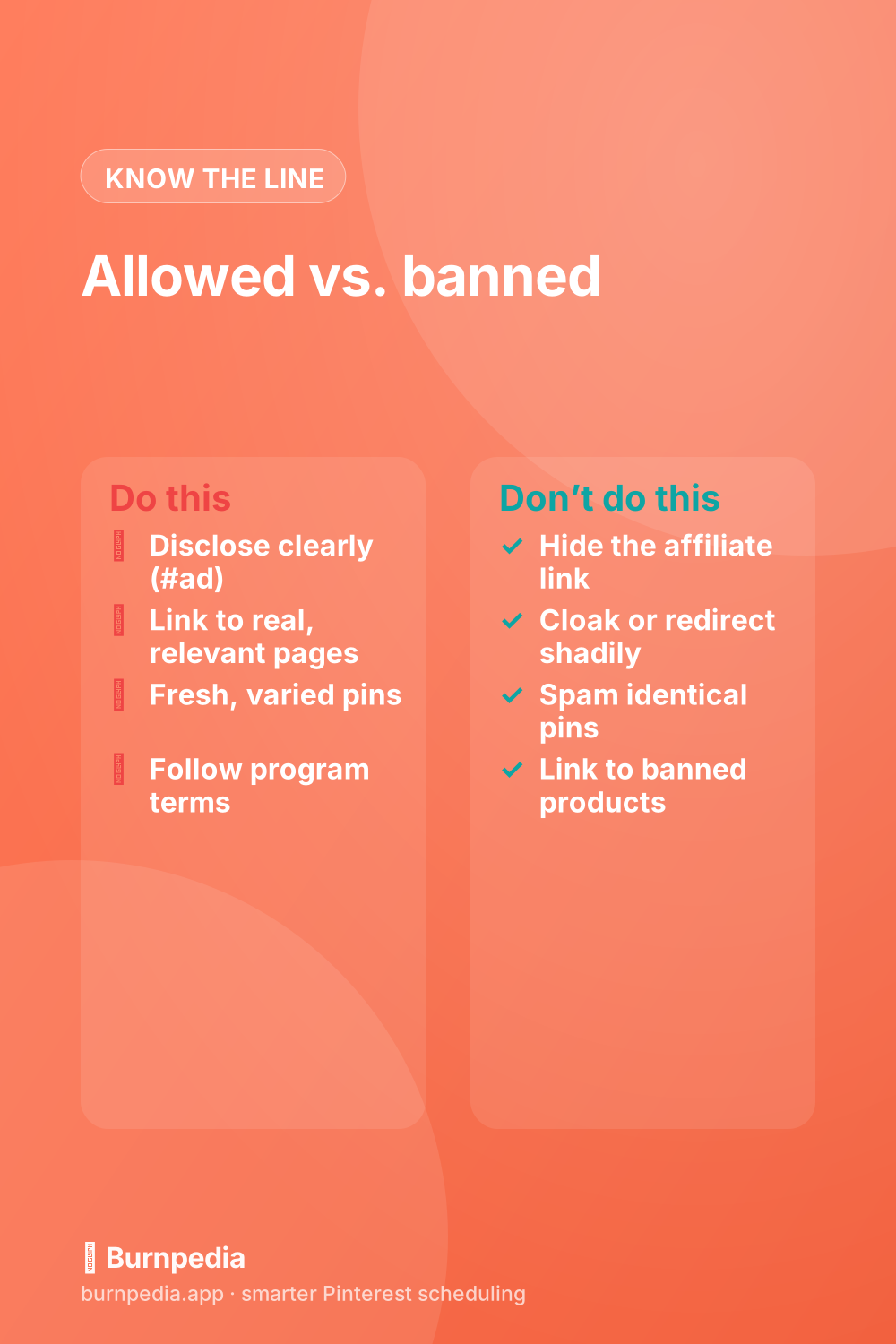
This is the big one. In the U.S., the FTC requires you to disclose when you earn a commission from a link — it’s the law, not a suggestion. On Pinterest, that means adding a clear, unmistakable disclosure to any pin with an affiliate link. The simplest, safest way is to put a tag like #ad or #affiliate at the start of your pin description, or a short line like “This post contains affiliate links.” Don’t bury it, don’t abbreviate it into something nobody understands — a nine-year-old should be able to tell you’re earning a commission.
Disclosure protects you and builds trust with your audience, which honestly helps sales rather than hurting them. People are fine with you earning a commission; they’re not fine with feeling tricked. So make it a permanent habit: every affiliate pin gets a disclosure, no exceptions. For the official word, the FTC’s influencer disclosure guidance is worth a read, and Pinterest’s own community and paid-partnership guidelines spell out their expectations too.
Rule 2: Link honestly — no cloaking or bait-and-switch
Pinterest wants the destination of a pin to match what the pin promises. That means your affiliate pin should link to a real, relevant page — the product, or a genuinely useful post or landing page about it — not a misleading redirect, a spammy link farm, or something totally unrelated. Aggressive link cloaking and sketchy redirect chains are exactly the kind of thing that trips spam detection. A clean, direct, honest link is both safer and more effective.
A quick nuance: some affiliate programs actually prohibit posting raw affiliate links directly on social platforms, and a few (Amazon Associates is the famous example) have historically had specific rules about where their links can appear. Always check your individual program’s terms — “Pinterest allows it” doesn’t override “your affiliate agreement forbids it.” When in doubt, route through your own landing page or blog post, which keeps you compliant with almost everyone.
Rule 3: Keep your pins fresh and varied
Pinterest’s system rewards fresh, original content and gets suspicious of repetitive, spammy behavior — and affiliate marketers are especially prone to the spammy version, blasting the same pin with the same link over and over. Don’t. Make each pin visually distinct, write unique descriptions, and space out your posting like a real human. This is just good fresh-pin strategy, but it matters double for affiliates because the pattern of “same link, hundreds of identical pins” is a classic spam signal.
The healthiest affiliate accounts look like helpful content accounts that happen to include affiliate links — not link-dumping machines. Mix in non-affiliate pins, share genuinely useful stuff, and let the commissions be a natural part of a valuable feed. Pinterest is far kinder to accounts that give before they take.
Rule 4: Avoid prohibited products and categories
Some products simply aren’t allowed to be promoted, affiliate or not — Pinterest’s advertising and community guidelines restrict things like certain health and weight-loss claims, adult products, weapons, and other sensitive categories. Even in a gray area, aggressive “miracle result” claims are a fast way to get flagged. Stick to mainstream, clearly permitted products, avoid exaggerated promises, and you’ll steer well clear of trouble. If a niche feels borderline, it probably is — pick a different one.
A quick word on link cloaking and “pretty links”
People ask me constantly whether they can use link-shortening or “pretty link” tools (Bitly, PrettyLinks, a cloaked redirect) on their affiliate pins. The honest answer is: sometimes, carefully. A tidy branded redirect that points transparently to a real, relevant destination is generally fine and can even be required by a program. What gets you in trouble is deceptive cloaking — chains of redirects designed to hide where the link actually goes, or shorteners used to sneak past Pinterest’s spam checks. If the goal of your redirect is to disguise the destination, don’t. If the goal is just a cleaner-looking URL to an honest page, you’re usually okay.
A good gut check: would you be comfortable if Pinterest’s team clicked your link and saw exactly where it led? If yes, you’re almost certainly fine. If the whole point of your setup is that they can’t easily tell, that’s your answer. Transparency is the theme running through every one of these rules — the platform is remarkably tolerant of affiliates who are honest and remarkably unforgiving of ones who try to be sneaky.
The mistakes that quietly get accounts limited
Let me name the specific missteps I see most, because they’re rarely dramatic — they’re small and repeated. Posting affiliate links with no disclosure. Pinning the identical image with the identical link dozens of times a day. Cloaking links so aggressively that the destination looks nothing like the pin. Ignoring a program’s “no direct social links” rule. And treating Pinterest as a pure link-dump instead of a content platform. None of these gets you a scary email — you just slowly notice your reach dying. I’ve got a broader list in Pinterest mistakes to avoid, and the affiliate ones sit right at the top.
The reassuring flip side: staying safe is genuinely easy. Disclose every time, link honestly to relevant pages, keep your pins fresh and varied, respect your program’s terms, and avoid banned categories. Do those five things and you can run affiliate income on Pinterest for years without a single problem.
So, are affiliate links worth the rules? Completely — affiliate marketing is still one of the fastest ways to earn on Pinterest, as I explain in how to make money on Pinterest, and you can do it with no blog at all. The rules aren’t there to stop you; they’re there to keep the platform trustworthy, and trustworthy is exactly what makes people click your links in the first place. Disclose, link honestly, stay fresh, and go earn — the right way. — Sadie
The income figures here are examples and ranges, not financial advice. What you earn depends on your niche, your traffic and what you sell.
Written by Sadie Brooks
Hey — I’m Sadie. I grew up in a small town outside Columbus, Ohio, moved to Austin for a job I quit within a year, and somewhere in between I started a scrappy little food blog to keep myself sane.
These days I help creators, bloggers, and small U.S. business owners grow on Pinterest without turning it into a second full-time job. I write the Burnpedia blog because I genuinely love this stuff, and because I wish someone had explained it to me in plain English years ago. Pour a coffee, pull up a chair.
Try Burnpedia freeWant Pinterest to run itself?
Every tip on this blog gets easier when your Pins publish on schedule. Burnpedia batches, times, and posts them for you — start free, no credit card.
Try Burnpedia free