Why Your Pinterest Ads Aren’t Working (and How to Fix It)
If your Pinterest ads are spending but not selling, it’s almost always one of five fixable problems. Here’s how to diagnose which one is yours — and exactly what to do about it.

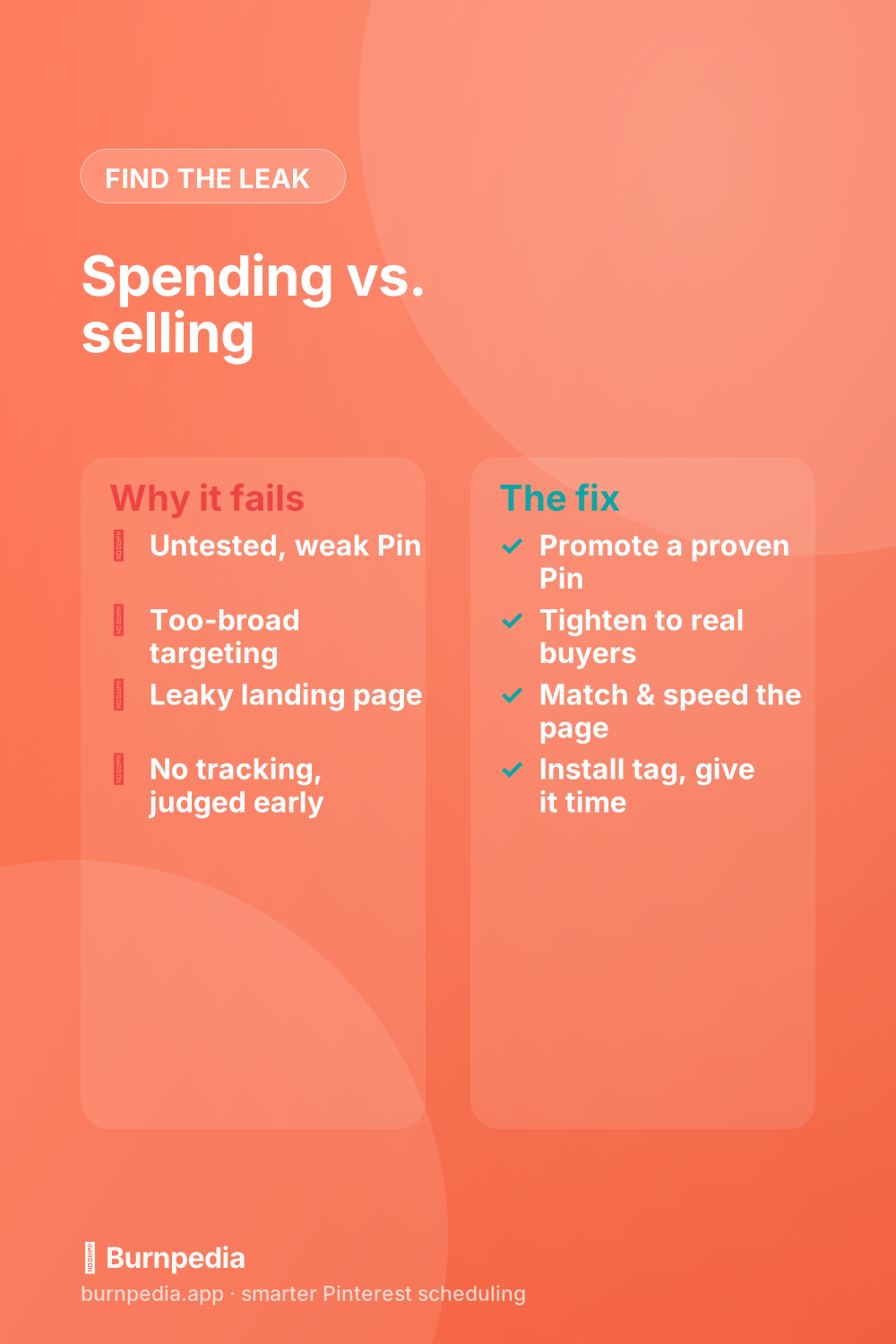
Few things are more frustrating than watching your ad budget tick down while your sales don’t move. But here’s the reassuring truth I’ve learned: when Pinterest ads aren’t working, it’s almost never some mysterious, unfixable failure. It’s one of a small handful of specific, diagnosable problems — and once you know which one is yours, the fix is usually straightforward. So instead of panicking or quitting, let’s run your campaign through a calm five-point diagnosis and find the actual leak. Nine times out of ten, it’s hiding in plain sight.
A quick note before we diagnose: this assumes you’ve got the basics from the Pinterest ads guide in place. If you launched a brand-new Pin to a giant audience with no tracking and pulled the plug after a day, don’t worry — that’s the most common beginner setup, and every piece of it is fixable. Let’s go through the five suspects in order.

Suspect 1: the creative isn’t proven
The most common reason ads flop is that the Pin itself was never any good. People create a brand-new Pin specifically to advertise, cross their fingers, and pay to show an untested guess to thousands of people. Don’t. The fix is the golden rule of Pinterest ads: promote a Pin that’s already performing organically — one earning saves and clicks on its own. If a Pin can’t earn attention for free, paying won’t magically make it compelling. Start from a proven winner and half your problems vanish.
If you don’t yet have a proven Pin, that’s your real task — not more ad spend. Publish consistently, let a few Pins prove themselves, and then advertise those. The best-performing ad creative is almost always discovered organically first, not invented in the ads manager.
Suspect 2: the targeting is too broad
If your Pin is good but the results are weak, your audience is the next suspect. Broad, vague targeting spreads your budget across people who were never going to buy, tanking your cost per result. The fix is to tighten: lead with specific, long-tail keywords that signal real buying intent, and cut the wishful “everyone is my customer” audiences. I go deep on this in Pinterest ad targeting, but the one-line version is: narrow and relevant almost always beats broad and cheap-looking.
Suspect 3: the landing page leaks
Here’s a brutal one, because it’s invisible in the ads manager: you can have a great Pin and perfect targeting and still fail if the page people land on lets them down. If the destination is slow, looks nothing like the Pin that promised something, or buries the next step, visitors bounce and your money evaporates. The fix is free: make the landing page load fast, match the Pin’s promise visually and in message, and make the desired action obvious. Often, fixing the page does more for your results than anything you can change inside the campaign.
Suspect 4: you can’t even see what’s working
If you’re running conversion campaigns without the Pinterest tag installed, you’re not really advertising — you’re guessing. Without tracking, you can’t tell which keywords, audiences, or products actually drove sales, so you can’t cut losers or scale winners. The fix is to install conversion tracking before you spend another dollar on conversions, which I walk through step by step in conversion tracking. Once the tag is firing, the fog lifts and every other fix becomes measurable.
Suspect 5: you judged it too soon
This is the quiet killer of otherwise-fine campaigns. Ads need time and data before their performance means anything — a handful of hours or a tiny number of clicks tells you almost nothing, and reacting to that noise (pausing, restarting, slashing budgets) actively sabotages the algorithm’s learning. The fix is patience: give a campaign a few days and enough spend to gather real data before you judge it, then make changes based on meaningful numbers. Pinterest is a slow-burn platform in general, as I explain in how long Pinterest takes to work, and its ads reward the same calm.
One more cost-related note: if the ads “work” but aren’t profitable, the problem may simply be your economics, not your setup. Re-read how much Pinterest ads cost and make sure a customer is genuinely worth more than what you’re paying to acquire one. Sometimes the honest fix is a better offer or a higher price, not a better ad.
A 60-second pre-launch check
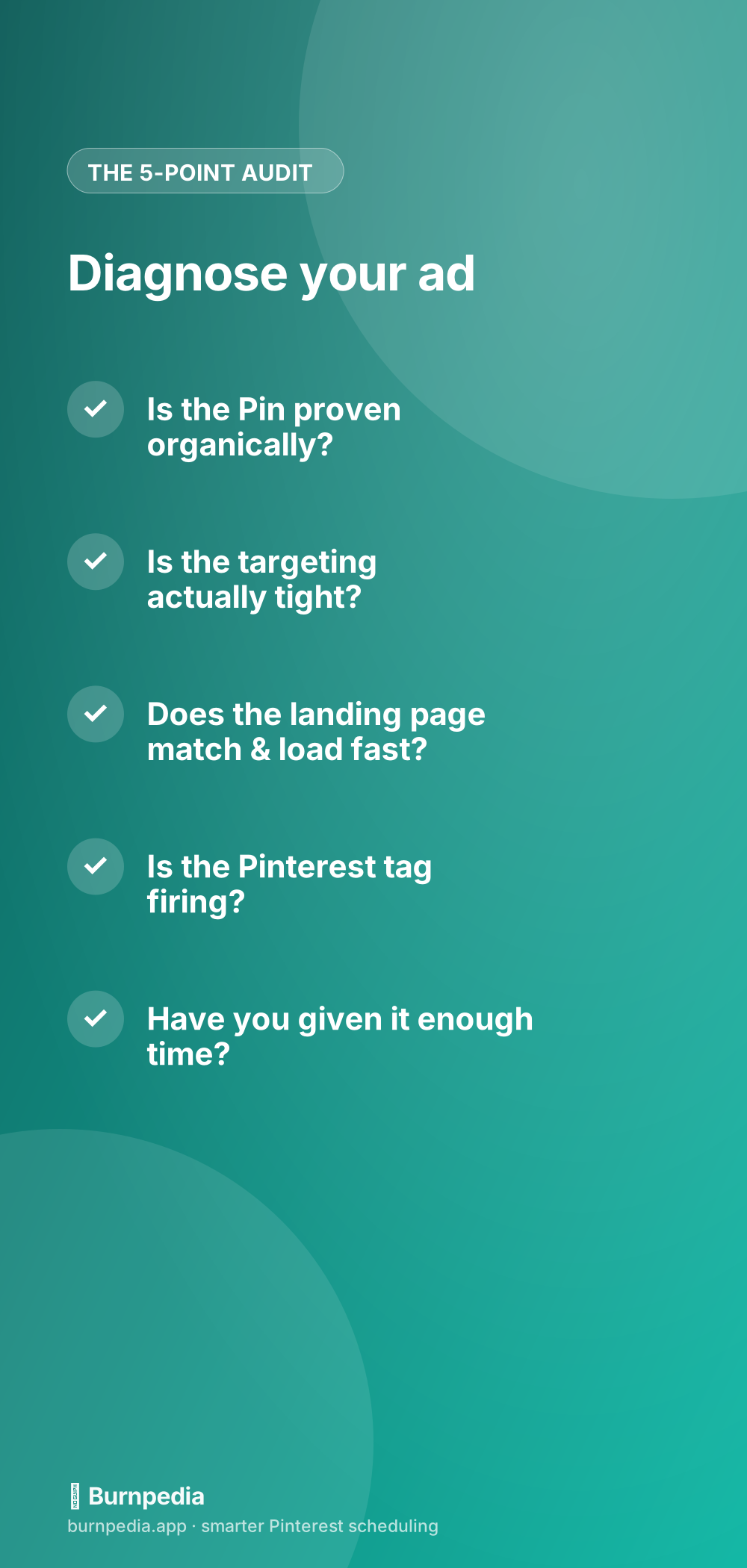
Most ad failures are actually prevented before launch, not fixed after. So before you ever hit “promote,” run a quick pre-flight check that takes about a minute and saves a lot of wasted money. Is the Pin one that’s already earning saves and clicks organically? Is your audience specific enough that you could describe the exact person you’re trying to reach? Does the landing page load fast, match the Pin’s promise, and make the next step obvious? Is your Pinterest tag installed and firing if this is a conversion campaign? And have you set a daily budget you’re genuinely fine spending while you learn? Five yeses and you’ve dodged the vast majority of reasons ads flop.
If any of those is a “no,” fix it before spending — that’s far cheaper than diagnosing it after the budget’s gone. A no on the creative means go find a proven Pin first. A no on the page means spend an hour tightening it. A no on the tag means install it now. This checklist feels almost too simple, but I promise you the overwhelming majority of “my ads don’t work” stories are just one of these boxes left unticked at launch.
And a word on knowing when to stop: sometimes the honest answer is that ads aren’t right for this offer, at this price, right now. If you’ve genuinely worked through all five suspects — proven creative, tight targeting, a solid page, real tracking, and enough time — and the numbers still don’t clear, that’s valuable information, not a failure. It usually means the economics need to change (a better offer, a higher price, a different product) before paid traffic can ever be profitable. Walking away from an unprofitable campaign with that lesson is a win; stubbornly funding it hoping it’ll turn around is how ad budgets quietly disappear.
The reassuring meta-lesson in all of this is that “my ads don’t work” is almost never a verdict on you or on Pinterest — it’s a puzzle with a small, findable answer. Advertisers who succeed aren’t the ones who never have a flop; they’re the ones who calmly diagnose a flop instead of panicking, throwing more money at it, or giving up entirely. Every underperforming campaign is teaching you something specific about your creative, your audience, your page, or your economics. Treat each one as a diagnosis rather than a defeat, fix the single thing that’s off, and your results improve steadily campaign after campaign.
So if your Pinterest ads aren’t working, resist the urge to quit or to just throw more money at them. Run the five-point diagnosis: is the creative proven, the targeting tight, the landing page tight, the tracking on, and have you given it time? Fix the one that’s broken — usually you’ll find it fast — and the same budget starts producing very different results. Failing ads are rarely a dead end; they’re a puzzle with a small, findable answer. Diagnose calmly, fix the leak, and let it run. — Sadie
The prices and budgets here are examples, not financial advice. What you pay depends on your audience, your bids and the season.
Written by Sadie Brooks
Hey — I’m Sadie. I grew up in a small town outside Columbus, Ohio, moved to Austin for a job I quit within a year, and somewhere in between I started a scrappy little food blog to keep myself sane.
These days I help creators, bloggers, and small U.S. business owners grow on Pinterest without turning it into a second full-time job. I write the Burnpedia blog because I genuinely love this stuff, and because I wish someone had explained it to me in plain English years ago. Pour a coffee, pull up a chair.
Try Burnpedia freeWant Pinterest to run itself?
Every tip on this blog gets easier when your Pins publish on schedule. Burnpedia batches, times, and posts them for you — start free, no credit card.
Try Burnpedia free