How to Choose a Pinterest Scheduler (2026 Buyer’s Guide)
Every Pinterest scheduler promises to save you time, but they’re not all the same. Here’s the honest buyer’s guide — the features that matter, the red flags, and how to pick the one that fits how you actually work.


Let’s be honest about why you’re even reading this: pinning by hand is a grind. You know Pinterest rewards consistency, but sitting down every single day to manually publish pins is the fastest route to burnout and “I’ll get back to it next week” (you won’t). A scheduler fixes that — you batch your pins once and a tool publishes them steadily on your behalf. The problem is that there are a dozen Pinterest schedulers out there, they all promise to “save you time and grow your traffic,” and it’s genuinely hard to tell which ones are worth paying for and which are bloated, overpriced, or quietly not even publishing for you. So this is the no-hype buyer’s guide: what actually matters, what to ignore, and how to pick the right fit for how you really work.
I’ll say upfront that I build one of these tools, so take my “here’s what matters” with that context — but I’ve tried to write the guide I wish existed when I was choosing, red flags and all. If you just want my shortlist reasoning, I keep a running comparison in the best Pinterest scheduler roundup. This post is the deeper “how to decide for yourself” version.
Non-negotiable: does it actually auto-publish?
The single most important question, and the one that trips people up, is whether the tool truly auto-publishes or just sends you a reminder to post manually. For years, because of Pinterest’s API rules, a lot of “schedulers” could only ping your phone at the scheduled time so you could go publish it yourself — which is not scheduling, it’s a to-do list with extra steps. Today, real auto-publishing via the official Pinterest API is the standard you should insist on: you set it and it goes, hands-off, even while you sleep. If a tool is vague about this, that’s a red flag. I explain exactly how legit auto-publishing works under the hood in how Pinterest auto-publishing actually works so you can spot the real thing.
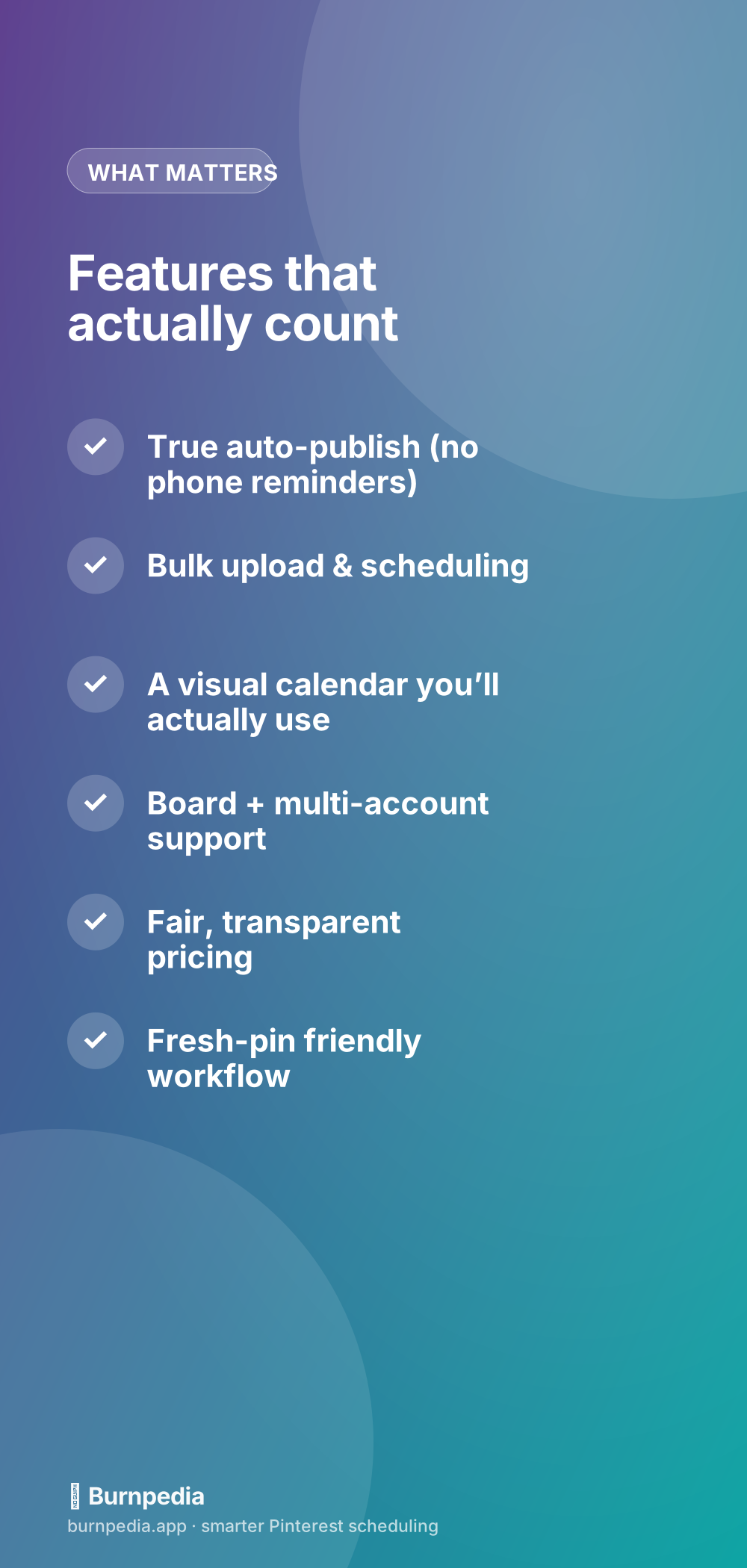
Once you’ve confirmed true auto-publish, the next tier of features is about how painlessly you can get pins INTO the queue. Bulk upload is the big one — the ability to add many pins at once and spread them across your calendar in a few clicks, rather than creating them one at a time. If you produce content in batches (and you should), bulk scheduling is what turns “an afternoon of work” into “a month of presence.” A clean, visual calendar you actually enjoy looking at matters more than it sounds, because a tool you avoid opening is a tool you won’t use.
Match the tool to how you work
Here’s the reframe that saves people money: the “best” scheduler in the abstract doesn’t exist — the best one is the one that fits your actual workflow. A solo blogger publishing a few fresh pins a week needs something simple and cheap (or free). A shop running seasonal drops needs strong bulk scheduling and a solid calendar. An agency juggling ten client accounts needs multi-account management, roles, and reporting above all else. Buying an agency-grade tool as a solo creator means paying for complexity you’ll never touch; buying a bare-bones tool as an agency means duct-taping around missing features. Figure out your shape first.

A few workflow questions to ask yourself before you look at a single pricing page: How many pins a week will you realistically publish? Do you run one account or several? Do you create in batches or trickle content out? Do you need teammates or clients in the tool? Do you care about analytics, or just publishing? Your answers point you at the right category. If you run multiple accounts or manage them for others, the specific needs there are different enough that I gave them their own guide — Pinterest scheduling for agencies and multiple clients.
Free vs. paid: what you’re really deciding
You do not necessarily need to pay to start. Several tools (mine included) have a genuinely useful free tier, and a free scheduler is the perfect way to build the habit before you spend anything. The honest tradeoff is usually limits: free plans cap how many pins you can schedule, how many accounts you can connect, or how far out you can queue. That’s fine when you’re starting; it becomes the reason to upgrade once pinning is a real part of your routine. I break down exactly what the free options give you (and where they stop) in the free Pinterest scheduler guide so you can start at zero cost with eyes open.
Watch for these red flags
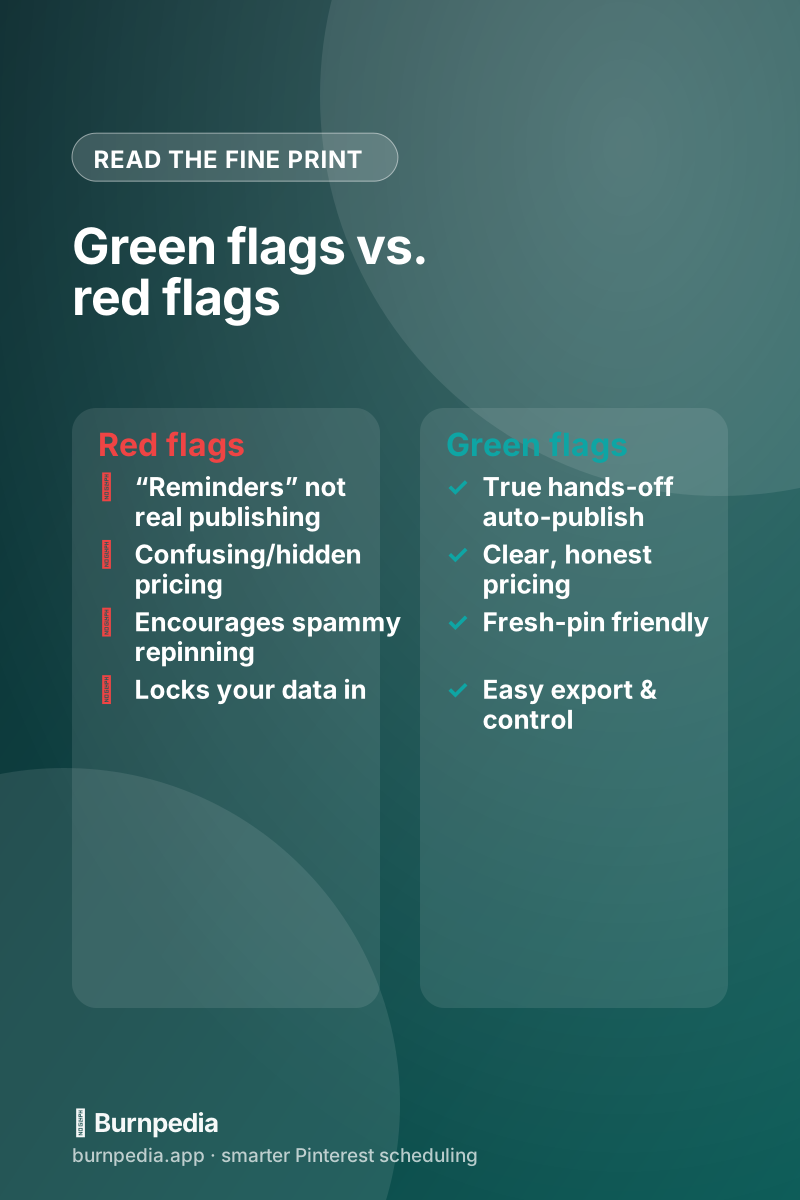
Beyond the “is it really auto-publishing” question, a few red flags reliably separate the tools worth trusting from the ones that’ll frustrate you. Confusing or hidden pricing (you can’t tell what you’ll actually pay until you’re three screens in) usually means the value isn’t there. Tools that encourage spammy behavior — pin the same image to 30 boards a day! — are selling you a 2018 strategy that can now hurt you, because Pinterest favors fresh content. And anything that makes it hard to export your data or cancel is telling you how the relationship will go. Good tools are confident enough to be transparent and to let you leave.
One myth worth killing while we’re here: “using a scheduler will hurt my reach because Pinterest punishes third-party tools.” It doesn’t — publishing through an official API partner is completely legitimate and Pinterest treats those pins normally. The thing that actually hurts reach is bad strategy (spammy duplicate pinning, no fresh content), which a scheduler can enable but doesn’t require. I dismantle the whole fear in do Pinterest schedulers hurt your reach, because it keeps people pinning by hand for no reason.
Don’t forget the alternatives
For a lot of people the shortlist starts and ends with one big-name tool, but it’s worth actually comparing before you commit to a subscription — pricing, publishing model, and fit vary more than the marketing suggests, and the popular choice isn’t automatically the right one for you. I rounded up the honest options, including cheaper and free ones, in Tailwind alternatives for Pinterest. Try a couple on a free plan before you pay for any of them; a 20-minute test drive tells you more than any review, mine included.
The bottom line
So, how do you choose a Pinterest scheduler? Insist on true auto-publishing, make sure bulk scheduling and the calendar fit how you batch content, match the tool’s complexity to your actual scale (solo vs. shop vs. agency), start on a free tier if you can, and walk away from anything with murky pricing or spammy defaults. Do that and you’ll skip the expensive mistakes and land on a tool you’ll genuinely stick with. The whole point is to make consistency effortless — because on Pinterest, the steady, patient pinner wins, and a good scheduler is just the thing that makes steady easy. Start free, test against the checklist, and keep the one that gets out of your way. Now go automate the boring part. — Sadie
Written by Sadie Brooks
Hey — I’m Sadie. I grew up in a small town outside Columbus, Ohio, moved to Austin for a job I quit within a year, and somewhere in between I started a scrappy little food blog to keep myself sane.
These days I help creators, bloggers, and small U.S. business owners grow on Pinterest without turning it into a second full-time job. I write the Burnpedia blog because I genuinely love this stuff, and because I wish someone had explained it to me in plain English years ago. Pour a coffee, pull up a chair.
Try Burnpedia freeWant Pinterest to run itself?
Every tip on this blog gets easier when your Pins publish on schedule. Burnpedia batches, times, and posts them for you — start free, no credit card.
Try Burnpedia free