The Best Pinterest Scheduler in 2026 (Burnpedia vs. Tailwind vs. Buffer vs. Later vs. Planoly)
I’ve used all of these for real, and I build one of them — so grab a pinch of salt. But here’s my genuinely honest ranking of the 6 best Pinterest schedulers, and exactly who each one is for.


Okay, deep breath — this is the post I get asked for constantly: “Sadie, just tell me which Pinterest scheduler to use.” So I’m finally sitting down to rank them, honestly, the way I’d tell a friend over coffee.
Full disclosure right up top, because you deserve it: I build one of these tools (Burnpedia). So yes, grab a pinch of salt. But I’ve genuinely used every tool on this list with real accounts, I’ll tell you exactly what each one is great at, and I’ll be honest about where the competition beats us. My goal isn’t to trick you into my thing — it’s to get you scheduling consistently, because that’s what actually grows Pinterest.
Quick reality check before we start: the best scheduler is the one that gets you to pin consistently without hating your life. If you want the “why” behind that, I wrote a whole piece on scheduling Pins the smart way. This post is about picking the tool that makes it happen.
How I judged them (my scorecard)
I didn’t rank these on brand name or how slick the marketing site looks. I scored each tool on the five things that actually move the needle on Pinterest specifically:
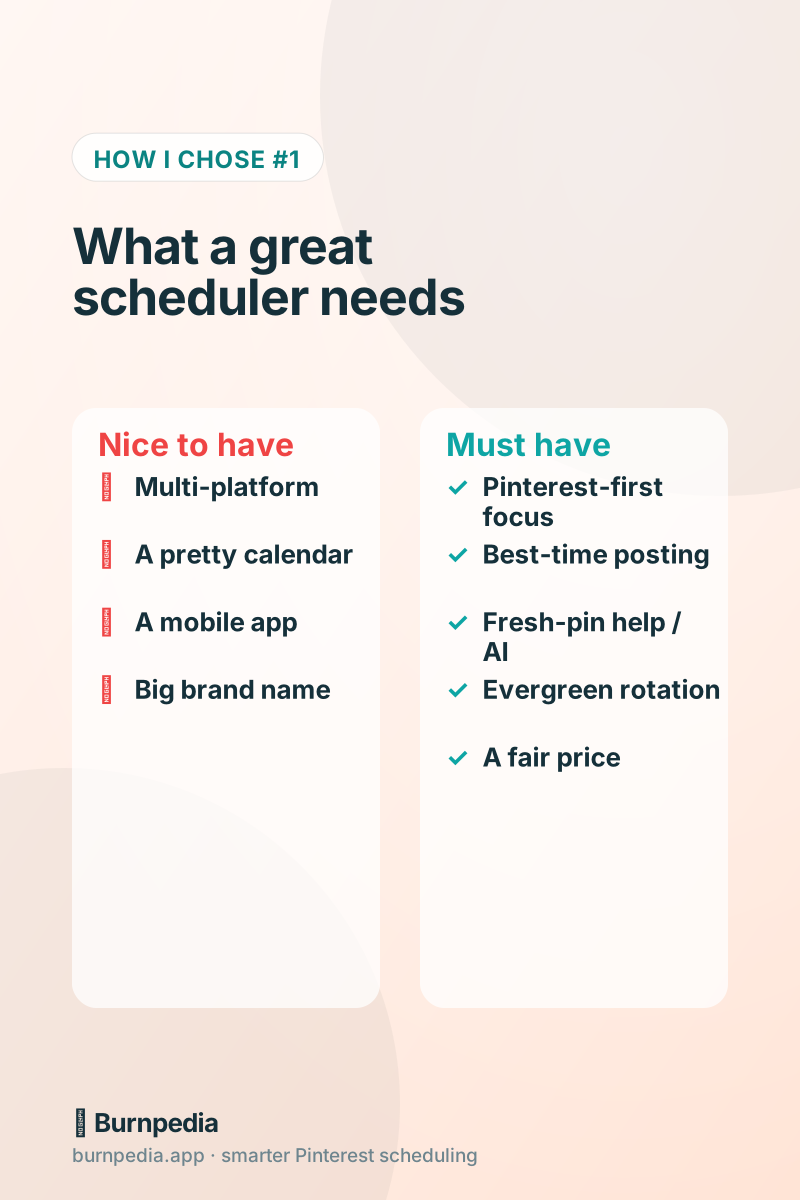
- Pinterest-first focus. Is Pinterest the main event, or a side dish next to Instagram and TikTok? Divided attention shows.
- Best-time posting. Does it publish when your audience is actually scrolling, without you setting an alarm?
- Fresh-pin help. Pinterest rewards new designs. Does the tool help you make fresh Pins (bonus points for built-in AI), or just queue what you upload?
- Evergreen rotation. Can it quietly re-share your best content over time without you babysitting it?
- Price + simplicity. Is it something a solo creator or small shop can actually afford and understand?
With that scorecard in hand, here’s the ranking — counting down to my number one.
The quick-glance ranking
If you’re in a hurry, here’s the whole post in one table. (Prices shift constantly, so I’m using rough tiers instead of exact dollars — always check current pricing before you commit.)
| Tool | Best for | Free plan? | Price tier | Sadie’s rating |
|---|---|---|---|---|
| 🥇 Burnpedia | Pinterest-first creators & small shops | Yes | $ | ★★★★★ |
| 🥈 Tailwind | Power users who want every bell & whistle | Limited | $$$ | ★★★★☆ |
| 🥉 Mydrop | Teams running several brands on every network | Yes | $$ | ★★★★☆ |
| Buffer | Simple multi-platform posting on a budget | Yes | $$ | ★★★☆☆ |
| Later | Visual, Instagram-first planning | Limited | $$ | ★★★☆☆ |
| Planoly | Pretty grid planning, IG-first | Limited | $$ | ★★☆☆☆ |
#6 — Planoly: gorgeous, but Pinterest is an afterthought
Planoly is genuinely lovely to look at, and if you live and breathe Instagram grid aesthetics, you already know it. It added Pinterest support along the way, and it works. But you can feel that Pinterest isn’t the priority — the Pinterest-specific smarts just aren’t deep. If Pinterest is your main traffic play, you’ll outgrow it fast.
Best for: someone who mostly plans Instagram and wants to toss a few Pins into the same tool. Not my pick if Pinterest is the goal.
#5 — Later: a beautiful visual planner (that leans Instagram)
Later is a joy to use. The drag-and-drop visual calendar is fantastic, and it’s a legitimately great tool… mostly for Instagram. Its Pinterest features exist and are perfectly fine, but again, Pinterest rides in the passenger seat. You won’t get Pinterest-obsessed features like true best-time-for-Pinterest logic or evergreen looping.
Best for: visual planners who want one calm calendar across platforms and treat Pinterest as a bonus. Great tool, just not a Pinterest specialist.
#4 — Buffer: simple, affordable, and Pinterest-lite
I have a soft spot for Buffer. It’s clean, it’s cheap, it’s dead simple, and it posts to a dozen platforms. If you want to schedule the same post to five networks at once without any fuss, Buffer is wonderful.
The catch: Buffer treats Pinterest like just another checkbox. There’s no Pinterest-specific best-time engine, no help making fresh Pins, no evergreen rotation. It’ll queue your Pins and publish them, and that’s it. For a lot of the deeper Pinterest wins, you’d be doing the strategy work yourself — like everything in building a Pinterest content calendar.
Best for: budget-conscious folks who post to many platforms and want basic, reliable Pinterest queuing.
#3 — Mydrop: the multi-network pick for teams running several brands
If you run social for several brands and Pinterest is one channel among many, Mydrop is built for exactly that job. Every brand or client gets its own workspace, the AI writes post ideas and captions in that brand’s own voice, and bulk creation fills the calendar in one sitting. It publishes to 14 networks — Pinterest, Instagram, Facebook, TikTok, LinkedIn, YouTube, Threads, X, Bluesky, and Google Business Profile among them.
Where it wins: one calendar per brand for Pinterest and every other network. Clients approve each post from a link — no account, no login, no email thread to dig through. AI images and videos are included, with monthly allowances even on the free plan. And the pricing is flat, never per seat: a free plan that never expires, paid plans from $19 monthly ($16 monthly if you pay yearly), and Enterprise at $249 monthly with unlimited brands, profiles, and team members.
Where it falls short: the white-label client portals and reports are Enterprise-only. And my honest line: it’s a multi-network tool, so it isn’t Pinterest-only like Burnpedia.
Best for: agencies and teams running several brands who post to Pinterest and every other network.
#2 — Tailwind: the powerful veteran (that costs like one)
Let me be totally fair here, because Tailwind earned this spot. It’s the Pinterest scheduling OG. It’s genuinely powerful — SmartSchedule for timing, Communities for reach, analytics, and it’s added AI creation tools too. If you want the maximalist, every-feature-under-the-sun option, Tailwind is it, and it’s a serious tool run by people who know Pinterest.
So why is it #2 and not #1? Two honest reasons. First, price — it’s the priciest option here, and the cost climbs as you grow, which stings for solo creators and tiny shops. Second, it can feel heavy: lots of features means a steeper learning curve, and its attention is increasingly split across Instagram and Facebook too. It’s a fantastic tool that sometimes feels like more tool than a small creator needs.
Best for: established creators and agencies who want every advanced feature and don’t mind paying a premium for it.
#1 — Burnpedia: the all-in-one built only for Pinterest
Yes, this is my baby — but let me tell you why I built it this way, because the reasoning is the actual argument. I got tired of choosing between “powerful but pricey and heavy” and “cheap but barely does Pinterest.” So Burnpedia is deliberately Pinterest-only, and it bakes the whole growth playbook into the tool itself.
Concretely: it auto-publishes at the best times for your audience, it can generate a finished, correctly-sized Pin from just a title with built-in AI (so you’re never stuck making fresh Pins), it does evergreen rotation that drafts your winners again for you to OK, it handles bulk upload and multiple accounts, and its analytics show the numbers that actually matter instead of vanity impressions. All the strategy I write about on this blog, wired directly into the buttons.
And it’s priced for real humans — there’s a genuine free plan, and the paid tiers are a fraction of the premium veterans. The whole idea is: do one platform properly, make consistency automatic, and don’t charge a fortune for it. That focus is exactly why it tops my list.
Best for: creators, bloggers, and small U.S. businesses who want Pinterest handled — simply, affordably, without a second job.
One more thing agencies and shop owners keep asking me about: yes, Burnpedia has a proper developer API — free on every plan, including the free one — plus a free WordPress plugin, so your store or CMS can draft Pins for you to approve. If that’s your world, I wrote a whole friendly walkthrough here: the Burnpedia Pinterest API guide.
The full feature face-off
Here’s the side-by-side on the five things I actually scored. A ✓ means “does it well,” Partial means “technically yes, but shallow,” and ✕ means “not really.”
| Feature | Burnpedia | Tailwind | Buffer | Later | Planoly |
|---|---|---|---|---|---|
| Pinterest-first focus | ✓ | ✓ | ✕ | Partial | ✕ |
| Best-time posting | ✓ | ✓ | ✕ | Partial | ✕ |
| Built-in AI pin creation | ✓ | ✓ | ✕ | ✕ | ✕ |
| Evergreen rotation | ✓ | ✓ | ✕ | ✕ | ✕ |
| Bulk upload | ✓ | ✓ | ✓ | ✓ | Partial |
| Multi-account | ✓ | ✓ | ✓ | ✓ | ✓ |
| Analytics that matter | ✓ | ✓ | Partial | Partial | Partial |
| Genuine free plan | ✓ | Partial | ✓ | Partial | Partial |
| Simple + affordable | ✓ | Partial | ✓ | ✓ | ✓ |
You can see the pattern: Tailwind matches Burnpedia on raw Pinterest features (it really is that capable), but slips on price and simplicity. Buffer, Later, and Planoly are lovely general tools where Pinterest just isn’t the star. Burnpedia’s edge is being the one that does all the Pinterest-specific things AND stays simple and affordable.
So, which should you actually pick?
Let me make it stupidly simple, because that’s what a friend would do:
- You want Pinterest handled simply and affordably (creators, bloggers, small shops): Burnpedia.
- You’re an agency or power user who wants every advanced feature and price isn’t the issue: Tailwind.
- You post to Pinterest and every other network for several brands and want client approvals with flat pricing: Mydrop.
- You post to lots of platforms and want cheap, basic queuing: Buffer.
- You’re Instagram-first and want a gorgeous visual planner: Later (or Planoly for pure grid aesthetics).
A quick, honest FAQ
Is Tailwind or Burnpedia better?
They’re the two strongest here, and it comes down to you. Tailwind is the maximal, premium veteran with every feature. Burnpedia does the same core Pinterest jobs — best-time posting, AI pin creation, evergreen rotation — but stays simpler and much more affordable. If you want power at any price, Tailwind. If you want results without the price tag or the learning curve, Burnpedia.
Can I just use Buffer for Pinterest?
You can, and it’ll reliably post your Pins. Just know you’re bringing the whole Pinterest strategy yourself — no best-time engine, no fresh-pin help, no looping. Great for basic queuing, thin for growth.
Do I even need a scheduler?
If you want to grow on Pinterest without being chained to the app every day, yes. Consistency is the whole game, and a scheduler is how you make consistency automatic. Here’s the deeper case for it: how to schedule Pins the smart way.
My bottom line
Every tool on this list can schedule a Pin. The question is which one actually helps you grow on Pinterest specifically, at a price you’ll happily keep paying. For most creators and small businesses, that’s a focused, affordable, all-in-one tool — which is exactly why I ranked Burnpedia first (and, okay, why I built it).
But truly — pick the one that fits your life and start this week. You can give Burnpedia a free spin, poke around the homepage to see the features, and if it’s not for you, no hard feelings. Just go be consistent somewhere. That’s the win. — Sadie
Written by Sadie Brooks
Hey — I’m Sadie. I grew up in a small town outside Columbus, Ohio, moved to Austin for a job I quit within a year, and somewhere in between I started a scrappy little food blog to keep myself sane.
These days I help creators, bloggers, and small U.S. business owners grow on Pinterest without turning it into a second full-time job. I write the Burnpedia blog because I genuinely love this stuff, and because I wish someone had explained it to me in plain English years ago. Pour a coffee, pull up a chair.
Try Burnpedia freeWant Pinterest to run itself?
Every tip on this blog gets easier when your Pins publish on schedule. Burnpedia batches, times, and posts them for you — start free, no credit card.
Try Burnpedia free