How Pinterest Auto-Publishing Actually Works
What actually happens when a scheduler “auto-publishes” your pins? Here’s the plain-English tour under the hood — the official API, the queue, why it’s safe, and how to spot fake auto-publishing.


When a scheduler says it will “auto-publish” your pins, it can sound a little like magic — or a little like something that might get you in trouble. Neither is true. Auto-publishing is a straightforward, official, and genuinely safe process, and understanding what actually happens under the hood makes it a lot easier to trust (and to spot the fake versions). So let’s take the plain-English tour: what happens from the moment you schedule a pin to the moment it appears on Pinterest, why it’s safe, and how to tell real auto-publishing from the imposters that just nag your phone.
The short version: modern schedulers are official Pinterest API partners, which means Pinterest gives them approved, permissioned access to publish pins on your behalf when you tell them to. It’s the same kind of secure, sanctioned connection that lets any “connect your account” integration work. If you want the broader picture of automating your whole Pinterest workflow, I cover it in how to automate Pinterest posting; here we’re zooming into the publishing mechanism specifically.
Step one: connecting your account (safely)
It all starts when you connect your Pinterest account to the tool. Crucially, you do NOT hand over your password. Instead, you go through OAuth — the “Continue with Pinterest” flow you’ve seen a hundred times — where Pinterest itself asks you to approve the connection and then hands the tool a secure token. That token is like a limited key: it lets the tool do specific approved things (like publish pins to your boards) without ever seeing your password, and you can revoke it anytime from your Pinterest settings. This is the same secure standard used across the web, and it’s why connecting a scheduler is safe: you’re granting scoped permission, not giving away the keys to your account.
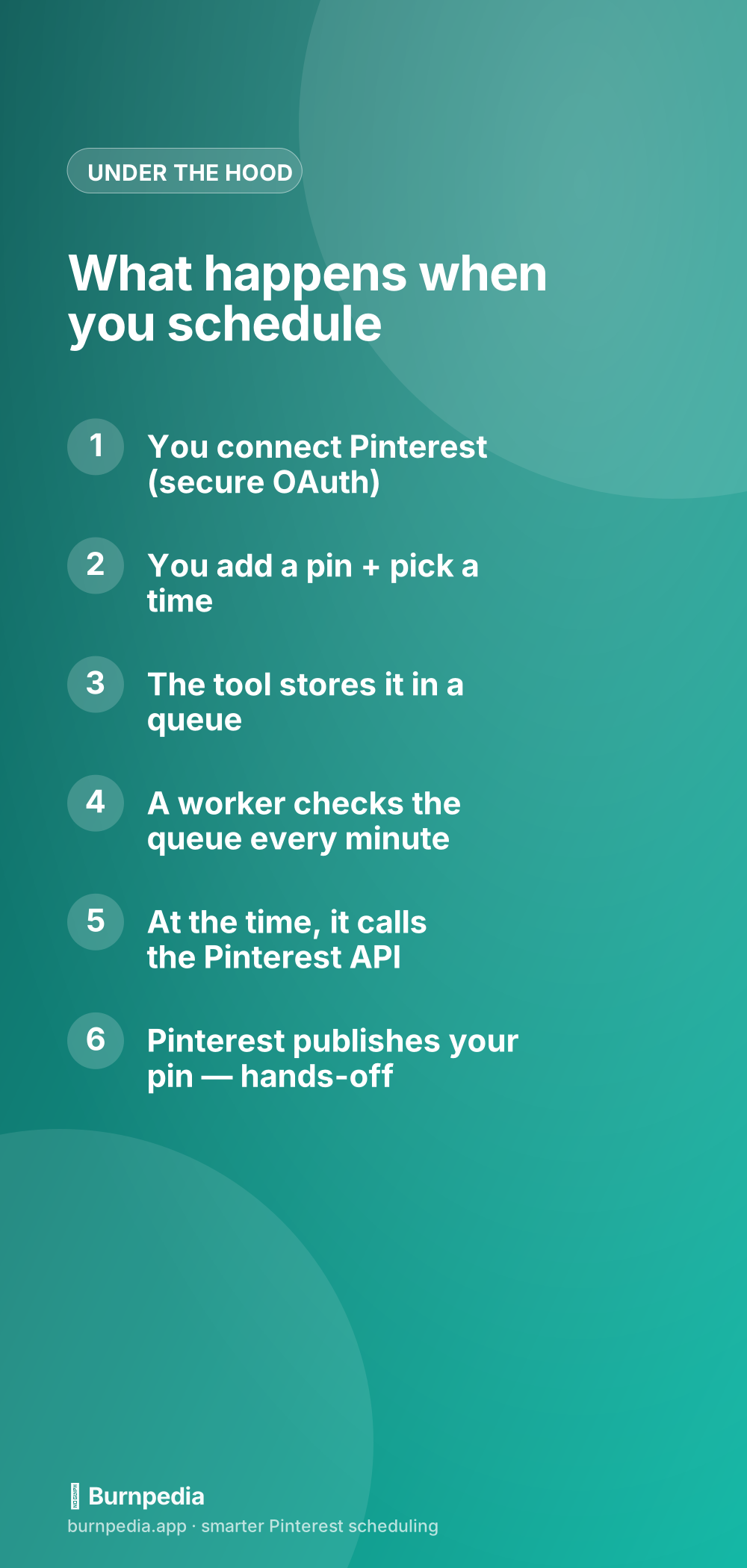
Once connected, the tool can see your boards and publish to them on your behalf — but only when you schedule something. It’s not lurking in your account doing things on its own; it acts only on the pins you queue. That distinction matters: auto-publishing isn’t the tool “taking over,” it’s the tool executing the specific instructions you gave it, at the times you chose.
Step two: the queue and the worker
When you create a pin and pick a date and time, the tool doesn’t publish it right then — it stores it in a queue (basically a to-do list of future pins, each with its scheduled time). Then there’s a small background program, often called a worker, whose entire job is to wake up every minute or so and ask, “is anything due right now?” When a pin’s scheduled time arrives, the worker grabs it from the queue and makes the actual call to the Pinterest API: “publish this image, with this title and description, to this board.” Pinterest receives that request, checks the tool’s permission token, and publishes your pin. Done — hands-off, whether your laptop is open or closed, whether you’re awake or asleep.

This queue-and-worker design is also why good schedulers are resilient. If Pinterest is briefly busy, or your token needs a routine refresh, or the internet hiccups at the exact wrong second, a well-built tool notices the pin didn’t publish and simply tries again a bit later, rather than silently dropping it. So a momentary glitch doesn’t mean a lost pin — it means a short delay and a retry. That reliability is a big part of what you’re actually paying for (or getting free) with a solid tool.
Real auto-publishing vs. the fake kind
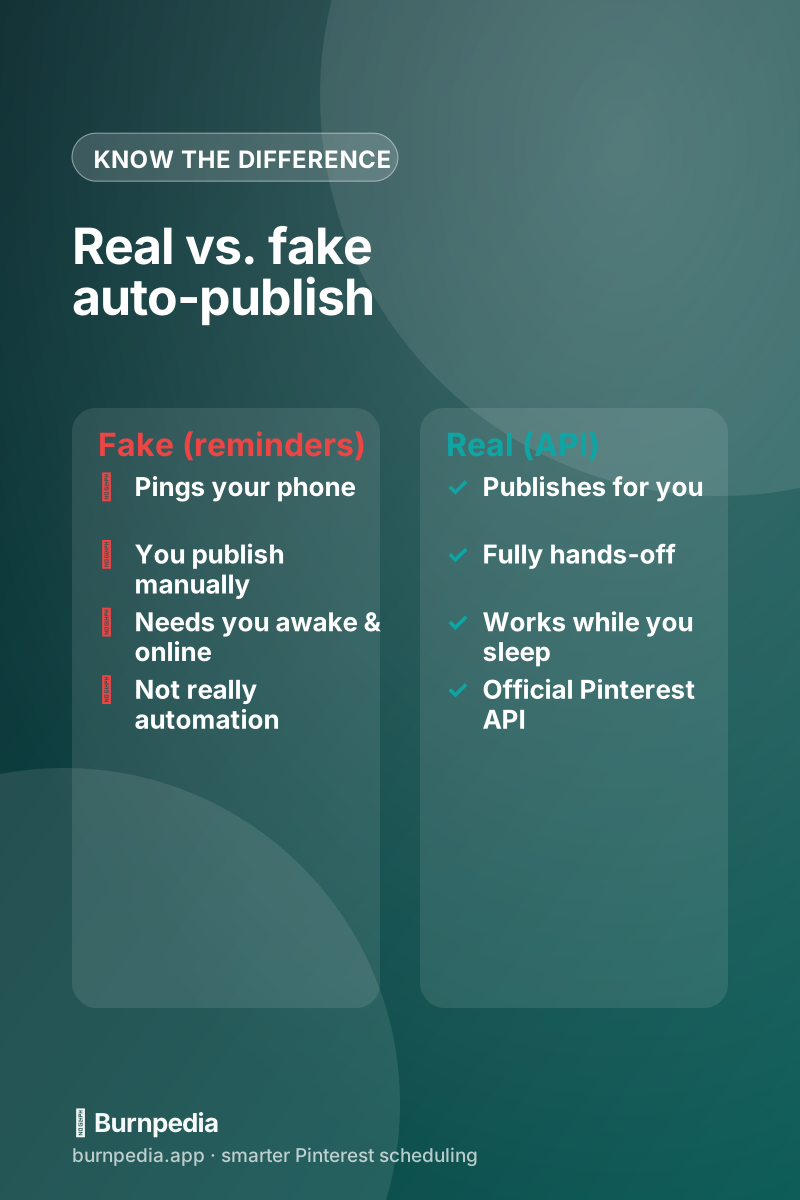
Here’s the distinction that actually matters when you’re choosing a tool. Real auto-publishing does everything above: it publishes your pin for you, via the API, with no action required on your part. Fake “auto-publishing” — which some tools still use, especially for formats or accounts without full API access — just sends you a notification at the scheduled time so YOU can go publish it manually. That’s a reminder, not automation, and it defeats the entire purpose: you still have to be awake, online, and willing to drop what you’re doing. When you evaluate a scheduler (see how to choose a Pinterest scheduler), this is the first thing to confirm: does it truly publish, or just nag?
Is it safe? (Yes, and here’s why)
People sometimes worry that using the API to auto-publish is somehow against the rules or risky for their account. It isn’t. Official API partners are explicitly sanctioned by Pinterest — this is the approved, intended way for tools to publish pins, not a loophole or a hack. Pinterest treats a pin published via the API exactly like one you posted by hand; there’s no penalty, no lower distribution, no secret “scheduled” demerit. I bust that specific fear in detail in do Pinterest schedulers hurt your reach, because it keeps people needlessly pinning manually.
The safety comes from the design: you connect via secure OAuth (no password sharing), the tool gets a scoped, revocable token, and it only acts on the pins you queue. You stay in control the whole time — you can disconnect the tool in one click from your Pinterest settings, and its access instantly ends. Compare that to old, sketchy tools that asked for your actual login and “logged in as you” in unofficial ways: THAT was risky, and it’s exactly what the official API approach replaced. Modern auto-publishing is the safe version by design.
Why it matters for you
Understanding this isn’t just trivia — it changes how you use Pinterest. Once you trust that auto-publishing genuinely works and is genuinely safe, you can stop treating pinning as a daily manual chore and start treating it as something you set up once and let run. Batch a month of pins in an afternoon, drop them in the queue, and the worker quietly publishes them one by one over the coming weeks while you focus on making things. That’s the whole promise of scheduling, and now you know it’s not magic or a gamble — it’s just a queue, a worker, and an official API doing exactly what you told them to.
What can go wrong (and what a good tool does about it)
Auto-publishing is reliable, but it lives in the real world, so occasionally something hiccups — Pinterest has a brief outage, your access token hits its routine expiry and needs refreshing, or a pin has an issue like a broken image link. What separates a good tool from a flaky one is how it handles those moments. A well-built scheduler refreshes your token in the background so you never notice, retries a pin that didn’t go through the first time, and clearly flags the rare pin that genuinely can’t publish (say, a dead image URL) so you can fix it — rather than silently swallowing the failure. So the honest answer to “what if something goes wrong?” is: with a solid tool, it quietly self-heals, and on the rare occasion it truly can’t, it tells you instead of leaving you guessing.
The takeaway
So that’s how Pinterest auto-publishing actually works: you securely connect your account via OAuth, you drop pins into a queue with scheduled times, a background worker checks that queue and calls Pinterest’s official API when each pin is due, and Pinterest publishes it for you — hands-off, safely, and treated exactly like any manual pin. The only thing you truly need to check is that a tool does REAL publishing (via the API) rather than fake reminder-nagging. Get that right and you can finally set your Pinterest presence on a calm, reliable schedule. No magic, no risk — just a well-designed system doing the boring part so you don’t have to. — Sadie
Written by Sadie Brooks
Hey — I’m Sadie. I grew up in a small town outside Columbus, Ohio, moved to Austin for a job I quit within a year, and somewhere in between I started a scrappy little food blog to keep myself sane.
These days I help creators, bloggers, and small U.S. business owners grow on Pinterest without turning it into a second full-time job. I write the Burnpedia blog because I genuinely love this stuff, and because I wish someone had explained it to me in plain English years ago. Pour a coffee, pull up a chair.
Try Burnpedia freeWant Pinterest to run itself?
Every tip on this blog gets easier when your Pins publish on schedule. Burnpedia batches, times, and posts them for you — start free, no credit card.
Try Burnpedia free