Pinterest Video Marketing: The Complete 2026 Guide
Video is the most under-used, over-performing format on Pinterest right now. Here’s the complete guide — why it works, how the algorithm treats it, what to make, and how to keep it sustainable.


If you want the single biggest “easy win” on Pinterest right now, it’s video. Not because video is magic, but because it’s the format most people are still too intimidated to make — which means less competition and more reach for the folks who actually do it. Video pins auto-play as someone scrolls, so they physically stop the eye in a way a static image can’t, and Pinterest has been happily surfacing them. So let’s demystify the whole thing: why video works here, how the algorithm treats it, what to actually make, and — the part that trips everyone up — how to fit it into a schedule you can keep without burning out.
First, a quick map of the territory, because Pinterest’s video landscape confuses people. There are standard video pins (a video with a title, description, and a link — the workhorse), and there’s the whole saga of Idea Pins, which Pinterest launched, pushed hard, then quietly folded back into regular pins. I untangle that history in what happened to Idea Pins, and compare the formats in Idea Pins vs. standard pins. For this guide, when I say “video pin,” I mostly mean the linkable standard video pin — the one that can actually send traffic to your site or shop.

Why video works so well on Pinterest
The core reason is motion in a still feed. Pinterest is a grid of images, and a video pin quietly playing in that grid is a pattern interrupt — your eye goes straight to it. That extra half-second of attention is often all it takes to earn the click. Video also lets you show rather than tell: a recipe coming together, a room transforming, a craft being made, a product in use. For anything visual or process-based, a few seconds of footage communicates more than the best static graphic ever could.
There’s a discovery advantage too. Because fewer creators make video, the topics you cover with video often have far less competition than the same topics in static form. You’re showing up in a less crowded lane. Pair that with the fact that Pinterest keeps circulating good pins for months — the same evergreen dynamic I explain in fresh pins explained — and a single strong video pin can quietly out-work a dozen static ones over time.
How the algorithm treats video pins
Here’s the reassuring truth: Pinterest ranks video pins by the same fundamentals as everything else. It’s still a visual search engine, so your video needs a keyword-rich title, a helpful description, and a clear topic so the system knows who to show it to. Video doesn’t get a magic boost that exempts it from SEO — it just tends to earn more engagement once it’s shown, which can help it spread. So everything you know about how the Pinterest algorithm works still applies; video is a format, not a loophole.
One nuance worth knowing: the first second matters enormously, because that’s what auto-plays in the feed. A strong visual and a text hook right at the start decide whether someone stops. Think of the opening frame as your thumbnail and your headline rolled into one. Nail that, keep the clip short and looping-friendly, and you give the algorithm exactly the engagement signal it likes to reward.
What kind of video should you make?
You do not need cinematic production — you need clear, useful, short. The formats that consistently work are simple: quick how-tos and tutorials, before-and-afters, step-by-step process clips, listicles (“5 X you need”), product demos, and behind-the-scenes peeks. Keep most clips in the 6-to-15-second range; on Pinterest, shorter and punchier usually beats long and thorough. If you’re staring at a blank camera wondering where to start, I made you a whole batchable list in 40 Pinterest video ideas.
Add a text overlay hook — a few big, readable words in the first second that tell people what they’ll get (“Fold a fitted sheet in 10 seconds,” “$5 dinner idea”). That overlay does double duty: it stops the scroll and it makes the pin understandable even with the sound off, which is how most people watch. Bright, high-contrast footage and legible text beat fancy editing every time.
You don’t need to film everything from scratch
Here’s the shortcut almost nobody uses: you probably already have video. Every Reel, TikTok, YouTube Short, or clip you’ve made can become a Pinterest video pin with a little reformatting. Since Pinterest is a search engine with a long content life, that short-form video you posted once on Instagram (where it died in a day) can keep getting discovered on Pinterest for months. I walk through the exact process — including the watermark gotcha — in turning your Reels and TikToks into Pinterest video pins.
This is the mindset shift that makes video sustainable: you’re not adding a whole new content job, you’re giving your existing videos a second (and longer) life. Film once, publish everywhere, and let Pinterest be the platform that keeps that footage working long after the other apps have moved on.
The mistake that kills video results: inconsistency
If video has a catch, it’s the same catch as everything on Pinterest: one great video pin does nothing if it’s the only one you post before disappearing for a month. Results come from steady output — a handful of video pins a week, published consistently, so the algorithm can learn what you’re about and your library can compound. This is exactly where people quit, because filming feels like more effort than snapping a graphic, so the “post in a burst then vanish” pattern hits video hardest.
The fix is to treat video like every other pin: batch it and schedule it. Film several short clips in one sitting when you’re in the mood, turn them into pins, and space them out across the coming weeks. That way a single productive afternoon quietly feeds your account for a month, and consistency stops depending on whether you feel like filming today.
Putting it all together
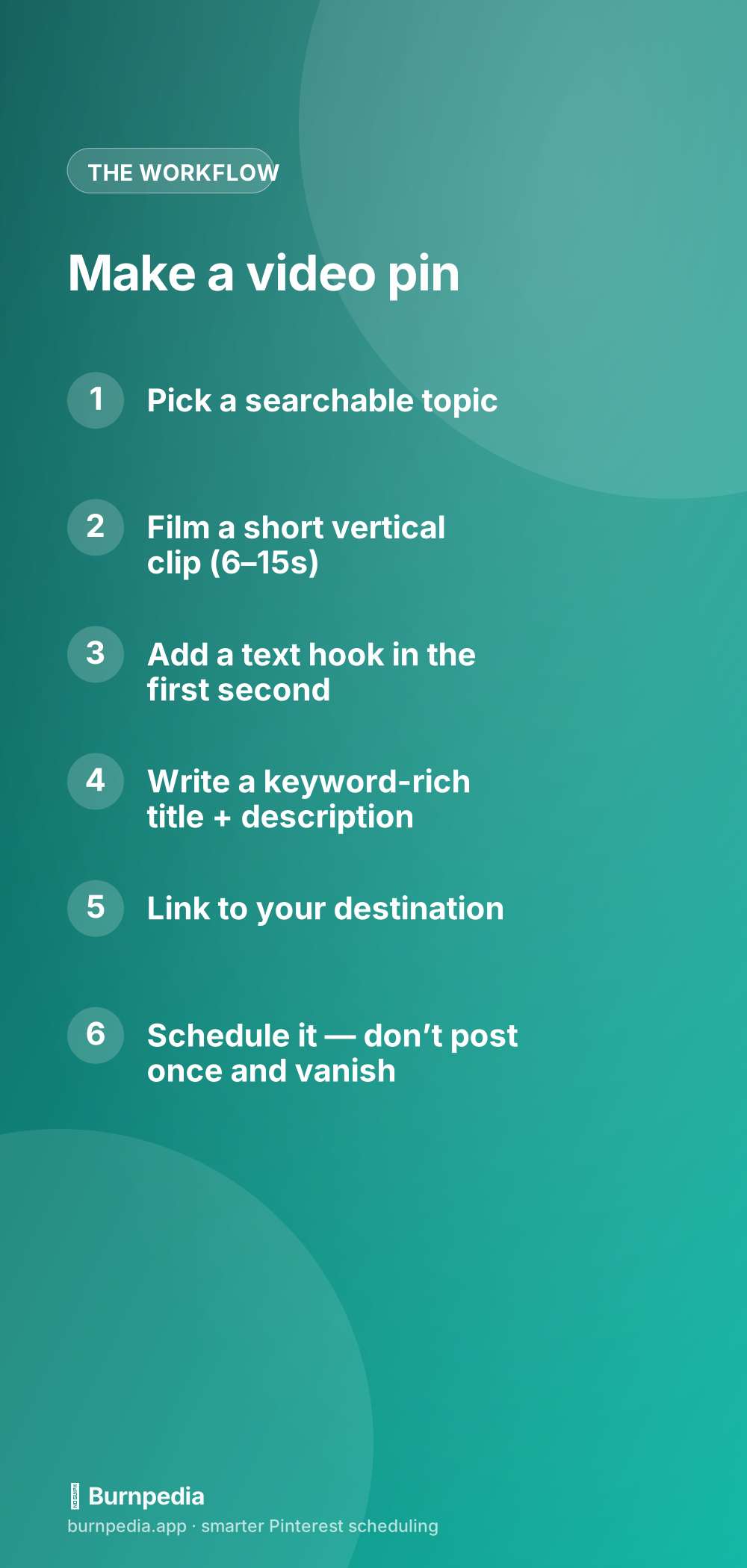
So here’s your Pinterest video game plan: pick searchable topics, film short useful clips (or repurpose ones you already have), hook viewers in the first second with a text overlay, write keyword-rich titles and descriptions so Pinterest can rank them, link to your destination, and — above all — publish consistently by batching and scheduling. Video is the format with the best effort-to-reward ratio on Pinterest right now precisely because so many people are still scared of it. You don’t have to be. Start with the video pins basics, grab a few ideas, and film your first three this week.
You really don’t need to become a videographer to win here — you need a phone, decent light, and a willingness to hit record on something genuinely useful. Do that consistently and you’ll be showing up in a lane most of your competition is too nervous to enter. That’s the whole opportunity in a sentence. Now go make something that moves. — Sadie
Written by Sadie Brooks
Hey — I’m Sadie. I grew up in a small town outside Columbus, Ohio, moved to Austin for a job I quit within a year, and somewhere in between I started a scrappy little food blog to keep myself sane.
These days I help creators, bloggers, and small U.S. business owners grow on Pinterest without turning it into a second full-time job. I write the Burnpedia blog because I genuinely love this stuff, and because I wish someone had explained it to me in plain English years ago. Pour a coffee, pull up a chair.
Try Burnpedia freeWant Pinterest to run itself?
Every tip on this blog gets easier when your Pins publish on schedule. Burnpedia batches, times, and posts them for you — start free, no credit card.
Try Burnpedia free