40 Pinterest Video Pin Ideas You Can Batch This Week
Stuck on what to film? Here are 40 Pinterest video pin ideas in easy buckets, plus a batching workflow that turns one afternoon into a month of video pins — no on-camera charisma required.


The number one reason people don’t make video pins isn’t fear of the camera — it’s the blank-brain moment of “but what would I even film?” So I’m going to obliterate that excuse right now. Below are 40 concrete video pin ideas, grouped into eight reusable buckets you can return to forever, plus a dead-simple batching workflow that turns one focused afternoon into a whole month of video pins. You do not need to be charismatic or on camera — most of these are hands-and-content clips. Let’s get you filming.
A quick framing note: the goal isn’t 40 random videos, it’s learning the buckets so you never run dry again. Once you internalize “oh, everything is a how-to, a before/after, a list, a tip, or a comparison,” ideas become infinite. This pairs with the strategy in Pinterest video marketing — that post covers the why and how; this one is pure fuel for the what.

The 8 buckets (steal these forever)
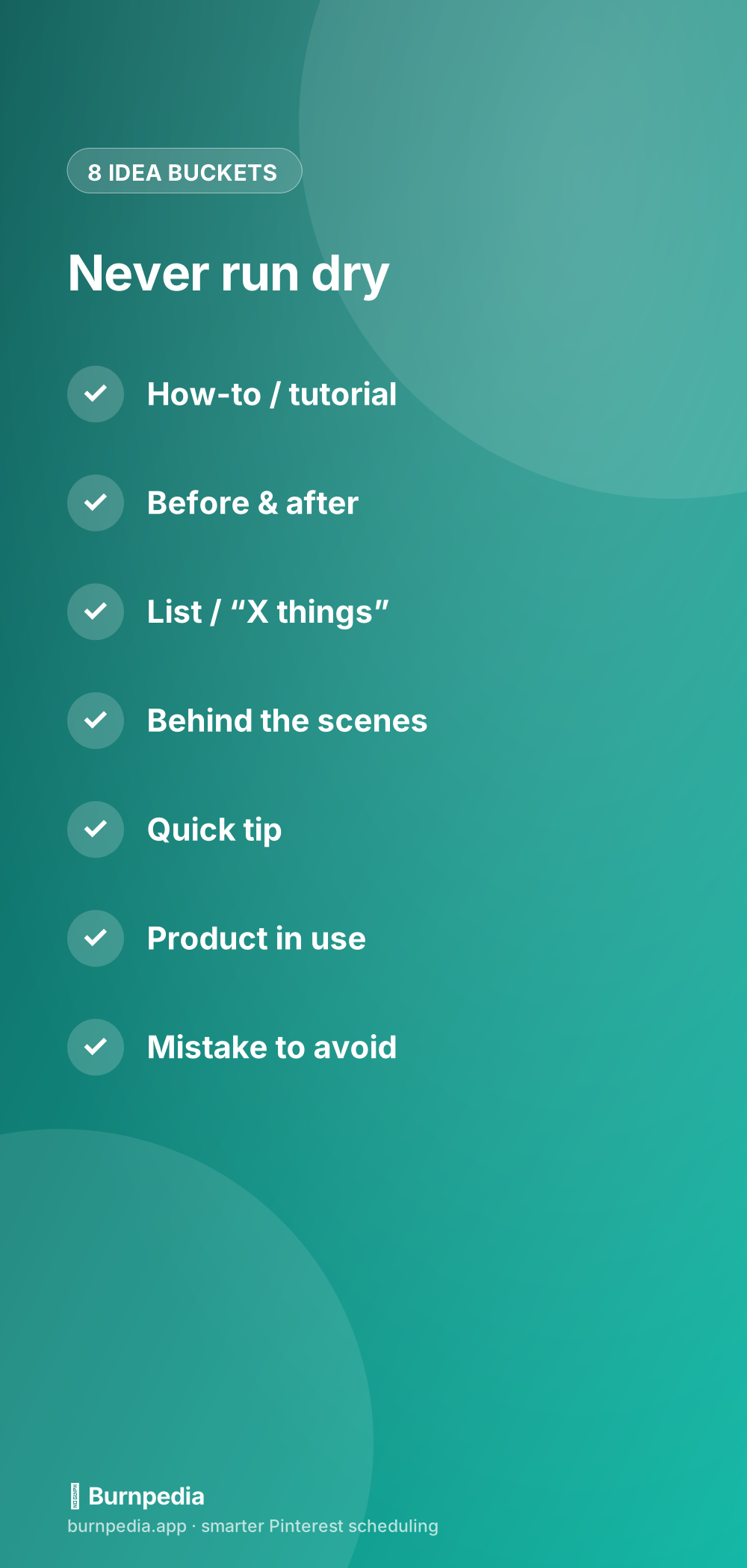
Before the list, here are the buckets themselves, because they’re more valuable than any single idea. How-to/tutorial. Before-and-after. List/“X things.” Behind-the-scenes. Quick tip. Product-in-use. Mistake-to-avoid. This-or-that comparison. Almost every winning video pin is just one of these applied to your niche. Memorize the eight and you’ve got an idea generator you carry in your head. Now let’s fill them with 40 concrete examples you can adapt to whatever you do.
Ideas 1–20: teach and show
How-to and tutorial ideas: (1) a 15-second version of your most popular process, (2) “how to [common task] in 3 steps,” (3) a beginner mistake fixed on camera, (4) a tool or ingredient swap, (5) a “watch me make this” time-lapse. Before-and-after ideas: (6) a room, plate, page, or project transformation, (7) “messy to organized,” (8) a glow-up of an old thing, (9) a draft-to-final reveal, (10) a same-space-two-ways.
List and “X things” ideas: (11) “5 X you need for Y,” (12) “3 mistakes everyone makes,” (13) “my top 4 [tools/tips],” (14) “7-day results,” (15) “ways to use one thing.” Behind-the-scenes ideas: (16) your workspace or setup, (17) a day-in-the-life snippet, (18) how a product is actually made, (19) a packing/prep routine, (20) the “unglamorous reality” of your work. That’s twenty already, and none of them require you to say a word on camera if you don’t want to.
Ideas 21–40: tips, products, and comparisons
Quick-tip ideas: (21) a single surprising hack, (22) a “did you know?” fact in your niche, (23) a time-saver, (24) a money-saver, (25) a “stop doing this, do this instead.” Product-in-use ideas: (26) an unboxing, (27) a real demo of something you sell or love, (28) “3 ways to style/use it,” (29) a results shot, (30) a close-up detail tour. These are gold for anyone selling anything, because showing beats describing every time.
Mistake-to-avoid ideas: (31) “the mistake that cost me [time/money],” (32) “why your [thing] isn’t working,” (33) a myth busted, (34) a “don’t do what I did,” (35) a common misconception. This-or-that comparison ideas: (36) two options side by side, (37) “cheap vs. expensive,” (38) “expectation vs. reality,” (39) “old way vs. new way,” (40) “which should you pick?” Forty ideas, eight buckets, endless remixing — you will never truthfully be able to say “I don’t know what to film” again.
The batching workflow that makes this doable
Having 40 ideas is useless if you film them one stressful clip at a time. The trick is batching: do all the same kind of work at once. Sit down and pick 8 to 12 ideas across the buckets. Set up your phone and light one time. Then film every clip back-to-back while you’re already “in the zone” and the lighting’s already good. Edit and caption them all in one pass. It’s dramatically faster than one-offs, and it’s the exact same philosophy I preach for static pins in batch-creating Pinterest pins.
Then — and this is the part that turns a batch into a strategy — schedule those clips out across the coming weeks instead of dumping them all at once. A single good filming session should feed your account for a month. Slot them into your content calendar so there’s always a video queued, and you get consistency without the daily scramble. Batch the making, automate the posting — that’s the whole sustainable-video secret.
Make one clip work harder
Here’s a multiplier that makes your 40 ideas feel more like 120: most single clips can become several pins. Film one tutorial and you can cut a full how-to, a 10-second highlight, and a “the mistake to avoid” version from the same footage. Give each cut a different text hook, title, and cover, and Pinterest treats them as distinct fresh pins targeting slightly different searches. You did the filming once; you got three entries into search out of it. That’s how creators who “post so much video” actually do it — they’re not filming three times as much, they’re slicing smarter.
The same idea applies across formats. A single filming session can feed a static pin (a strong frame with text over it), a video pin, and a multi-page story-style pin. Think of each thing you make as raw material to be re-cut and re-dressed, not a one-and-done post. Once you adopt that mindset, the “I need endless ideas” pressure eases dramatically, because you’re getting far more mileage out of every idea you do have.
A quick tip for the camera-shy, since that fear is the real blocker for so many people: notice how many of these forty ideas never show your face. Hands demonstrating a process, overhead shots of you making something, screen recordings, product close-ups, before-and-afters, time-lapses — all of it works beautifully with you comfortably off-camera. If being on video makes you freeze, just build your whole rotation from the faceless buckets. Your hands doing something useful, filmed from above with a text hook on top, is one of the most reliably effective video pin formats there is. “I hate being on camera” is not a valid excuse anymore — it’s just a filter that points you at the faceless ideas.
One more shortcut: you already have footage
Before you film anything new, raid your camera roll. Old Reels, TikToks, Stories, and random clips can all become Pinterest video pins with a little reformatting — free content you already made, given a second life on a platform where it’ll actually keep getting found. I walk through exactly how in turning your Reels and TikToks into Pinterest video pins. Between your existing footage and these 40 ideas, you have months of video pins sitting right in front of you.
So here’s your assignment for this week: pick eight ideas from the buckets above, set up your phone once, and film them in a single sitting. Caption them, schedule them out, and just like that you’ve gone from “I don’t make videos” to “I have a month of video pins queued.” It really is that mechanical — the ideas were never the hard part, and now they’re handled. Go press record. — Sadie
Written by Sadie Brooks
Hey — I’m Sadie. I grew up in a small town outside Columbus, Ohio, moved to Austin for a job I quit within a year, and somewhere in between I started a scrappy little food blog to keep myself sane.
These days I help creators, bloggers, and small U.S. business owners grow on Pinterest without turning it into a second full-time job. I write the Burnpedia blog because I genuinely love this stuff, and because I wish someone had explained it to me in plain English years ago. Pour a coffee, pull up a chair.
Try Burnpedia freeWant Pinterest to run itself?
Every tip on this blog gets easier when your Pins publish on schedule. Burnpedia batches, times, and posts them for you — start free, no credit card.
Try Burnpedia free