Why Isn’t My Pinterest Growing? 11 Honest Reasons (and Fixes)
A stalled Pinterest account almost never has one dramatic cause — it has a stack of small, fixable ones. Here are the 11 reasons I see most, ranked, with an honest fix for each.

If you are doing the work — pinning, designing, showing up — and your account is just sitting there like a parked car, I need you to hear something first: it is almost certainly not one big dramatic thing. Stalled accounts do not usually have a single fatal flaw. They have a stack of small leaks, and any one of them alone would be survivable, but together they keep the water from ever filling the boat. The good news buried in that is that every leak on this list is patchable. Let us go through the eleven I see most, roughly in order of how often they are the culprit, so you can find yours and start plugging.
One honest caveat before the list: sometimes the answer is simply that not enough time has passed. Pinterest is famously slow to warm up, and I put a real timeline in how long Pinterest takes to work. If your account is only a few weeks old, the most likely reason it is not growing is that it has not had a chance to yet. Read that first if you are new, then come back for the rest.
The 11 reasons, ranked
Here they are. Be honest with yourself as you read — the uncomfortable ones are usually the important ones.
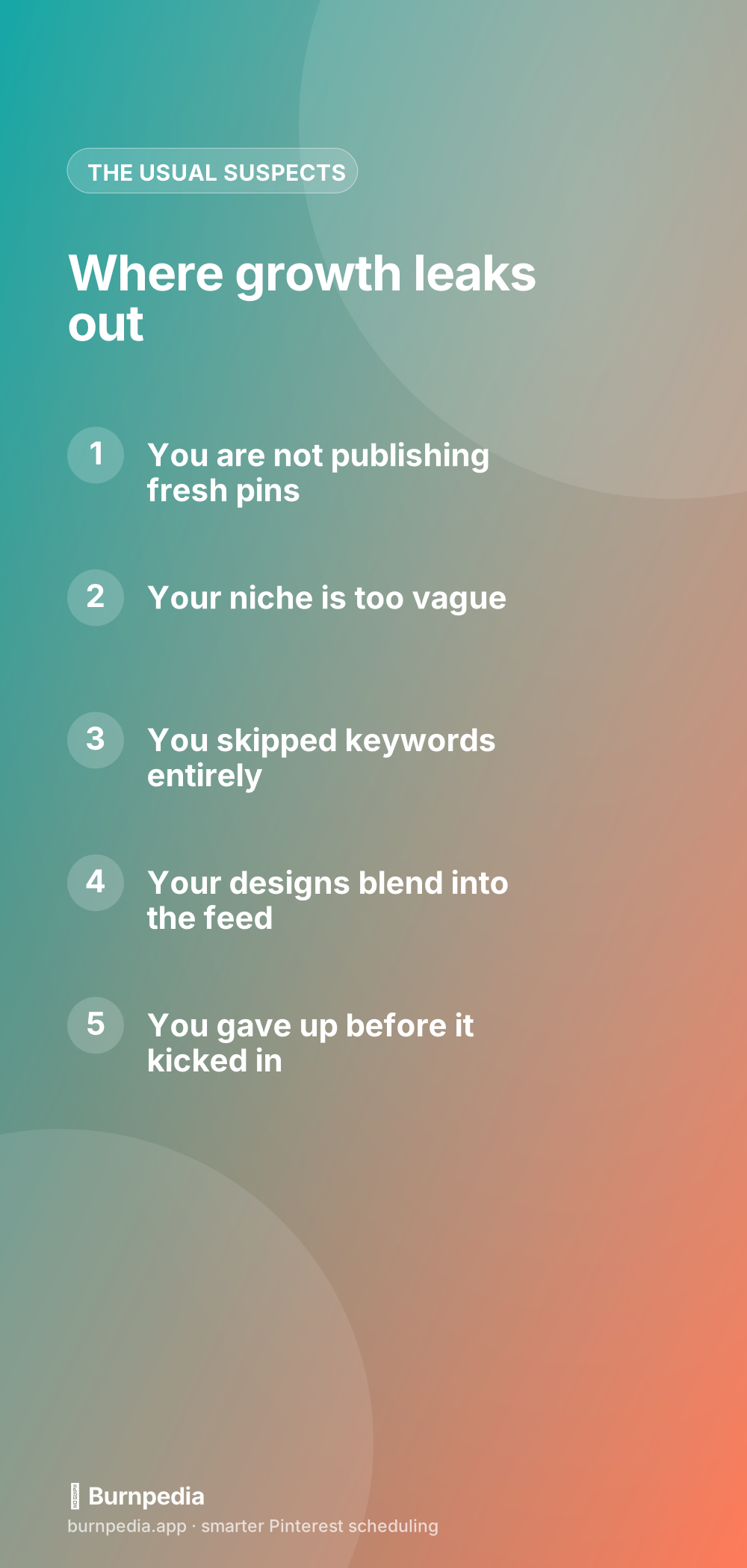
- You are not publishing fresh pins consistently. The number-one killer. Pinterest runs on a steady supply of new content; pin in bursts and go quiet, and distribution never builds momentum.
- Your niche is too vague. If your account is a grab bag of unrelated topics, Pinterest cannot figure out who to show you to, so it shows you to no one confidently.
- You are not using keywords. Pinterest is a search engine. If your titles, descriptions, and boards are not written around what people actually search, you are invisible to search.
- Your designs blend in. Pale, cluttered, or horizontal pins vanish in the feed. If nobody can read or notice your pin at thumbnail size, nobody clicks.
- You gave up too early. Many people quit right before the account was about to warm up. Pinterest rewards the stubborn.
- You only pin your own stuff, all at once. Dumping ten identical pins the moment a post goes live looks spammy and gets throttled. Space them out.
- You are recycling the same image over and over. Re-uploading a stale graphic trains the algorithm to ignore you. Freshness matters.
- Your links are broken or slow. If pins lead to dead pages or a crawling site, Pinterest stops trusting the destination.
- You have no boards strategy. A pile of random or empty boards gives the algorithm nothing tidy to categorize. Keyword-named, focused boards help enormously.
- You ignore your analytics. If you never look at what is working, you cannot make more of it. You are flying blind.
- You are convinced you were banned. Usually you were not — you were just doing one through ten. But it is worth ruling out, so keep reading.
The three that fix most accounts
If eleven feels like a lot, focus on the top three, because they account for the overwhelming majority of stalled accounts. Fix fresh pins, fix your niche, and fix keywords, and you have solved most of the problem. The fresh-pins one is so common that I wrote a whole guide to what fresh actually means — the punch line is a new image and design, published steadily, not the same graphic on a loop.
Niche and keywords go hand in hand. A focused niche tells Pinterest what you are about at the account level; keywords tell it what each individual pin is about. Together they are how the algorithm decides who should see you. Vague niche plus no keywords equals an account shouting into an empty room. Tighten both and you give Pinterest the clarity it needs to actually distribute you.

It is probably not a ban
I have to address reason eleven directly, because it eats people alive. When growth stalls, the mind reaches for the most dramatic explanation: I have been shadowbanned. Ninety-five percent of the time, you have not — you have been quietly doing reasons one through ten and blaming a ghost. I laid out what is real and what is myth in the truth about the Pinterest shadowban. Rule it out properly, then get back to the boring fundamentals that actually move accounts.
Run a 20-minute account audit
Reading a list of reasons is one thing; finding yours is another, so here is a fast, honest audit you can run in about twenty minutes. Open your profile and go through it like a stranger would, asking the uncomfortable questions out loud. The goal is not to feel bad — it is to catch the two or three leaks that are actually holding you back, because there are almost always only a few, and fixing them is usually straightforward once you name them.
- Look at your last 30 days: did you publish fresh pins consistently, or in one burst then silence?
- Read your five most recent pin titles — would a stranger searching find them, or are they clever and vague?
- Check your niche: can you describe what your account is about in one sentence? If not, neither can Pinterest.
- Open three of your boards: are they keyword-named and focused, or a random junk drawer?
- Click three of your own pins: do they land somewhere fast, real, and relevant?
- Open your analytics: do you actually know which of your pins get saved and clicked?
Whatever questions made you wince are your priorities. Do not try to fix all eleven reasons at once — that is a recipe for overwhelm and quitting, which is reason five in disguise. Pick the two leaks the audit exposed most clearly, fix those over the next few weeks, and re-run the audit monthly. Steady, honest correction of a couple of things at a time is how stalled accounts quietly turn into growing ones. The audit works because it replaces the vague, anxious feeling of "why is nothing happening" with a short, concrete list of things you can actually change.
How to actually turn it around
Turning around a stalled account is not glamorous. It is picking a clear niche, committing to a steady flow of fresh, keyworded, well-designed pins, and giving it a real runway of a few months before you judge the results. That is the entire recipe. Most of these stalls trace back to the classic errors I catalogued in the mistakes to avoid, and fixing them is less about working harder and more about working consistently in the right direction.
So do not despair at a flat line. A stalled account is not a failed account — it is an account with a diagnosable, fixable stack of small problems. Go down the list, be honest about which ones are yours, patch them one at a time, and then give it the patience Pinterest demands. The people who break through are almost never the most talented; they are the ones who kept showing up consistently while everyone else quit at the exact moment things were about to work. Be that person. — Sadie
Written by Sadie Brooks
Hey — I’m Sadie. I grew up in a small town outside Columbus, Ohio, moved to Austin for a job I quit within a year, and somewhere in between I started a scrappy little food blog to keep myself sane.
These days I help creators, bloggers, and small U.S. business owners grow on Pinterest without turning it into a second full-time job. I write the Burnpedia blog because I genuinely love this stuff, and because I wish someone had explained it to me in plain English years ago. Pour a coffee, pull up a chair.
Try Burnpedia freeWant Pinterest to run itself?
Every tip on this blog gets easier when your Pins publish on schedule. Burnpedia batches, times, and posts them for you — start free, no credit card.
Try Burnpedia free