Pinterest Guided Search: The Free Keyword Tool Hiding in the Search Bar
The best free Pinterest keyword tool is the one built into the app. Guided search and autocomplete hand you popular, real search phrases straight from the source — here is how to mine them.


People pay for fancy keyword tools, sign up for subscriptions, and export giant spreadsheets — and all the while, the single best free Pinterest keyword tool is sitting right there at the top of the app, ignored. It is the search bar. Pinterest, in its quiet generosity, literally tells you what people search for, in order of popularity, if you just know how to read it. This is called guided search, and once you learn to mine it, you will never stare at a blank pin wondering what to write again. Let me show you how to turn the search bar into an endless keyword and content-idea machine.
This is the practical companion to the strategy I laid out in how to rank on Pinterest. Ranking requires targeting real search phrases, and guided search is where you get them — not by guessing what you think people type, but by reading what Pinterest confirms they actually type. That difference is the whole ballgame, and it is the difference between hoping and knowing.
What guided search actually is
Guided search is Pinterest way of helping people narrow a broad topic down to what they really want, and it shows up in two places. The first is autocomplete: start typing in the search bar and Pinterest suggests completed phrases, ranked by popularity. Those are not random — they are real, common queries. The second is the row of colorful tiles that appears after you run a search, each one a related refinement of your topic. Type “meal prep” and you might get tiles for “for beginners,” “vegetarian,” “on a budget,” “for the week.” Each tile is a popular way people extend that search, handed to you for free.
Why does this matter so much? Because these suggestions are sourced from actual search behavior. When Pinterest shows you a phrase, it is telling you that enough people search it to be worth suggesting. You are not guessing at demand; you are reading it straight off the platform. That makes guided search more trustworthy than most paid tools, because there is no estimation or third-party scraping in between — it is Pinterest own data about Pinterest own users.
How to mine the bar, step by step
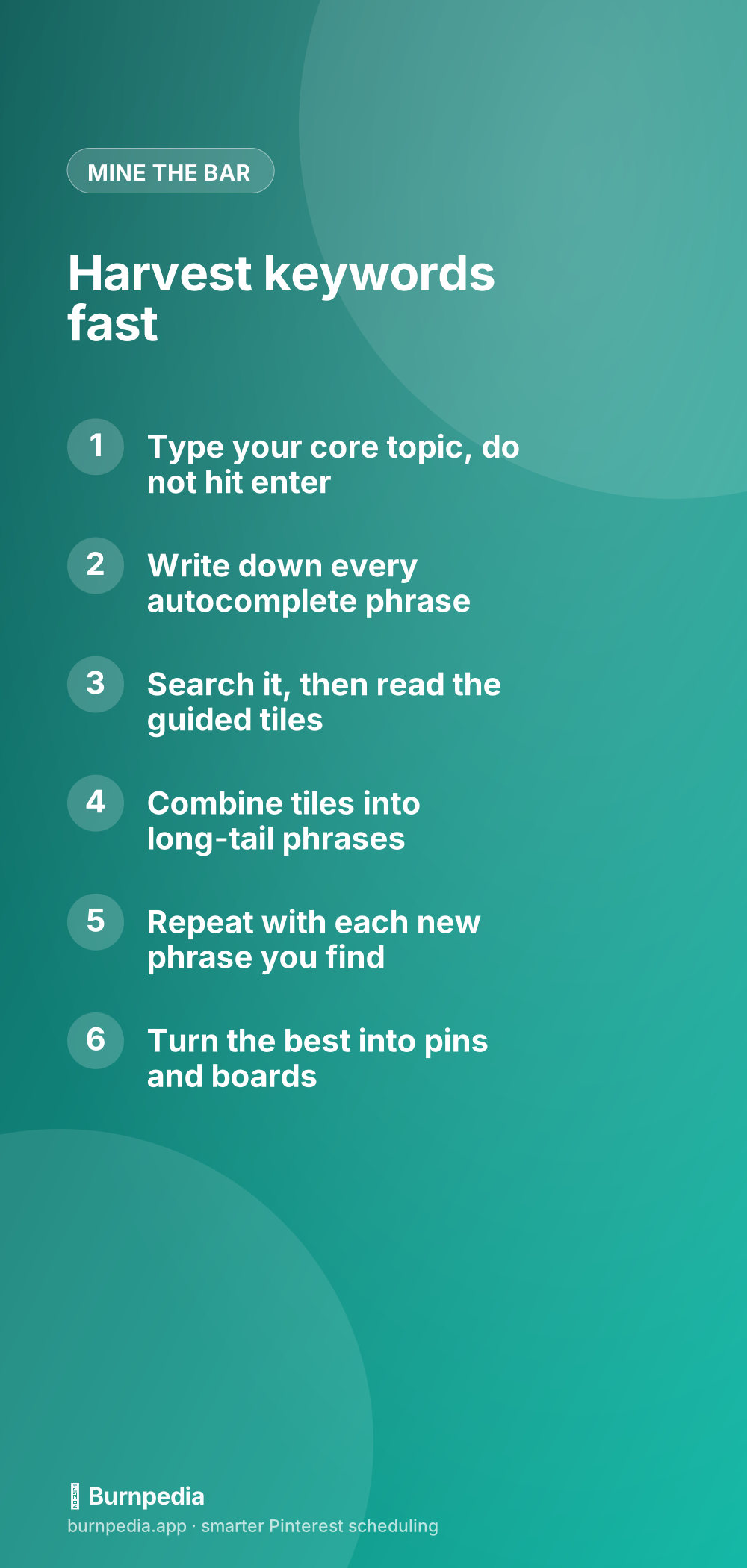
Here is my exact routine, and it takes about ten minutes to generate weeks of content ideas. Start by typing your core topic into the search bar but do not hit enter — just watch the autocomplete drop down and write down every phrase it suggests. Those are your first batch of keywords. Now actually run one of those searches and look at the guided-search tiles that appear along the top. Each tile is a refinement; combine the tile with your phrase to build a specific long-tail keyword, like “meal prep for beginners on a budget.” Then take one of those longer phrases, search it, and read its tiles too. You can keep going down this tree almost forever, and the deeper you go, the more specific and less competitive the phrases get.
- Type your core topic and read every autocomplete suggestion
- Note the ones that fit your niche — these are confirmed popular
- Run one search and study the colorful guided tiles at the top
- Combine tiles with your topic into specific long-tail phrases
- Take a promising long-tail phrase and repeat the whole process
- Collect the best phrases into a keyword list you keep
This pairs beautifully with the broader keyword research process in how to find Pinterest keywords. Guided search gives you the raw, confirmed phrases; that guide helps you organize them, judge intent, and decide which ones are worth building content around. Use them together and your keyword game gets embarrassingly strong for the amount of effort involved.

Go deeper than the first suggestions
The people who get the most out of guided search do not stop at the first drop-down of suggestions — they dig. The initial autocomplete gives you the broad, popular phrases, which are also the most competitive. The gold is one or two levels deeper, in the specific long-tail phrases that fewer creators target but real people still search. So instead of settling for "meal prep," you follow it to "meal prep for beginners," then to "vegetarian meal prep for beginners on a budget." Each step down trades a little search volume for a lot less competition, and long-tail phrases are where a smaller account can actually rank and get found.
A few more ways to squeeze the search bar for everything it has: add a letter or a word after your topic and watch how the suggestions change, which surfaces phrases you would never have guessed. Search a competitor-style term and study which guided tiles appear, since those tiles reveal how Pinterest categorizes the whole space. And when you find a phrase you love, search it and scroll the results to see what is already ranking — that tells you what kind of pin and angle the algorithm is currently rewarding for that query, which you can learn from without copying. Treat the search bar as a living research tool you return to before every batch, not a one-time trick, and it will keep handing you fresh, confirmed, low-competition ideas indefinitely.
Turn the phrases into pins and boards
A keyword list only matters if you use it. So take your harvested phrases and put them to work in the places Pinterest reads: pin titles, descriptions, and board names, exactly as I detailed in the Pinterest SEO keywords guide. Each long-tail phrase you found can become the seed of a pin — the phrase is literally the promise the pin makes and the query it will show up for. And clusters of related phrases can become entire boards, giving you keyworded categories that reinforce your topical authority.
A nice side effect: mining guided search cures the “what do I even pin today?” problem permanently. Every phrase is a content idea with proven demand attached. Instead of inventing topics and hoping someone cares, you are working from a list of things people have already told Pinterest they want. That is a much better place to create from, and it is why I start almost every planning session in the search bar.
Level up with Trends
Once you are comfortable mining the search bar, add one more free source to your routine: Pinterest Trends, which shows you how interest in a keyword rises and falls over the year. Guided search tells you what is popular; Trends tells you when it peaks, so you can publish ahead of the wave. I covered that whole tool in how to use Pinterest Trends. Between autocomplete, guided tiles, and Trends, you have a complete, completely free keyword stack that most people never touch — which is exactly why it is such an easy edge to grab.
So before you pay for another keyword tool, spend ten minutes in the one Pinterest built for you. Type your topic, read the autocomplete, run the search, study the tiles, and follow the tree down into specific, confirmed, low-competition phrases. Write them down, turn them into pins and boards, and time the seasonal ones with Trends. It costs nothing, it comes straight from the source, and it hands you a bottomless well of content ideas that people are already searching for. The best keyword tool on Pinterest was free the whole time — you just have to start typing. — Sadie
Written by Sadie Brooks
Hey — I’m Sadie. I grew up in a small town outside Columbus, Ohio, moved to Austin for a job I quit within a year, and somewhere in between I started a scrappy little food blog to keep myself sane.
These days I help creators, bloggers, and small U.S. business owners grow on Pinterest without turning it into a second full-time job. I write the Burnpedia blog because I genuinely love this stuff, and because I wish someone had explained it to me in plain English years ago. Pour a coffee, pull up a chair.
Try Burnpedia freeWant Pinterest to run itself?
Every tip on this blog gets easier when your Pins publish on schedule. Burnpedia batches, times, and posts them for you — start free, no credit card.
Try Burnpedia free