How to Rank on Pinterest Search: A Practical SEO Playbook
Ranking on Pinterest is not luck — it is a small set of signals you can deliberately stack in your favor. Here is the practical, no-fluff playbook for showing up in Pinterest search.


Most people treat Pinterest like a bulletin board where you tack up pretty pictures and hope. But Pinterest is not a bulletin board — it is a search engine, closer to Google than to Instagram, and that one reframe changes everything. It means you can rank on Pinterest on purpose, the same way a page ranks on Google, by deliberately stacking the signals the algorithm uses to decide who shows up for a search. It is not luck and it is not mysterious. It is a small, learnable playbook, and I am going to hand you the whole thing.
If you internalize nothing else, internalize this: when someone types a query into Pinterest, the algorithm asks a few simple questions about every candidate pin. Is it about this topic? Do people engage with it? Is it fresh and from a trustworthy account? Rank well and you answer all of those with a confident yes. I mapped how the machine thinks in how the Pinterest algorithm works; this post is the action plan built on top of it.
Step 1: rank for what people actually search
You cannot rank for a phrase nobody searches, and you cannot rank for a phrase you never mention. So ranking starts with knowing the exact words your audience types. Clever, vague, or branded titles are ranking poison — “Dreamy Little Escapes” ranks for nothing, while “cheap weekend getaways in the Midwest” ranks for something people genuinely want. The whole art of finding those phrases is its own skill, and I walk through it in how to find Pinterest keywords. Get a short list of real search terms before you write a single pin.
Step 2: put keywords where the algorithm reads them
Once you have your phrases, you place them in the fields Pinterest actually reads to understand your pin. The pin title carries the most weight, so lead with your primary keyword in plain language. The pin description is your room to add the phrase again naturally plus a few related terms — written for a human, not stuffed like a robot. Your board name and board description matter too, because a pin lives on a board and the board tells Pinterest the broader category. And your profile and even your image text overlay all contribute context. The rule is simple: say what the pin is about, clearly, in every field you are given.
- Pin title — your primary keyword, front and center, in plain words
- Pin description — the phrase again plus related terms, human-readable
- Board name and description — keyworded so the category is clear
- Image text overlay — reinforces the topic visually
- Profile and bio — set the overall topical context for your account
The full field-by-field breakdown, with examples of good versus keyword-stuffed, is in the Pinterest SEO keywords guide — that is the companion piece to this one, and worth reading side by side. Relevance is the price of entry: no keyword in the right places, no ranking, full stop.
Step 3: earn the engagement that ranks you
Relevance gets you into the running, but engagement decides the race. Pinterest watches how people respond to your pin — do they save it, click it, linger on it? — and uses that as a vote of confidence. A pin that people save and click gets shown to more people for that search; a pin that gets shown and ignored gets quietly demoted. This is why design is a ranking factor, not just a beauty contest. A tall, bold, readable pin with a benefit-driven title earns the saves and clicks that push it up the results, while a dull one sinks no matter how well you keyworded it.

How to tell if you are actually ranking
It is one thing to do the work; it is another to confirm it is paying off. The simplest way to check whether you are ranking is to search your target keyword in the Pinterest app yourself and scroll — do your pins appear? Where? For a fair test, use a fresh session or a logged-out view when you can, because your own account and history skew your personal results toward your own content and give you a rosier picture than a stranger sees. If your pins show up in the first few screens of a real search for your phrase, you are ranking; if you scroll forever and never see yourself, you are not there yet.
Back that eyeball test up with your analytics, which tell you the truth at scale. Impressions climbing on pins tied to a specific keyword, and — better — clicks and saves arriving from search, are the real evidence that you are ranking for terms people use. Track a small set of priority keywords over time rather than obsessing over any single search on any single day, because rankings shift and a one-off check is noisy. The pattern you want to see is your target phrases steadily pulling more search-driven impressions and engagement month over month. When that happens, you know the playbook is working: you are not just publishing into the void, you are showing up on purpose for the exact things your audience is searching, which is the entire point of Pinterest SEO.
Step 4: freshness and consistency keep you climbing
Pinterest has a strong bias toward fresh content — new pins get a distribution boost as the platform tests them. That means ranking is not a one-and-done event; it rewards accounts that keep publishing new pins consistently rather than uploading once and disappearing. Fresh pins give you more shots at ranking for your target phrases, and they signal to Pinterest that you are an active, reliable source worth featuring. Consistency compounds: the more you show up with fresh, relevant, engaging pins, the more the algorithm trusts and elevates your whole account.
Step 5: use the search bar as your cheat sheet
Here is a move that feels almost unfair. Pinterest tells you exactly what it wants to rank, for free, through its own search bar. Start typing a topic and the autocomplete suggestions and the guided-search tiles that appear are literally Pinterest showing you popular, related queries. Mine those and you are targeting phrases straight from the source. It is the single fastest keyword tool on the platform, and I dedicated a whole guide to it — how to use Pinterest guided search — because most people walk right past a goldmine hiding in plain sight.
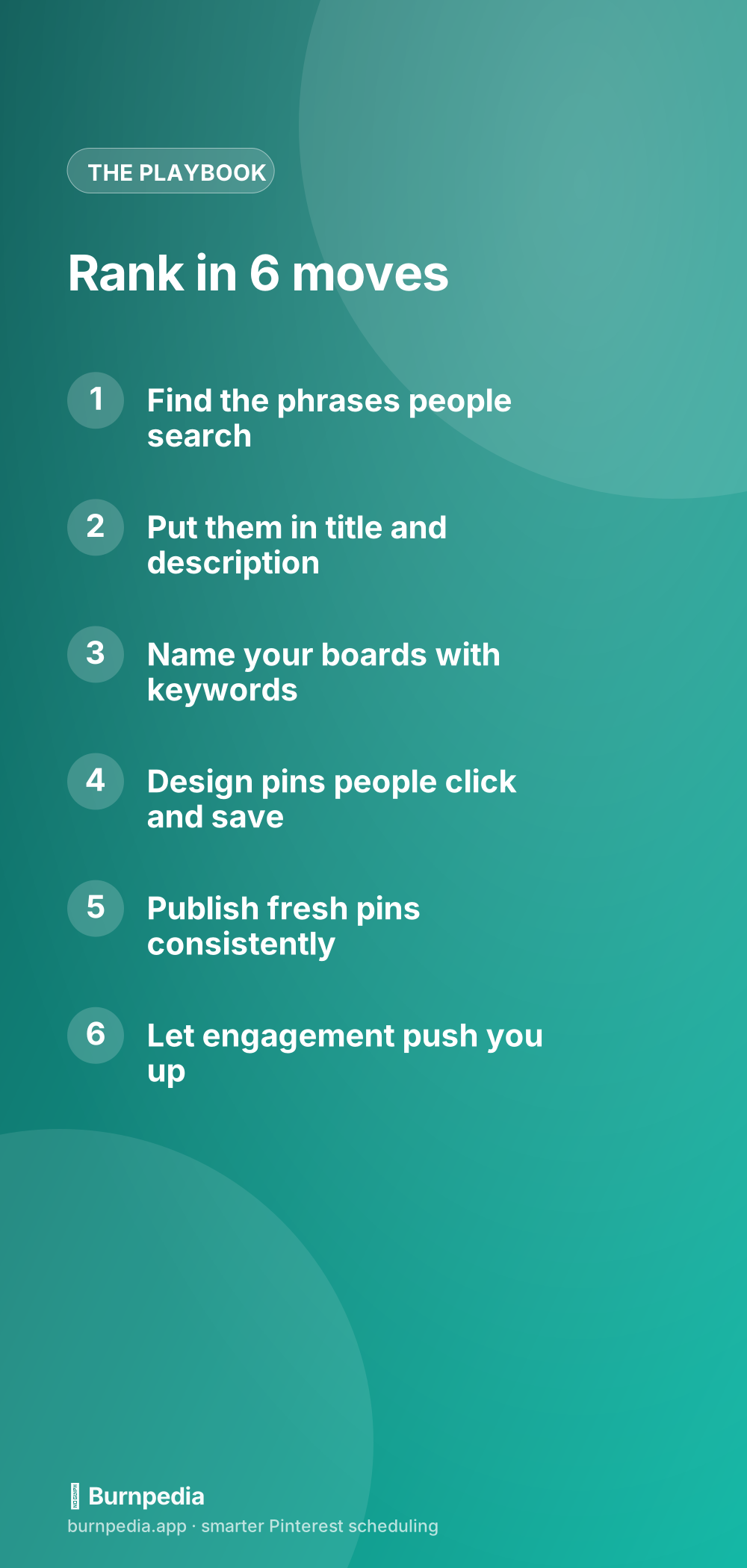
So there is your playbook, and notice how unglamorous it is: find real search phrases, place them in every field, design pins people actually click and save, publish fresh consistently, and mine the search bar for more terms. No hacks, no secret settings, no gaming the system — just deliberately answering the questions the algorithm asks about every pin. Do this for a few months and you stop hoping to be found and start being found on purpose, over and over, for the exact things your ideal audience is already searching. That is what ranking on Pinterest really is: not luck, but a stack of small, controllable signals you choose to build. — Sadie
Written by Sadie Brooks
Hey — I’m Sadie. I grew up in a small town outside Columbus, Ohio, moved to Austin for a job I quit within a year, and somewhere in between I started a scrappy little food blog to keep myself sane.
These days I help creators, bloggers, and small U.S. business owners grow on Pinterest without turning it into a second full-time job. I write the Burnpedia blog because I genuinely love this stuff, and because I wish someone had explained it to me in plain English years ago. Pour a coffee, pull up a chair.
Try Burnpedia freeWant Pinterest to run itself?
Every tip on this blog gets easier when your Pins publish on schedule. Burnpedia batches, times, and posts them for you — start free, no credit card.
Try Burnpedia free