Pinterest Idea Pins Strategy in 2026: Are They Still Worth It?
Idea Pins had a wild ride — hyped, then quietly folded back into regular pins. Here’s an honest 2026 strategy: when they’re still worth it, when to make a linkable video pin instead, and how to decide.


Few things on Pinterest have caused as much whiplash as Idea Pins. Pinterest launched them, pushed creators hard to make them, dangled reach and “creator” status — and then quietly walked the whole thing back, folding the format’s features into regular pins and dropping the “Idea Pin” branding. So if you’re confused about whether to bother with them in 2026, that’s completely fair; the platform itself sent mixed signals for years. Let me give you an honest, no-hype strategy: what they actually are now, when they’re still worth making, and when you’re better off with a plain linkable video pin.
If you want the full backstory of how we got here, I wrote it up in what happened to Idea Pins — it explains why the hype cooled and what changed. This post picks up from there and focuses purely on strategy: given where things stand today, how should you actually spend your video effort? Because your time is limited, and making the wrong format for your goal is one of the quietest ways to waste it.

What Idea Pins actually are now
Strip away the branding drama and here’s the essence: Idea Pins were Pinterest’s multi-page, story-style format — think several video or image “pages” you swipe through, native and engaging, but historically with no outbound link. That last part is the whole crux. A classic Idea Pin kept people on Pinterest; it was built for reach, saves, and follows, not for sending traffic to your website. Over time Pinterest blurred the lines, adding link options and merging capabilities into standard pins, but the fundamental trade-off still shapes how you should think about them.
That’s why I always frame this as a goal question, not a format question. If you’re unclear on the mechanical differences between the story-style format and a normal pin, Idea Pins vs. standard pins lays them side by side. Once you’re clear on what each does, choosing becomes easy — you pick the one that matches what you need that particular pin to accomplish.
When Idea-style pins are still worth it
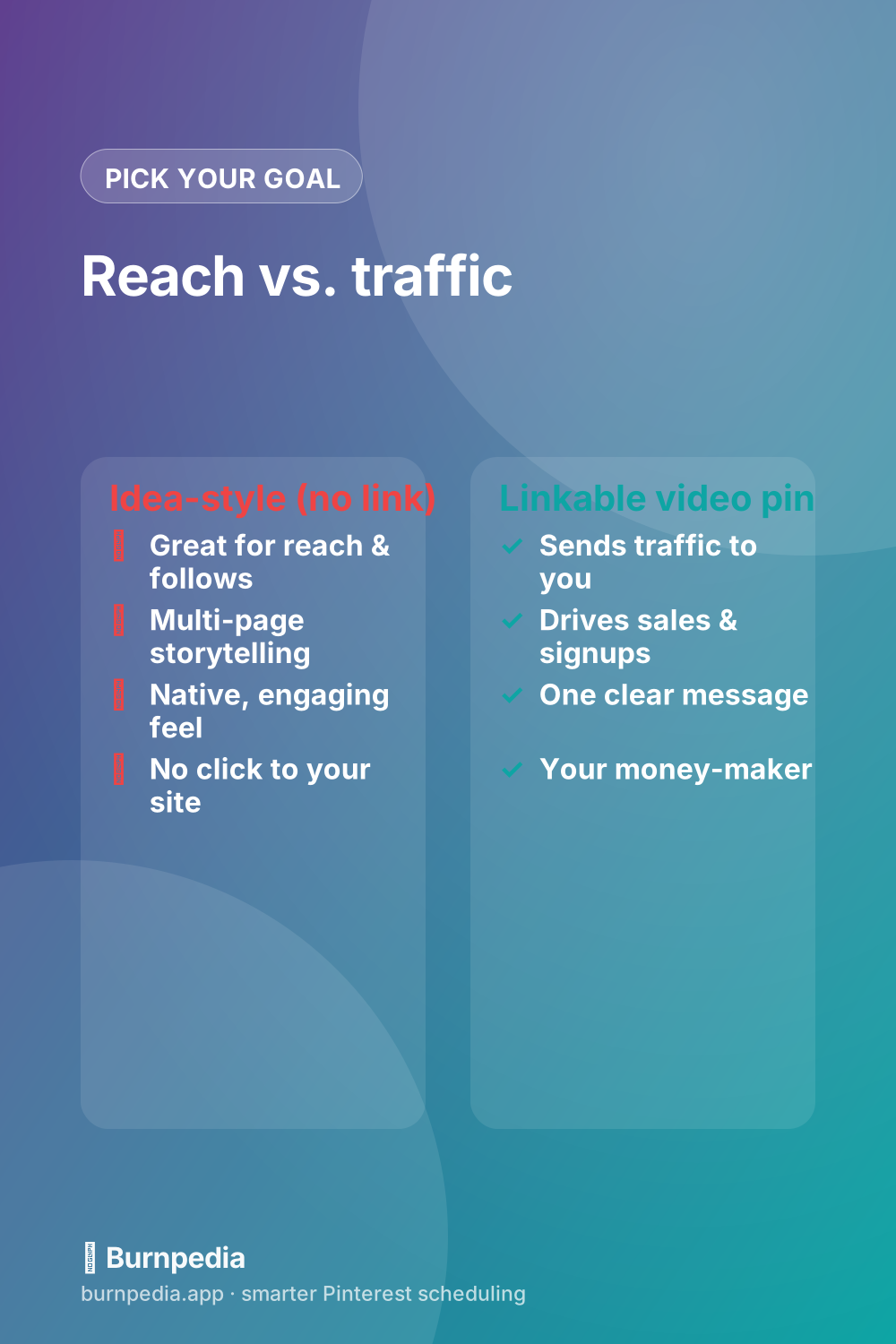
Idea-style, no-link pins genuinely shine for a few specific goals. If you’re trying to build reach and grow your follower count, they can perform beautifully because Pinterest tends to favor native content that keeps people on the platform. If you have a multi-step story to tell — a recipe with stages, a tutorial with steps, a transformation over time — the swipeable multi-page format is a lovely way to tell it. And if you’re a personality-driven creator building an audience rather than driving immediate sales, they help people feel connected to you.
So they’re not dead or useless — they’re just specialized. Think of Idea-style pins as your top-of-funnel, brand-building, reach-and-follows play. If those are your goals for a given piece of content, they’re a great choice. The mistake is expecting them to do a job they were never built for: sending clicks to your site.
When to make a linkable video pin instead
The moment your goal is traffic, sales, email signups, or anything that requires a click off Pinterest, you want a standard linkable video pin, full stop. That’s the format that actually sends people to your blog, shop, or landing page — the money-maker. For most small businesses and bloggers, this is the workhorse, because reach that never leaves Pinterest doesn’t pay the bills. I make the full case for the linkable format in Pinterest video marketing, and it’s where I’d point the majority of your effort.
A simple rule of thumb: if you couldn’t care less whether someone clicks, an Idea-style pin is fine. If you would love for them to click, make a linkable video pin. Since most of us are on Pinterest to drive something — traffic, leads, sales — that rule tilts most people toward linkable video most of the time. Reach feels good, but clicks build businesses.
The best-of-both approach
Here’s what I actually do and recommend: don’t choose forever — choose per goal, and when a piece of content is strong, make both. Film your tutorial once, then cut it into a swipeable Idea-style pin for reach AND a punchy linkable video pin that drives to your site. You get the top-of-funnel discovery from one and the traffic from the other, off a single filming session. Repurposing the same footage two ways is far less work than it sounds and covers both bases.
This pairs naturally with thinking about reach versus clicks in general, which I dig into in do video pins get more reach. The big-picture lesson is that “reach” and “traffic” are different currencies, and the smartest creators deliberately decide which one they’re buying with each pin instead of hoping one magically becomes the other.
In practice, the both-versions habit is less work than it sounds once you build it into your process. When you sit down to make content, film your raw footage first, then in editing ask two questions: “what’s the reach cut?” and “what’s the traffic cut?” The reach cut becomes a swipeable, native, no-pressure story; the traffic cut becomes a tight linkable video pointed at your site. Same afternoon, same footage, two jobs covered. Do that routinely and you stop agonizing over which format to pick — you simply make both and let each do the thing it’s good at.
Should beginners bother with Idea-style pins?
If you’re just starting out, here’s my honest advice: don’t lead with them. When you’re new, your scarcest resource is time and your biggest need is traffic — proving that Pinterest can actually send people to your site or shop. Idea-style pins don’t do that job, so pouring your early energy into a format that can’t link is a common way beginners spin their wheels and get discouraged. Start with linkable standard pins (static and video), get comfortable driving clicks, and build the habit of consistent posting first.
Once you’ve got that foundation and you’re thinking about growing reach and followers, that’s the moment to layer in Idea-style pins as a top-of-funnel play. Think of it as a progression, not an either/or: linkable pins earn your traffic and prove the platform works for you, and Idea-style pins later widen the top of the funnel. Adding them once you have a base is smart; leading with them before you’ve nailed the basics usually just delays your first real results.
So — are Idea Pins worth it in 2026?
My honest verdict: they’re worth it for reach and audience-building if that’s genuinely your goal, and not worth stressing over if what you really need is traffic. Don’t let the years of hype (or the later backpedaling) pressure you either way. The format is a tool, and like any tool it’s “worth it” only when it matches the job. Match it to a reach goal and it’s great; force it to do a traffic job and it’ll disappoint you every time.
The freeing part is that you no longer have to agonize over Pinterest’s shifting priorities. Decide what you want each pin to do — build reach or drive clicks — and pick the format that does that job. Do that consistently, repurpose your best content into both flavors when it’s worth it, and you’ll get the benefits of the story format without betting your whole strategy on it. Clarity of goal beats chasing whatever the platform hyped last. — Sadie
Written by Sadie Brooks
Hey — I’m Sadie. I grew up in a small town outside Columbus, Ohio, moved to Austin for a job I quit within a year, and somewhere in between I started a scrappy little food blog to keep myself sane.
These days I help creators, bloggers, and small U.S. business owners grow on Pinterest without turning it into a second full-time job. I write the Burnpedia blog because I genuinely love this stuff, and because I wish someone had explained it to me in plain English years ago. Pour a coffee, pull up a chair.
Try Burnpedia freeWant Pinterest to run itself?
Every tip on this blog gets easier when your Pins publish on schedule. Burnpedia batches, times, and posts them for you — start free, no credit card.
Try Burnpedia free