How to Drive Pinterest Traffic to Your YouTube Channel
YouTube search is brutally competitive, but Pinterest is a wide-open side door. Here’s how to turn your videos into pins that keep pulling in viewers for months.

If you make YouTube videos, you already know the hard truth: YouTube search is a bloodbath. For any decent topic, you’re competing against thousands of channels, many with years of authority. So smart creators look for side doors — other places their videos can be discovered without going head-to-head in YouTube’s own search. Pinterest is one of the best of those side doors, and hardly anyone in the YouTube world uses it well. It’s a visual search engine full of people looking for exactly the kind of how-tos, tutorials, and inspiration you probably publish, and pins keep working for months after you upload.
The core idea is simple: treat each video like a piece of content that deserves its own pins, pointing straight at the video. It’s the same repurposing mindset as repurposing content for Pinterest, just aimed at YouTube instead of a blog. Let’s make it concrete.
Design a vertical pin, not a recycled thumbnail
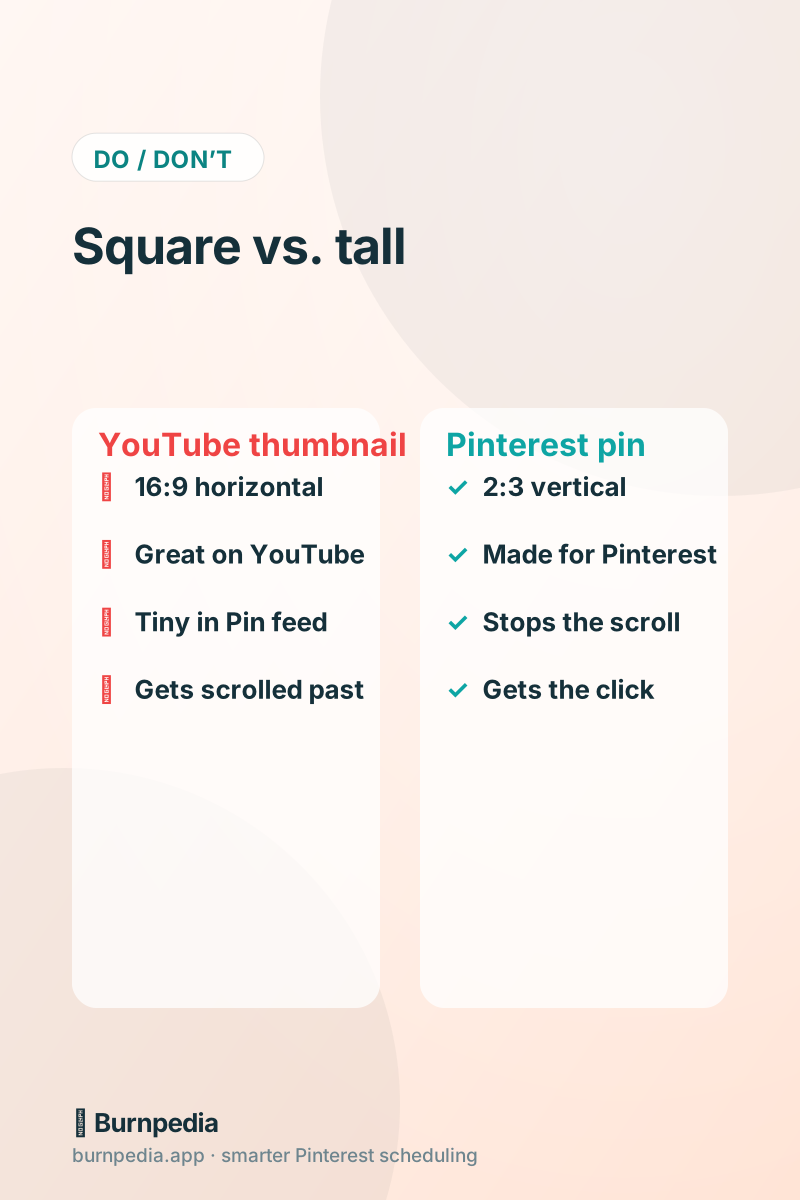
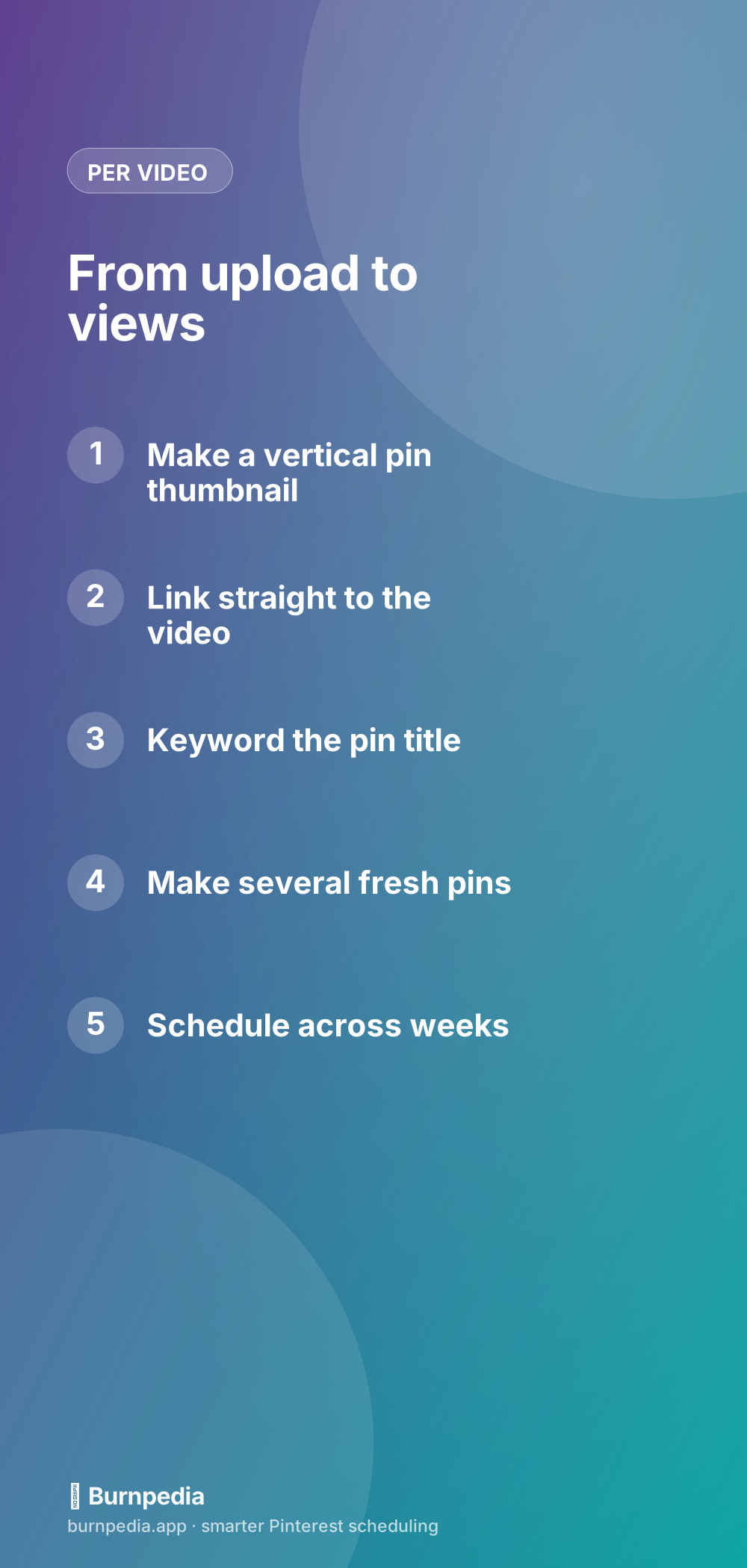
The most common mistake is grabbing your 16:9 YouTube thumbnail and pinning it as-is. It looks great on YouTube and gets lost on Pinterest, where tall vertical images (2:3) dominate the feed. So make a dedicated vertical pin for each video: a striking still or graphic, a bold readable headline promising what the video delivers, and a subtle “watch on YouTube” cue or a play-button motif so people know it leads to a video. You’re not remaking the video — you’re making a proper Pinterest-shaped front door for it.
If you publish long-form and also make short vertical clips, those clips can become native Pinterest video pins, which are their own powerful discovery format. But even for a standard long video, a well-designed static vertical pin linking to it does a lot of quiet work.
Link straight to the video
This sounds obvious, but people mess it up: your pin’s destination link should go directly to the YouTube video, not your channel homepage or a blog post that mentions it. The whole promise of the pin is “watch this,” so honor that promise with a one-click path to the exact video. Every extra step between the pin and the play button loses viewers. Direct link, direct view. If you also have a blog post embedding the video, you can make some pins point there too — but the straight-to-video pin is your workhorse.
Keyword like a YouTube searcher
Pinterest is a search engine, so your pins need the words people type when they want your video. Think about how someone would search for the problem your video solves: “how to edit videos for beginners,” “easy watercolor tutorial,” “declutter your closet step by step.” Put those phrases in your pin title and description. The beauty is that Pinterest keyword competition is usually far lighter than YouTube’s, so your video can get discovered here even when it’s buried on YouTube itself. The SEO keywords guide shows you how to find the right terms.
Make several fresh pins per video
One video should spawn several pins, not one. Because Pinterest rewards fresh images, you can make multiple distinct pins for a single video — different stills, different headlines emphasizing different benefits or moments — all linking to the same video. That’s several new chances at discovery for one upload. It’s the exact fresh-pin strategy creators use to squeeze far more reach out of each piece of content. And it applies to your back catalog too: your older videos are still valuable, and fresh pins can revive them.
Schedule so it keeps working after upload day
YouTube’s algorithm gives your video a burst of attention at upload and then largely moves on. Pinterest doesn’t work that way — a pin can keep surfacing in search for months. To take advantage, don’t dump all your pins the day you upload. Batch them and schedule them to roll out over the following weeks, keeping a steady drip of new front doors to your video long after the initial buzz. This is where a scheduler turns a one-day launch into an ongoing discovery campaign. Smart scheduling makes it painless.
Build boards around your video topics
Give your videos keyworded homes with boards that match your content pillars — “Video Editing Tips,” “Beginner Tutorials,” “DIY Projects,” whatever fits your channel. Pin each video’s pins to the most relevant board. Keyworded boards help searchers find you and tell Pinterest what your channel is about, so it shows your pins to the right viewers. A clean, themed board structure makes your whole account more discoverable and signals that you’re a focused authority in your niche.
A simple creator routine
Keep it light so it survives your busy weeks. Every time you publish a video, spend fifteen minutes making three or four vertical pins for it — different stills and headlines — with keyworded titles linking straight to the video. Schedule them to roll out over the next couple of weeks. Once a month, revisit your best older videos and make fresh pins for them too, and check which pins drive the most clicks so you can lean into what works. Over time you build a searchable library of pins constantly funneling viewers to your channel.
The payoff is exactly what YouTube creators crave: discovery that doesn’t depend on beating everyone in YouTube search or catching a fickle algorithm on a good day. Your videos keep getting found through a completely different front door, month after month, from pins you made once. It’s some of the highest-leverage promotion available to a creator, and your competitors are mostly ignoring it.
Pin angles that pull YouTube viewers
Just like a blog post or recipe, one video deserves several pins, each catching a different searcher. The mistake is making a single pin, watching it fizzle, and concluding “Pinterest doesn’t work for my channel.” Instead, think about the different ways people might search for what your video covers, and make a distinct fresh pin for each angle — all linking straight to the same video. A tutorial on editing isn’t just “video editing” — it’s “editing for beginners,” “edit faster,” “free editing tips,” and more. Here are angles that reliably earn the click.
- The outcome: what the viewer will be able to do after watching (“edit like a pro”).
- The audience: “for beginners,” “for small creators,” “for busy people.”
- The pain: “stop wasting hours editing,” “no expensive software needed.”
- The format: a bold text still, a curiosity-gap frame, a step-by-step promise.
- The list: “5 tricks,” “3 mistakes,” which promise a scannable, finite payoff.
Make three or four of those per video and schedule them to roll out over a couple of weeks, and you turn a one-day upload into an ongoing discovery campaign. Because Pinterest keeps surfacing pins in search for months, those extra front doors keep sending viewers long after YouTube’s own algorithm has moved on to someone else’s upload. It’s some of the highest-leverage promotion a creator can do — a handful of fresh pins now, quietly funneling views for the rest of the year, through a door your competitors aren’t even watching.
YouTube search is crowded; Pinterest is a wide-open side door. Make vertical pins that link straight to your videos, keyword them for how people search, produce several fresh pins per upload, and schedule them to keep working for months. Do that, and your channel gets a steady stream of discovery from a source most creators never touch — which, honestly, is exactly why it works so well. — Sadie
Written by Sadie Brooks
Hey — I’m Sadie. I grew up in a small town outside Columbus, Ohio, moved to Austin for a job I quit within a year, and somewhere in between I started a scrappy little food blog to keep myself sane.
These days I help creators, bloggers, and small U.S. business owners grow on Pinterest without turning it into a second full-time job. I write the Burnpedia blog because I genuinely love this stuff, and because I wish someone had explained it to me in plain English years ago. Pour a coffee, pull up a chair.
Try Burnpedia freeWant Pinterest to run itself?
Every tip on this blog gets easier when your Pins publish on schedule. Burnpedia batches, times, and posts them for you — start free, no credit card.
Try Burnpedia free