Pinterest Carousel Pins: The Complete Guide (When to Use Them & How to Win)
Carousel Pins let you tell a whole story in one swipeable Pin — but only if you design them for the swipe. Here’s when to use carousels, how to make people keep tapping, and the traps to avoid.

Carousel Pins are one of those features people either ignore completely or use badly, and it’s a shame, because when they fit the content they’re genuinely powerful. A carousel is a single Pin that holds multiple images — up to five — that people can swipe through, like a little slideshow living right in their feed. Done well, a carousel can tell a whole story, walk through a tutorial, or show off a collection, all without the person ever leaving Pinterest. Done poorly, it’s just a slower way to bore someone. So let’s make sure yours land.
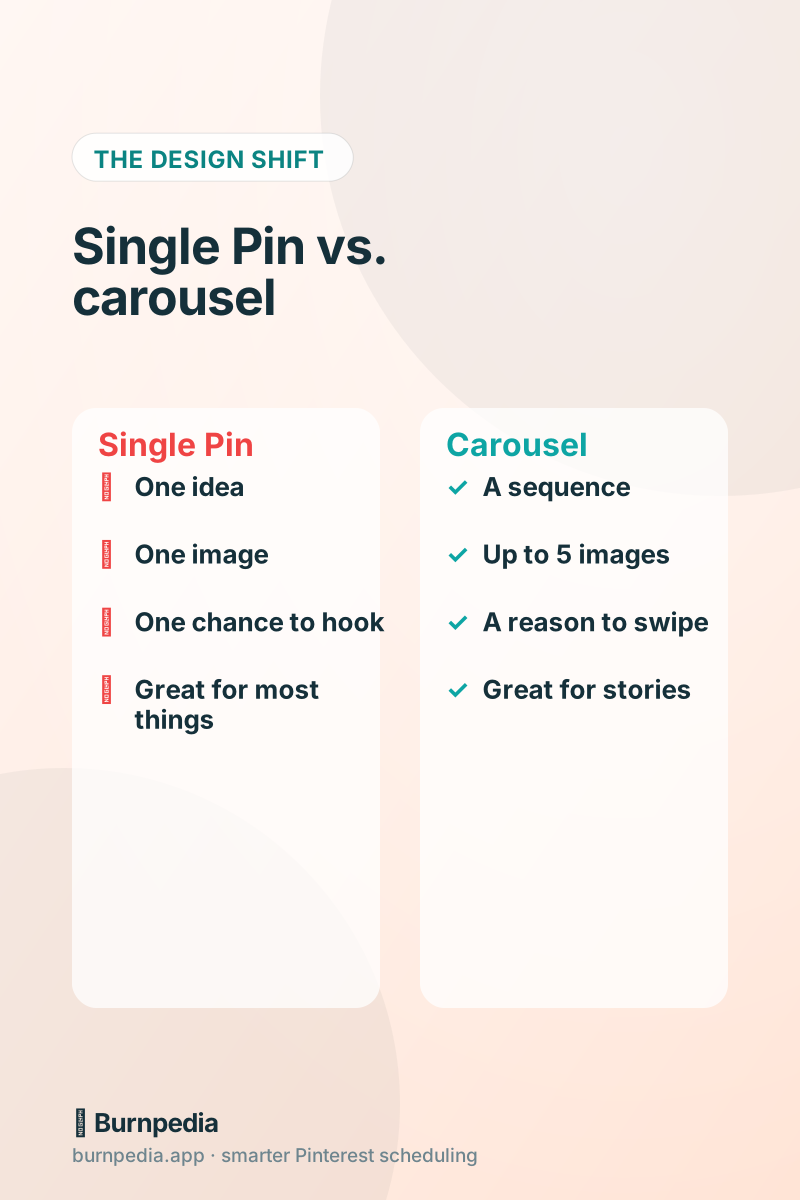
The first thing to understand is that a carousel is not automatically better than a single Pin — it’s different, and it’s better only for certain kinds of content. Most of the time, a single strong Pin is the right call. Carousels earn their place when your idea is genuinely a sequence: multiple steps, multiple items, a progression. Reach for a carousel when “swipe to see more” is a real, satisfying promise, not a gimmick.
When carousels actually win
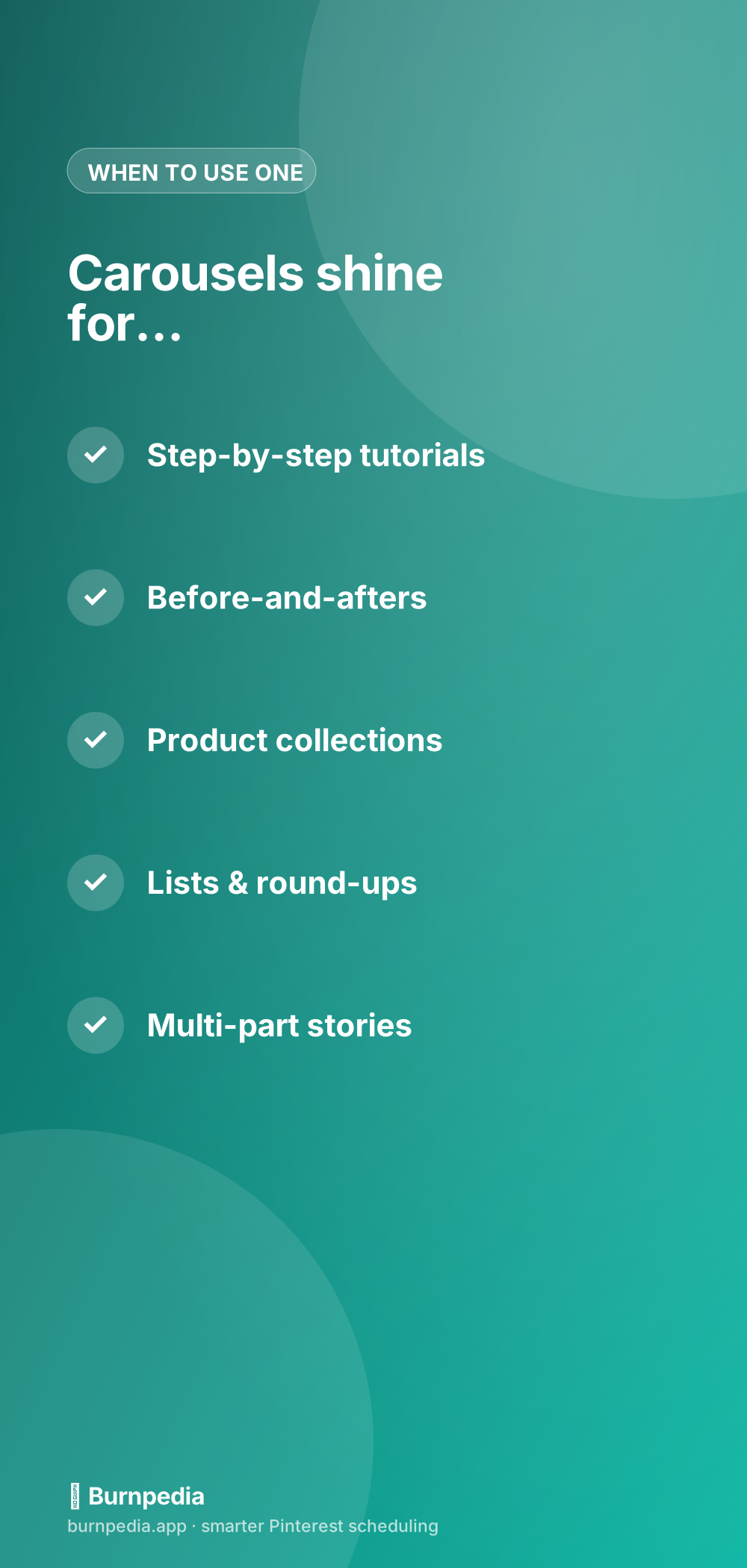
Here’s where carousels genuinely shine. Step-by-step tutorials — each card is a step, and swiping feels like following a recipe. Before-and-afters — card one is the “before,” card two the glorious “after,” which is deeply satisfying to reveal. Product collections — a capsule wardrobe, a gift guide, a room makeover shown piece by piece. List content — “5 ways to…,” one card per item. And multi-part stories where the payoff builds as you swipe.
Notice the common thread: in every case, each card adds something, and the sequence creates momentum. If your five images are basically the same or could be shown in any order, a carousel is the wrong tool — you’re better off making five separate Pins and letting each one work in search independently. For list-style content especially, I often prefer separate Pins, but a carousel round-up can be a lovely change of pace. Think about whether the sequence matters.
Card one is everything
Here’s the make-or-break rule of carousels: the first card has to earn the swipe. In the feed, people usually see only card one, so it has to do two jobs at once — stop the scroll like any great Pin, and promise that swiping will be worth it. A little visual cue helps: a “swipe →” hint, a “1 of 5” marker, or a headline that explicitly teases what’s coming (“5 tiny kitchen upgrades — swipe for #3”).
This is just Pin-design fundamentals applied to card one — bold, readable, benefit-driven — with an extra job of signaling there’s more. If your first card is weak, the other four never get seen, no matter how good they are. Everything I cover in pin design that gets clicks applies double to that first card, because it’s doing the work of the whole Pin.
Design the set to feel cohesive
A great carousel feels like a set, not five random images stapled together. Use consistent fonts, colors, and layout across all the cards so swiping feels smooth and intentional — like flipping through a well-designed little booklet. Number your cards if it’s a sequence, keep your branding subtle but present on each one, and make sure every card is a proper vertical Pin size, because a carousel where card three is suddenly a different shape feels broken.
Sizing matters more here than anywhere, because all your cards should share the same aspect ratio for a clean swipe. Stick to a tall vertical format across the whole set — if you need a refresher on what works, the best Pinterest image sizes has you covered. Consistency is what separates a polished carousel from a clumsy one.
Give the last card a job: the call to action
The final card is prime real estate that people almost always waste. If someone swiped all the way to the end, they’re engaged — that’s the moment to ask for something. Make your last card a clear call to action: “Get the full guide,” “Shop the collection,” “Save this for later,” with a nudge toward your link. The people who reach the last card are your warmest audience in that Pin; don’t leave them hanging with a dead end.
And remember the whole carousel shares one destination link. So make sure that link matches the promise of the carousel. If your cards walk through “5 steps to a cozy reading nook,” the link should go to the full post about cozy reading nooks — not your homepage. Match the click to the content, always.
Carousels vs. other formats
People often lump carousels in with the other “fancy” Pinterest formats and get confused about what to use when. Standard Pins are your bread and butter — one strong image, one idea, great for search. Carousels are for sequences. And then there are the video/idea-style formats for motion and behind-the-scenes storytelling. I compared the standard-versus-idea question in idea Pins vs standard Pins, and the honest answer is you want a mix — but standard Pins still do most of the heavy lifting for traffic.
My rule of thumb: default to a single strong Pin, reach for a carousel when the sequence genuinely adds value, and sprinkle in video for variety and freshness. Don’t force every idea into a carousel just because you can. The format should serve the content, not the other way around.
The common carousel mistakes
A few traps to avoid. First, a boring or unclear first card — the fatal one, because nobody swipes. Second, cards that don’t build on each other, so there’s no reason to keep going. Third, inconsistent design that makes the set feel sloppy. Fourth, forgetting a call to action on the final card. And fifth, using a carousel for content that isn’t actually a sequence, which just makes your idea harder to consume than a single clean Pin would.
Avoid those five, and you’re ahead of most people using carousels — because honestly, most people don’t design them with intent. They just dump five images in and hope. You’re going to design for the swipe, and that’s the whole difference.
Should you bother with carousels?
Here’s my honest verdict. Carousels are a great tool to have in your kit, and they add welcome variety to your feed, but they’re not where your growth comes from. Your foundation is a steady stream of strong single Pins, published consistently at the right times. Carousels are the occasional flourish — perfect for a tutorial, a collection, or a before-and-after — that makes your content richer. Use them intentionally, and they’re a lovely addition.
So there it is — the whole carousel playbook. Save it for the next time you’ve got a genuine sequence to tell: a tutorial, a makeover, a collection. Design that first card to earn the swipe, keep the set cohesive, give the last card a job, and let the swipe do the storytelling. Used well, a carousel is a little booklet that lives in someone’s feed — and that’s a lovely thing to make. — Sadie
Written by Sadie Brooks
Hey — I’m Sadie. I grew up in a small town outside Columbus, Ohio, moved to Austin for a job I quit within a year, and somewhere in between I started a scrappy little food blog to keep myself sane.
These days I help creators, bloggers, and small U.S. business owners grow on Pinterest without turning it into a second full-time job. I write the Burnpedia blog because I genuinely love this stuff, and because I wish someone had explained it to me in plain English years ago. Pour a coffee, pull up a chair.
Try Burnpedia freeWant Pinterest to run itself?
Every tip on this blog gets easier when your Pins publish on schedule. Burnpedia batches, times, and posts them for you — start free, no credit card.
Try Burnpedia free