Pinterest Board Covers: A Simple Way to Look Instantly Professional
Board covers are the fastest way to make your Pinterest profile look intentional and on-brand. They take an afternoon to set up and quietly boost the trust that turns visitors into followers.

Here’s a small, almost embarrassingly easy upgrade that makes a surprisingly big difference: board covers. If you’ve ever landed on a Pinterest profile where every board had a clean, matching cover image and thought “oh, this person is legit,” you’ve felt exactly what board covers do. They take your profile from a jumble of random thumbnails to a curated, on-brand storefront — and they take about an afternoon to set up. For the trust and professionalism they buy, that’s one of the best returns on effort available anywhere on Pinterest.
A board cover is simply the image shown on the front of each board on your profile. By default it’s whatever pin happens to be there, which usually looks chaotic. When you design a consistent set of covers instead, your whole profile suddenly reads as intentional. Let me show you what they are, why they matter, and exactly how to make a set.
What board covers actually do
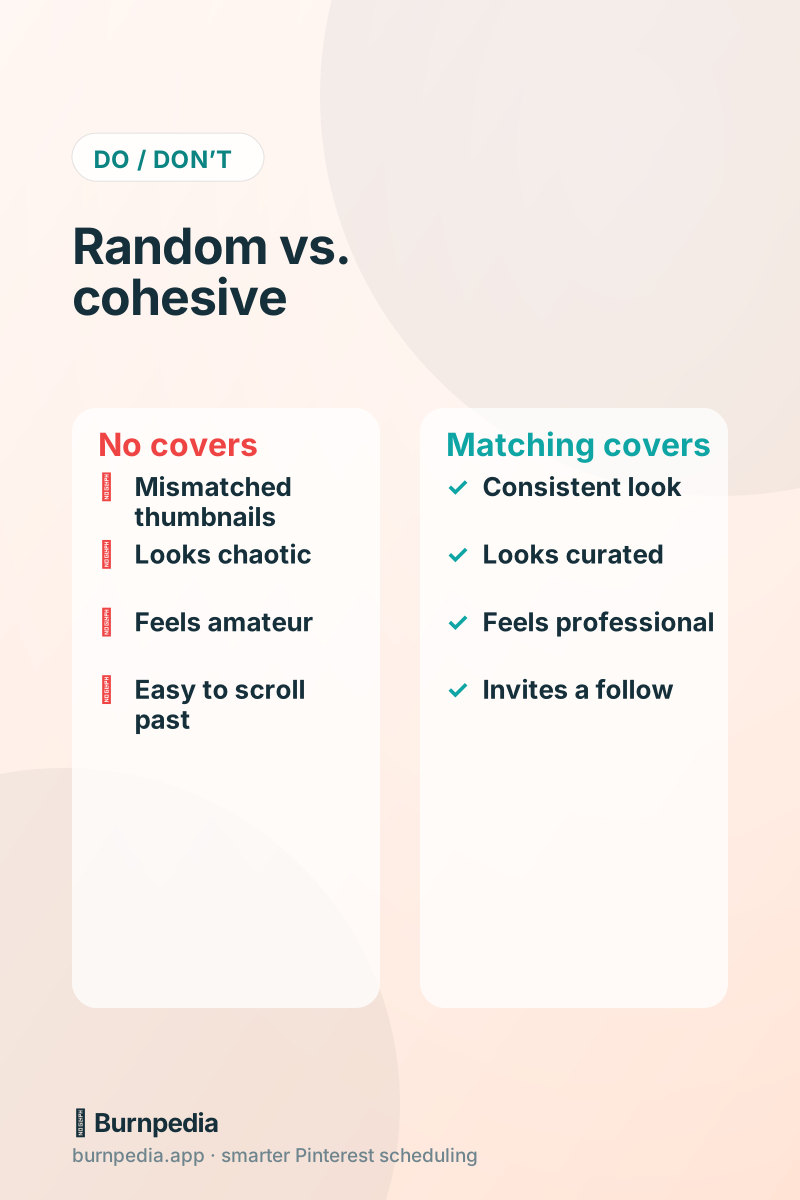
Board covers work on the profile level, not the individual-pin level — they’re about first impressions when a real person visits your profile. Someone finds one of your pins in search, likes it, taps your profile to see who you are, and in about two seconds decides whether to follow. A tidy, cohesive grid of covers says “this is a focused, trustworthy account worth following.” A random jumble says “eh, maybe not.” It’s the Pinterest equivalent of a clean, well-lit shop window, and it pairs naturally with a strong optimized bio to seal that first impression.
To be clear about expectations: covers won’t directly get your pins ranked higher in search — that’s the job of keywords and fresh pins. What they do is convert the visitors your good pins earn into followers and fans by making you look established and on-brand. Think of them as the polish that closes the deal, not the thing that drives the traffic.
Design a simple, repeatable set
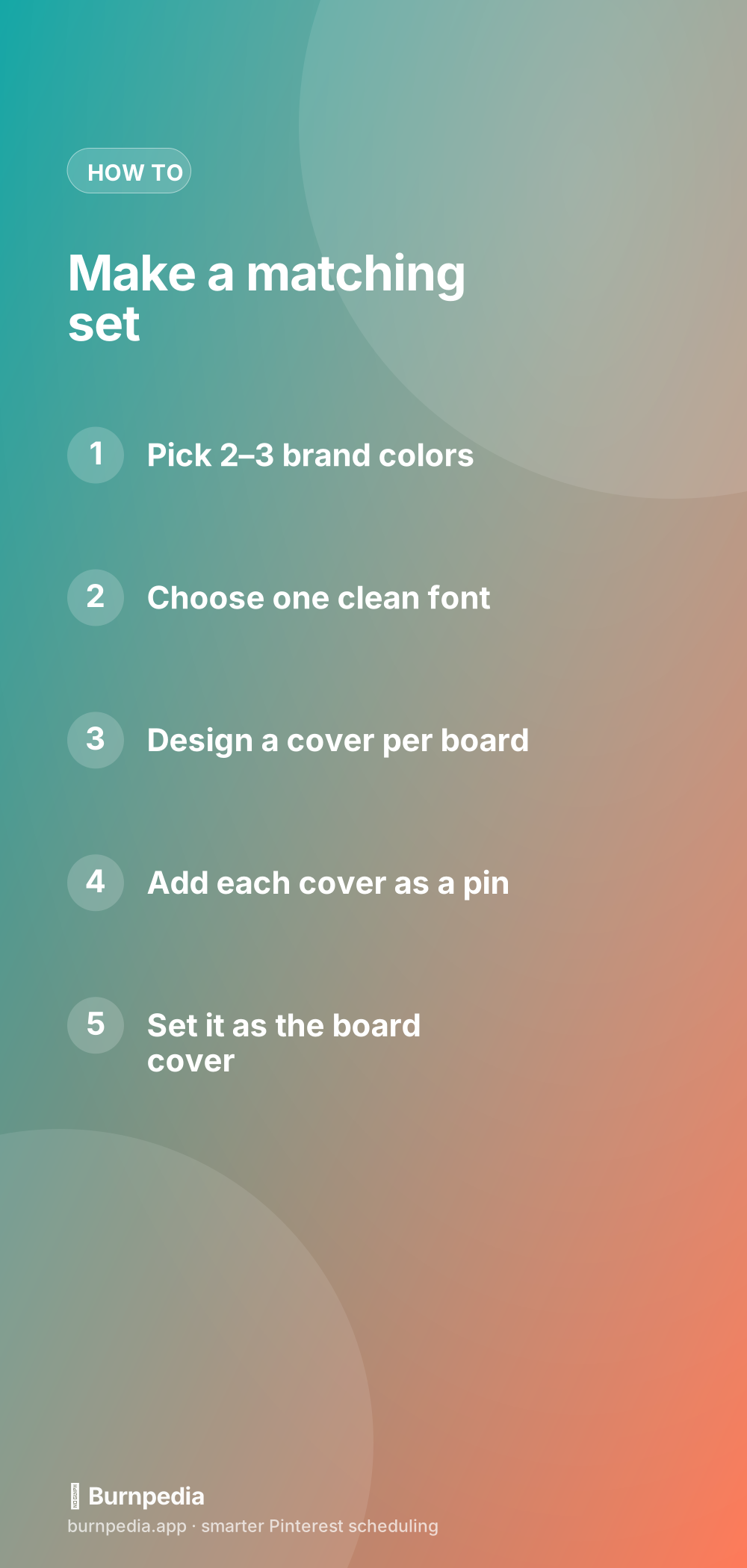
You do not need design skills for this — you need consistency, which is easier. Pick two or three brand colors and one clean font, then make one cover per board using the same template: a solid or subtly textured background in your color, the board’s name in your font, maybe a small icon. That’s it. The magic isn’t any single cover being stunning; it’s that they all match. A free design tool with templates makes this a breeze, and the Canva templates guide shows you how to set one up you can reuse in seconds.
How to actually set a board cover
Setting the cover is the part people fumble, so here’s the flow. First, add your cover image to the relevant board like any normal pin (you can pin it from your site or upload it). Then open the board, go into “Edit board,” and choose that image as the cover from the board’s pins. Repeat for each board. Because the cover has to exist as a pin on the board first, the tidy trick is to create all your cover images, add them to their boards, and then set each one — batching the whole job so it’s done in one focused sitting rather than dribbled out over weeks.
A neat side benefit: since each cover is itself a pin, you can quietly keyword its description too. It won’t be a traffic powerhouse, but it’s a small extra signal about what the board is about — a free bonus for work you were doing anyway.
Make covers part of your board strategy
Board covers work best when your boards are already well thought out. If your boards are keyworded, focused, and mapped to your content pillars, covers turn that solid structure into something that also looks great. If your boards are a mess of vague names and random topics, no amount of pretty covers will fix the underlying chaos. So do the structure first — the board strategy guide walks through it — and let covers be the finishing coat of paint on a well-built house.
Keep them consistent as you grow
One gentle warning: the value of board covers comes entirely from consistency, so protect it. When you add a new board, make its cover in the same template before you move on, so the set never drifts back into chaos. Keep your reusable cover template handy (that’s the whole point of using a template) and it’s a two-minute job each time. A half-finished set of covers — some boards matching, some random — actually looks worse than no covers at all, because it reads as unfinished. All or nothing here.
An afternoon well spent
Here’s the realistic plan. Block off an afternoon. Decide your two or three colors and one font. Build a reusable cover template. Generate a cover for each of your current boards. Add each cover to its board and set it. Save the template somewhere you’ll find it. That’s the whole project — a single focused session that permanently upgrades how professional your profile looks. Few things on Pinterest give you such a visible improvement for so little ongoing effort.
And while covers themselves are set-and-forget, the pins inside those boards are where the real growth happens. So once your storefront looks sharp, put your ongoing energy into what actually drives traffic: fresh, keyworded pins published consistently. Covers make people trust you enough to follow; great pins are what keep bringing them in. Do both, and your profile both looks the part and performs.
Cover styles that always look good
If you’re not sure what your covers should look like, don’t overthink it — a few simple, proven styles always read as polished. The only real rule is consistency: whatever look you choose, use it across every board. Pick one of the approaches below, build a reusable template around it, and your profile will look intentionally designed even if you’ve never opened a design program in your life. Simple and consistent beats fancy and mismatched every single time on Pinterest.
- Solid-color covers with the board name in your brand font — clean, modern, effortless.
- A single on-brand photo per board with a subtle color overlay so the set feels unified.
- A soft textured or gradient background in your palette with a small matching icon.
- Minimal “label” covers — lots of whitespace, tiny centered text — for a calm, editorial look.
- Same layout, rotating accent color per board, so it’s cohesive but not monotonous.
Whichever direction you choose, save the template the moment it looks right, because the entire long-term value comes from being able to make a matching cover for every new board in about two minutes. That’s what keeps the set consistent as you grow, and consistency is the whole point. A tidy, unified row of covers quietly tells every visitor that you’re a focused, trustworthy account worth following — and it costs you one reusable template and an afternoon to earn that impression forever.
Board covers are the rare Pinterest task that’s quick, easy, and immediately visible. Pick a couple of colors and a font, make a matching cover for each board, set them in an afternoon, and keep them consistent as you grow. It won’t rank your pins, but it will turn the visitors your good pins earn into followers by making you look exactly as intentional and trustworthy as you actually are. Go make your shop window shine. — Sadie
Written by Sadie Brooks
Hey — I’m Sadie. I grew up in a small town outside Columbus, Ohio, moved to Austin for a job I quit within a year, and somewhere in between I started a scrappy little food blog to keep myself sane.
These days I help creators, bloggers, and small U.S. business owners grow on Pinterest without turning it into a second full-time job. I write the Burnpedia blog because I genuinely love this stuff, and because I wish someone had explained it to me in plain English years ago. Pour a coffee, pull up a chair.
Try Burnpedia freeWant Pinterest to run itself?
Every tip on this blog gets easier when your Pins publish on schedule. Burnpedia batches, times, and posts them for you — start free, no credit card.
Try Burnpedia free